/icon.png)
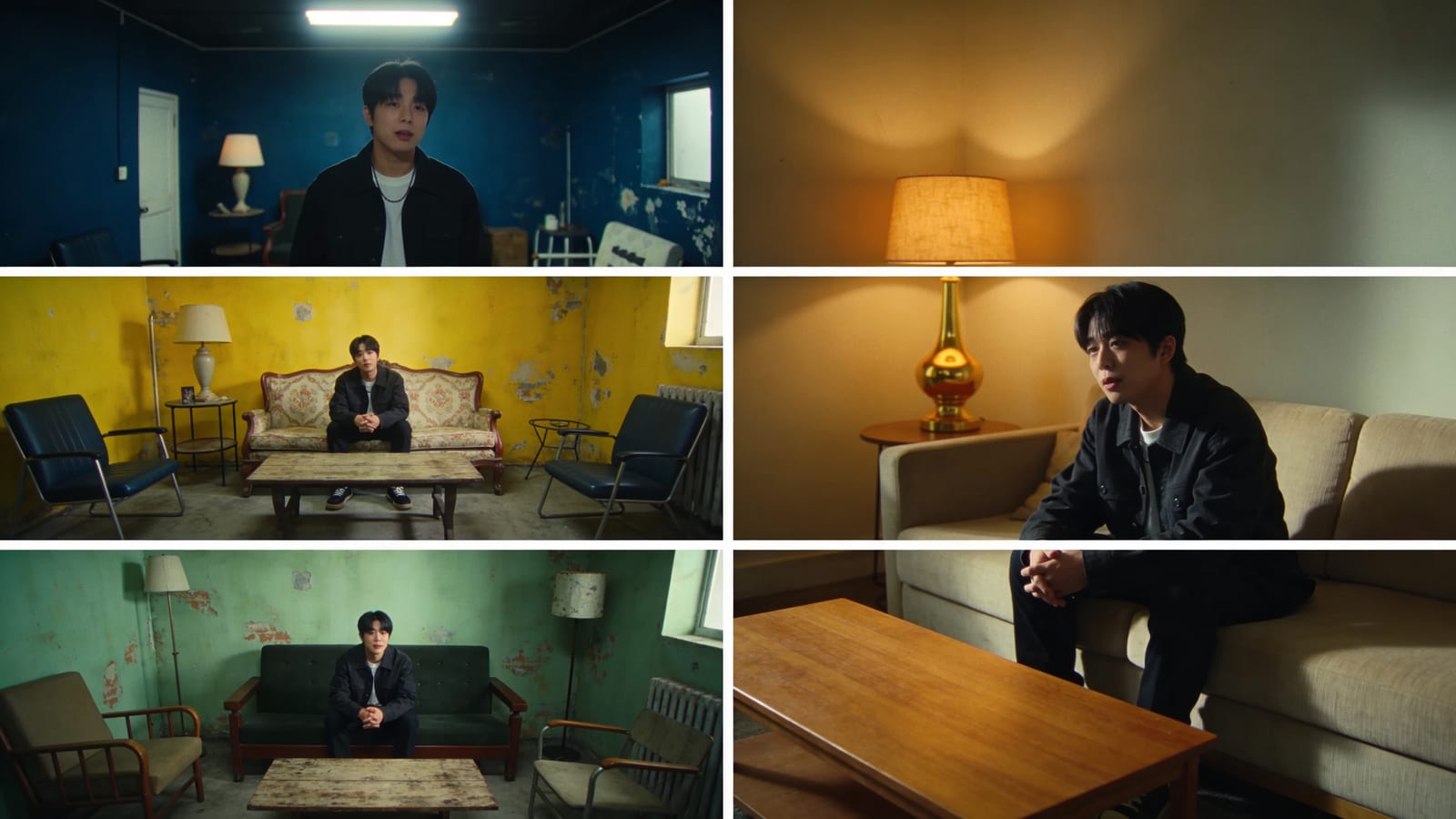
ตัวละครเพลง AI Drift Drift? วิธี Shot-by-Shot เพื่อล็อคตำแหน่งและชุด (ครึ่งอื่น ๆ ของความสอดคล้องกัน)

The one-sentence takeaway
คุณแก้ไขใบหน้า แต่ scene ยังคง drift — และนั่นคือครึ่งอื่น ๆ ของเหตุใด AI music videos ดูเทียมตัว ที่ครึ่งเกือบไม่มีใครสังเกต Locking ใบหน้า lead ของคุณแก้ไขเพียงส่วนหนึ่งของปัญหา; ทำให้ location เดียวกันอ่าน เหมือนเดียวกัน ผ่าน shots คือส่วนอื่น นี่ให้วิธี shot-by-shot สำหรับ locking scenes บวก scene library พร้อมใช้งานภายใน SunoMV story music video generator
ของคุณจะทราบ: ทำไม “ห้องนั่งเล่น” เปลี่ยนเป็นสองห้องนั่งเล่นแตกต่าง completely ใน shot 3 และ shot 9; ทำไม scene consistency และ character consistency ต้องจัดการแยก; และทำให้เล่ากับตำแหน่ง shot ส่วนใหญ่ใน song ด้วย single scene description (บวก optional reference image)
คุณแก้ไขใบหน้า และตอนนี้ scene starts เพื่อ “drift”
ก่อนอื่น ยินดี — ถ้าคุณใช้ reference image ล็อค lead face ของคุณแล้ว คุณได้ clear hurdle ยากสุดใน AI music video (ถ้าคุณยังไม่ได้ อ่าน วิธีให้ตัวอักษรอยู่สม่ำเสมอใน AI Music Videos ก่อน)
แต่คุณจะกด second trap อย่างรวดเร็ว: ใบหน้า ที่ถูกต้อง แต่เก่าที่ไม่ถูกต้อง
ลักษณะอาการคลาสสิก:
| ลักษณะอาการ | มีลักษณะอย่างไร | ทำไม มันเกิดขึ้น |
|---|---|---|
| ชื่อเดียวกัน ที่แตกต่างกัน | ใจขาวของ verse “bedroom” และ chorus “bedroom” คือสองห้องต่างกัน | แต่ละ shot ได้รับการสร้างอย่างเป็นอิสระ และโมเดล re-imagines ห้องนอนมองเหมือนทุกครั้ง |
| Time-of-day jumps | Daylight ข้างนอก shot นี้ night ข้างนอกถัดไป daylight อีกครั้งหลังจากนั้น | prompt ไม่เคย locks ไฟหรือ time of day ดังนั้นโมเดล improvises |
| Set drift | couch ไป ผ้า เพื่อ leather ผนัง ขาวปิด เพื่อ slate blue | สิ่งใด constrains เฟอร์นิเจอร์ ผนัง หรือวัสดุ |
| Indoor/outdoor mismatch | chorus อยู่บน “rooftop” แต่วิดีโอ transition splices rooftop ลงในห้องโถง | adjacent shots แต่ละไป วิธีของเขา ดังนั้น location ไม่ continuous |
ตาของมนุษย์ genuinely หากกว่า scene consistency มากกว่า faces — แต่ หากกว่า ไม่หมายถึง zero ผู้ดู ไม่อาจชี้ให้ไป ผิดใจอย่างไร แต่พวกเขา subconsciously รู้สึก “สิ่งนี้ stitched ร่วมกัน” ครึ่งของการ music video’s “production value” มา face ที่ไม่ break; ที่ half มา ที่นี่: ที่ คือ เดียวกัน
Scene consistency ไม่ character consistency: ปัญหาสอง locks สอง
คนจำนวนมาก การปฏิบัติ scene เป็น “character background” และจัดการ on ด้าน นั่นคือ mistake ลงในโมเดล generative character และ scene คือ สองประเภทต่างกัน constraints:
| มิติ | ตัวอักษร | Scene |
|---|---|---|
| สาระสำคัญ | ตัวตน: locks “ใคร นี่” — face hairstyle skin tone | สภาพแวดล้อม: locks “ที่นี่” — location set the compositional base |
| กี่คน per shot | อาจจะหลายคน (lead + ซึ่ง ใน frame) | ปกติ เพียง one (a shot เกิดขึ้น ใน one place) |
| primary carrier | reference image เกือบ mandatory (skip มันและ face changes) | Description-first reference image optional — one line เหมือน “a rooftop บน neon rainy night” เป็น often พอ |
| สิ่งไหน changes | person moves (pose expression blocking) | place ค้างไว้ (people act within the scene; the scene is the stage) |
นึก: character lock says “ห้าม swap the person”; the scene lock says “ห้าม swap the place — only change what the person does in the place.” สองล็อค แตกต่างกัน wording carrier และ usage หากจัดการ together และ คุณจะ drop inevitably one while chasing the other
The scene-locking trio
1. สร้าง “scene library” แทนการเขียน scenes ad hoc per shot
ที่ biggest mistake ได้รับการอธิบาย scene fresh ข้างใน every shot prompt shot 3 says “ใน the living room” shot 9 says “inside the living room” — phrasings สอง shot model hands คุณ living rooms สอง
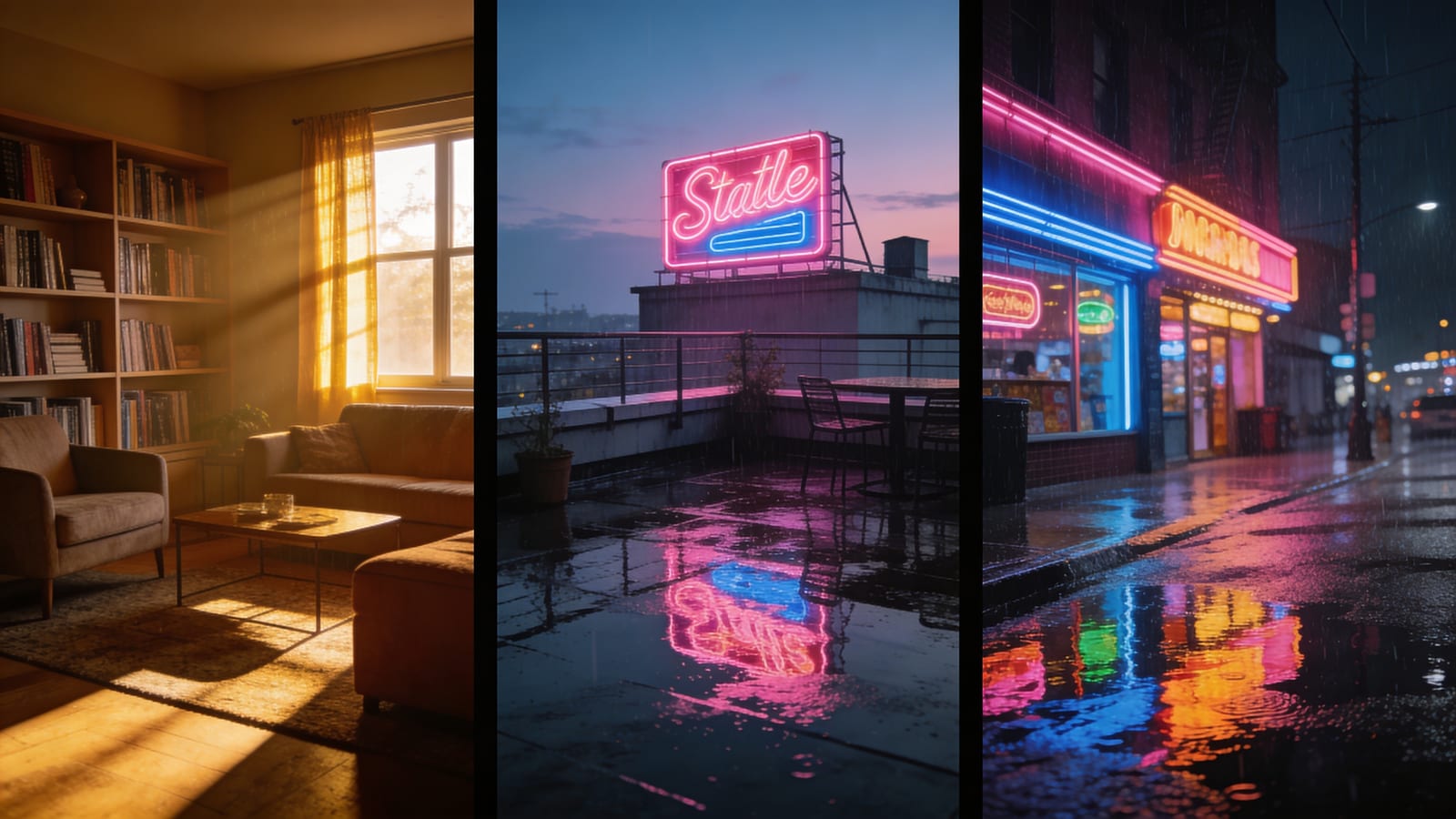
move ที่ถูกต้อง คือ pull scenes ออก และ reuse them: a song ปกติ have just 3-5 fixed scenes (living room street rooftop inside a car …) สร้าง one แต่ละ และ have every shot that uses that scene point the same entry เดียวกัน entry = same description + same reference image = identical constraints every time = the location doesn’t drift
นี่คือ exactly ทำไม SunoMV ทำ “scenes” a standalone library (ขึ้นไป 5) rather than a field inlined into each shot — it forces reuse และ reuse is where consistency comes from
2. Description-first: one หรือ two sentences ที่ nail location time of day และ set
backbone of a scene is the text description not an image มี scene description ควรจะ lock three things:
- Location + time of day: “rooftop atop an old-town building dusk the setting sun pressed against the skyline”
- Key set pieces: “a rusted water tank a clothesline a few pots of half-wilted plants”
- Light + mood: “warm orange side light slight backlight 35mm grain nostalgic but not heavy”
เขียน paragraph นี้ไป scene library และ every “rooftop” shot ใน whole song receives this same paragraph — so the location stays continuous on its own
Practical rule: a scene description ควร cover the unchanging things (location set light) และ ออก the changing things (the character pose action emotion) ลงไป the per-shot prompt มากกว่า nail ที่ stage down ใน the description the freer the performance on that stage becomes
3. Reference image: optional แต่มันเชื่อม “นี้ one place” permanently ใน place
text สามารถ lock “what kind of rooftop” แต่ มันไม่สามารถ lock “นี้ one rooftop” เมื่อ need stronger continuity (say a location ที่ must appear a dozen-plus times) ให้ scene a reference image:
- upload an image of the location คุณ want หรือ generate one ที่ happy with first then store ใน the scene library as an anchor;
- หลังจากนั้น every shot ใน this scene feeds ที่ image ไป the generative model as a “location reference” strongly constraining “the same place same architecture และ environment”
หมายเหตุ: the scene reference image is optional เพลง many are fine on description alone; the image is a reinforcement สำหรับ “when need ไป weld มันลง” — the opposite priority from character reference images ซึ่ง are “almost mandatory”
Character + scene: วิธี ไป lock both ใน the same frame
นี่ is the real challenge: เมื่อ a shot must lock both the face และ the location two reference images (character image + scene image) get fed ไป the model together — ทำไม do คุณ keep them from clashing?
key is ไป บอก the model ใคร is ใคร ภายใต้ the hood SunoMV declares the multiple reference images ไป the model by number:
image 1 is the character "Zhang Yi"; image 2 is the location/scene "old-town rooftop dusk" (not a person)
ให้ each person consistent with their character reference image (same face/hairstyle/skin tone)
ให้ the location consistent with its scene reference image (same place architecture overall environment)
และ change only the person pose และ action framing และ lighting ไป match the shot description below
นี้ numbered declaration ทำ สองคน critical things:
- Separates “person” from “place” — มันอย่างชัดเจน บอก the model “image 2 is a location not a second face ไป lock” so the model doesn’t try ไป lock a passerby ใน the scene as a lead;
- Separates “what ไป lock” from “what ไป change” — มันlock identity และ location while freeing ขึ้น pose framing และ lighting นั่น way the same character สามารถ take different actions และ move ไป different spots within the same scene while the person และ the place stay “that person that place”
คุณ ไม่มี ไป write this by hand — once you pick a character และ a scene สำหรับ a shot ใน the SunoMV shot editor นี้ coordinated declaration is assembled automatically ทั้งหมด คุณ มี ไป สร้าง the scene library right และ pick the right scene สำหรับ each shot
Lock every scene ใน your whole song ใน 3 steps inside SunoMV
- สร้าง the scene library: เปิด “Scenes” ใน the shot editor และ สร้าง 3-5 scenes สำหรับ นี้ song locations แต่ละ อื่น with a sentence หรือ two of description (location + time of day + set + light) สำหรับ locations คุณ ต้อง welded ลง เพิ่ม a reference image
- ติดตั้ง a scene ไป each shot: every shot single-selects one scene from the library the verse stays ใน the “bedroom” the chorus cuts ไป the “rooftop” the bridge returns ไป the “bedroom” — และ what it returns ไป is the same entry ไม่ a new one
- สร้าง / regenerate: ที่ generation time each shot scene description is automatically merged ลงไป the image prompt (locking the location) และ the optional scene reference image is fed ใน as an extra reference (welding the set) สลับ the scene และ the cache invalidates automatically re-rendering the image rather than fobbing คุณ ออก with the old location
ตลอด คุณ only ใช้เวลา effort on “building the library” และ “picking scenes” — the dirty work of locking is handled behind the scenes by the editor
Troubleshooting
Q: what if a song has more than 5 scenes? ก่อน ask whether คุณ truly need ที่ many Most music videos ฟังมากเหมือน “one complete world” เมื่อ they rotate among 3-4 scenes; too many scenes is itself a source of “collage feel” If คุณ genuinely ต้อง merge the close ones (“daytime living room” และ “nighttime living room” สามารถ be the same description + a different lighting hint rather than two separate scenes)
Q: I ต้อง both a day และ a night version of the same location? สร้าง them as two separate scenes: “living room - day” และ “living room - night” locking the lighting ใน each description และ เพิ่ม a reference image ไป each if needed ที่ way every shot ที่ picks “living room - night” always gets the night set และ never bleeds ลงไป the day one
Q: Indoor-to-outdoor adjacent shots never connect? the scene lock handles “the location of a single shot”; continuity between shots comes from storyboard order และ transition design Grouping same-scene shots together และ placing transitions on the boundary of a scene change is far more reliable than forcing the model ไป “guess” continuity ดู the shot-by-shot storyboard method
คำถามที่ถามบ่อย
Suno สามารถสร้าง scene-consistent music video on its own? Suno handles the song; มันไม่ handle storyboarding หรือ visual consistency turning a Suno song ลงไป a music video where the scenes don’t drift ต้อง a layer of storyboard + character + scene control on top of the song — ซึ่ง is exactly what a tool like SunoMV does ดู the full pipeline ใน จาก Suno Song ไป a Finished Film: the Storyboard Workflow
a scene always ต้อง a reference image? ไม่มี the backbone of a scene is the text description; the reference image is an optional reinforcement สำหรับ “when คุณ ต้อง ไป weld a particular location ลง completely” start with the description และ เพิ่ม an image ถ้า it drifts badly
Character consistency หรือ scene consistency — which one first? Character first a broken face is something viewers spot instantly; a drifting location is a “hidden deduction” Once the face is locked ใช้ the method ใน นี้ article เพื่อ fill ใน the scene half
Lock the other half too
Character consistency ให้ music video ของคุณ from “looking like the actor was swapped”; scene consistency ให้ it from “looking like the set was swapped” Lock both และ AI music video ของคุณ finally looks like “a film shot inside one world” rather than a pile of good-looking but disconnected single frames
เปิด the shot editor ใน SunoMV build a small 3-scene library first attach มันไป the few shots คุณ least happy with และ regenerate once — คุณ immediately รู้สึก the coherence ที่ “the same place” brings
คู่มือยอดนิยม
- 01 รวม Prompt Suno 30 แบบ แยกตามแนวเพลง ก๊อปไปใช้ได้เลย (2026)
- 02 วิธีทำมิวสิกวิดีโอจากเพลง Suno ของคุณ: แค่วางลิงก์ (2026)
- 03 7 เครื่องมือสร้างเพลง AI ที่ฟรีจริงในปี 2026 (Suno, Udio, ACE-Step)
- 04 คู่มือเพลง AI ที่สมบูรณ์ของ Suno v5 (2026): จากหน้าว่างเปล่าไปจนถึงซิงเกิลพร้อมเปิดตัว
- 05 ดาวน์โหลดเพลง Suno เป็น MP4 ฟรี: เทียบ 3 วิธี (2026)
บทความอื่นในชุดนี้
- วิธีการแก้ไขตามเส้นโค้งพลังงาน: ทำให้การตัดภาพของคุณหายใจตามจังหวะเพลงใน SunoMV (ระเบียบวิธี 2026)
- จากเพลง Suno สู่ภาพยนตร์เสร็จสิ้น: วิธีการสร้าง Storyboard แบบสมบูรณ์สำหรับวิดีโอเพลง AI (เนื้อเพลง → ฉาก → ตัวละคร → ฉากหนัง → ท่ากล้อง → ส่งออก)
- คำแนะนำฉบับสมบูรณ์สำหรับตัวสร้างวิดีโอเพลง AI: เครื่องมือออนไลน์ฟรี & เวิร์กโฟลว์ SunoMV ในปี 2026
- วิดีโอเพลงแบบซิงค์คำต่อคำ (2026): เนื้อเพลงคาราโอเกะที่ไม่เสื้อม — คู่มือ SunoMV
- วิธี Narrative Arc ขับเคลื่อนด้วย Lyric MV: จากข้อความถึงลำดับการสร้าง SunoMV (2026)
ดูบทความทั้ง 35 เรื่องในหัวข้อ งานฝีมือและการกำกับมิวสิกวิดีโอ →