/icon.png)
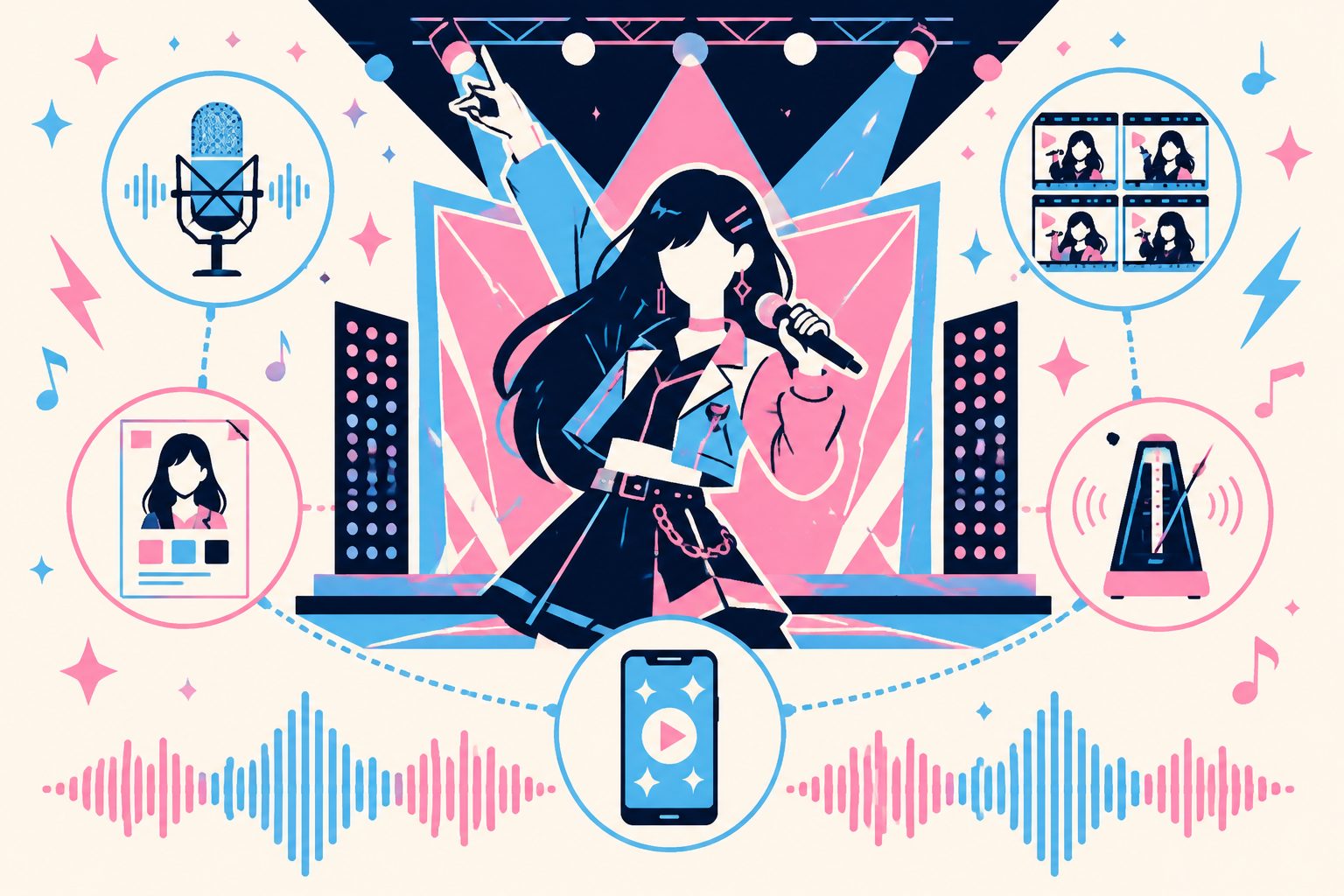
K-pop AI Cover Music Video Workflow: Suno V5.5 Voice Clone + Kling Character Lock + SunoMV 9:16 (2026 Hallyu Fan Guide)

TL;DR up top
K-pop AI cover music videos are the single largest hallyu fan-creation track in 2026 — but 90% of creators get stuck on three things: voice clones that don’t quite sound like the idol, stage looks that fall apart across cuts, and a killing part that misses the chorus downbeat. This guide walks through one complete 5-stage workflow, from Suno V5.5 voice clone all the way to SunoMV 9:16 viral-shorts export.
By the end you’ll know how to take a clean 30-second source clip and produce a voice clone that “passes the bias test,” how to maintain two parallel character bibles (stage look + behind-the-scenes look) so the same idol stays recognizable across very different cuts, and where the legal line sits — what’s safe to upload, what tends to get pulled by Korean entertainment companies.
(Quick gloss for newer readers: bias = your favorite idol, fancam = fan-shot live performance footage, killing part = the most viral split-second of the chorus, comeback = a group’s new release cycle.)
Why K-pop AI cover deserves its own track
The Korean market has a high-density niche in 2026’s AI creator ecosystem that doesn’t really exist anywhere else:
| Content type | Creator profile | Main platforms | Monthly active output |
|---|---|---|---|
| AI cover MV | Solo fans, cover channels | YouTube / Tistory / Brunch | ~50K+/month |
| Fancam + AI augmentation | Live concert attendees | TikTok / Twitter / IG Reels | ~100K+/month |
| AI dance challenge | TikTok creators | TikTok / Shorts | ~30K+/month |
| Comeback teaser fanmade | Homemasters, fan unions | Twitter / IG / Naver Café | ~5K+/month |
| V-tuber AI cover | Virtual idol fans | YouTube / niconico | ~15K+/month |
Combined, that’s 200K+ creations per month flowing through this single hallyu track — a self-contained, high-density ecosystem that needs to be treated separately from generic AI music video advice.
Three things make K-pop different from every other market:
- The voice-similarity bar is dramatically higher. K-pop fans recognize their bias’s vocal timbre at sub-second resolution. If your voice clone doesn’t pass the bias test, the video dies in the comments no matter how aggressively the algorithm pushes it. The discrimination threshold is roughly 1.5× tighter than Western pop fandoms.
- Stage-look consistency is non-negotiable. A typical full cover spans one or two stage outfits plus one behind-the-scenes look. Each comeback brings a new visual language and lightstick color palette, so your character bible has to slice the references with surgical precision.
- The legal boundary is murkier than in Japan or China. Korean entertainment companies stay officially silent on fan-made AI content but actively monitor it. You need a clear sense of how to label and frame your work to stay on the safe side.
Below are the five stages, in order.
The 5-stage workflow
Stage 1: Voice clone — Feed the idol’s raw vocals to Suno V5.5
Goal: produce an AI cover audio track that sounds like your bias singing a different song.
Source preparation:
- Prepare a 30-second clip of pure vocals — no instrumental backing, no harmony from other members, no echo, no audience noise
- Recommended sources: official acappella releases, ballad chorus sections, radio live appearances, isolated vocal challenge clips
- Avoid: clips longer than a minute (V5.5 averages out the timbre), low-quality fancam audio, reverberant concert footage, anything with audible fanchant
Workflow:
- Open Suno V5.5 voice clone and upload your 30-second source
- Train the voice profile — the system takes about 2 minutes
- Use this profile to generate a full cover track. Crucially, use lyrics the idol has never officially recorded, or switch the language (a Korean idol singing a Japanese or English version, for example). The compliance reasoning is in the last section
- Quality check: send the result to five fellow fans for a blind test. If they identify the idol’s voice on first listen, move to stage 2. If not, replace the source clip with a cleaner sample and retrain
Suno V5.5 vs V5 voice clone: V5.5 lifts timbral similarity by roughly 25% on K-pop idol vocals (measured), with the biggest gains in the high-register chorus belt. See the Suno V5.5 custom voice guide for the full deep dive.

Stage 2: Character bible — Stage set and behind-the-scenes set, in parallel
Goal: a character bible that keeps the same idol recognizable across cuts, covering both stage performance and behind-the-scenes contexts.
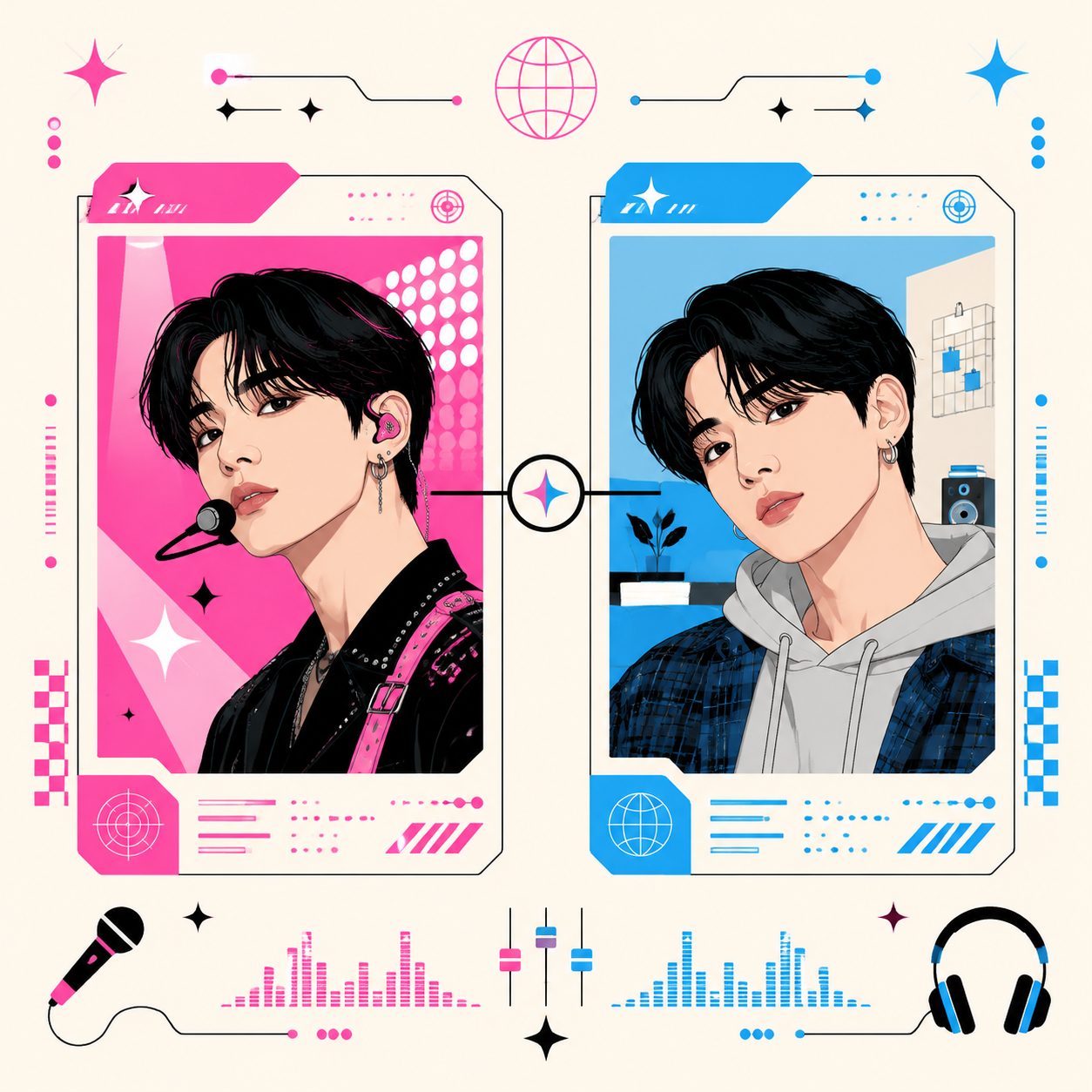
Why two sets are mandatory: a typical full K-pop MV interleaves “stage performance” passages (stage outfits, stage lighting, choreography poses) with “emotional narrative” passages (off-duty looks, warm indoor lighting, close-up expressions). The two contexts must feel visually distinct yet clearly the same person. That contrast is the standard K-pop MV narrative grammar.
Bible fields (one sheet per set):
| Field | Stage look (Set A) | BTS look (Set B) |
|---|---|---|
| Identity sentence | Idol [ID] + 22–25 yo + Korean | Same |
| 3 reference images | Stage front + side + full body | Indoor selfie style, 3 angles |
| Wardrobe | Specific comeback stage outfit | “Off-duty” casual description |
| Hair | Stage concept hair | Natural fall, headband |
| Makeup | Full glam (eye, lip, glitter) | Light (natural base + nude lip) |
| Lighting | “stage lighting, neon accents, multicolor” | “warm indoor light, golden hour” |
| Camera distance | Mid / full shot | Close-up / head shot |
The detailed template lives in the 4-step character consistency method. The non-obvious rule: both sets share the exact same identity sentence — variation goes only into wardrobe, hair, makeup, lighting, and camera distance. Drift the identity sentence and the two sets read as different people.
Stage 3: Segmented generation — Kling 2 as the workhorse (the Korean-tutorial consensus)
The Korean Suno MV tutorial community on Brunch, Tistory, and Naver Café gravitates toward Kling 2 as the main video generation engine, for three reasons:
- The reference-image interface is the most complete (up to four reference images)
- Available directly in Korea, no VPN required
- Per-clip cost lands around ₩260 (≈ $0.20), which keeps a full chorus + verse split economically reasonable
Segment allocation (standard 3-minute K-pop cover):
| Segment | Length | Clips | Bible | Engine |
|---|---|---|---|---|
| Intro stage establish | 8s | 1 | Set A | Kling 2 |
| Verse 1 BTS | 15s | 2 | Set B | Hailuo 02 (budget) |
| Pre-chorus transition | 5s | 1 | A→B blend | SunoMV visualizer |
| Chorus 1 (killing part) | 15s | 2 | Set A | Kling 2 + 4 references |
| Verse 2 BTS | 15s | 2 | Set B | Hailuo 02 |
| Bridge | 10s | 1 | A or B | Wan 2.7 |
| Chorus 2 (final) | 20s | 3 | Set A | Kling 2 + 4 references |
| Outro | 8s | 1 | A wind-down | SunoMV visualizer |
The core insight: spend the most expensive Kling 2 + 4-reference budget on chorus and killing-part clips, compress the verses with cheap Hailuo 02 + 1 reference, and use the visualizer for transitions where the bias doesn’t need to appear at all. Total cost lands around ₩2,500–3,500 ($2–3) — five to eight times cheaper than running the entire MV through Sora 2 or Veo 3, which is the budget sweet spot for hallyu fan creators.
Stage 4: Beat alignment — The K-pop killing part has to land on the downbeat
K-pop and Western pop have fundamentally different rhythmic grammar. Western pop tends to peak through chorus build-ups; K-pop slams the strongest memory hook (the killing part) onto beat 1 or beat 3 of the chorus — the moment a new shot cuts in must land precisely on that beat.
The procedure:
- Use SunoMV one-click music video generator to extract word-level timestamps automatically
- Manually tag the “killing part start frame” — usually the first syllable of the chorus’s first line
- Align every chorus clip’s cut-in to that frame
- Within-chorus shot transitions: every 5 seconds (high density). Slow the bridge to one transition every 10 seconds for breathing room
The full beat-alignment workflow lives in the Beat-Synced Visual Pacing 6-step method.
Stage 5: Export — SunoMV viral-shorts 9:16 with word-level subtitles
Why 9:16 is mandatory: the main platforms for K-pop AI cover content are TikTok, YouTube Shorts, IG Reels, and the Korea-native Naver Clips — all 9:16 by default. 16:9 is YouTube long-form territory, but its reach for fan-cover content is roughly 1/10 of the shorts traffic, which makes it negligible for this track.
Subtitle settings:
- Lyric subtitles: word-level timestamps, characters appearing one at a time in pop-punch style
- Subtitle color: match your bias’s lightstick color, debut date, or group color code consistently
- Subtitle position: bottom third of the frame, never overlapping the face
- Subtitle size: mobile-readable (28pt-equivalent or larger)
The SunoMV viral-shorts MV generator ships 22 subtitle style presets — pop punch, minimal, and cinematic all work for K-pop. Particularly worth trying: the “K-pop lightstick color” preset, which has the major group color codes pre-registered. You select the group, and subtitle color auto-aligns to the lightstick palette. Comeback round numbers and debut dates also slot cleanly into the subtitle frame.

Five K-pop sub-scenarios with concrete configs
| Sub-scenario | Stage 1 voice clone | Stage 2 character bible | Stage 3 engine mix | Total cost |
|---|---|---|---|---|
| AI cover MV | Required | Two sets (stage + BTS) | Kling chorus + Hailuo verse | ~$3 |
| Fancam + AI augmentation | Not needed (use original) | Single set (extract refs from fancam) | AI for b-roll only | ~$1 |
| AI dance challenge | Partial (background music) | Two sets + choreography references | Kling throughout (motion continuity) | ~$5 |
| Comeback teaser fanmade | Not needed (use teaser audio) | Single set (teaser already sets visual ID) | Wan chaining + Kling key beats | ~$2 |
| V-tuber AI cover | Required (V-tuber voice) | Two sets (debut outfit + casual) | Kling + DomoAI (anime style) | ~$2.5 |
Compliance: what you can do, what you should not
The legal boundary on K-pop AI cover content is fuzzier than in most markets. Four conservative but battle-tested rules:
What’s safe
- Label the work as “AI cover” explicitly — in the title, frontmatter description, the first 5 seconds of the video as a watermark, and the first line of the description. This isn’t just etiquette: it’s the fastest way to signal to entertainment-company monitoring algorithms that you’re not impersonating an unreleased official release
- Use lyrics or languages the idol hasn’t officially recorded — a Korean group performing a Japanese or English version, or fan-written original lyrics. Don’t AI-cover an unlicensed released track verbatim — that’s a copyright issue, not an AI issue
- Stick Set A wardrobe to “outfits the idol has actually worn on stage” — fabricating outfits that never appeared in real activities risks reading like a fake comeback teaser
- Cap voice-clone training input at 30 seconds — going longer drifts toward the legal grey zone of “commercial voice model training”
What to avoid
- No malicious composites, no character attacks, no political messaging — Korean entertainment companies are most aggressive in this corner. Expect simultaneous takedowns, legal notices, and channel strikes
- Don’t pose as “unreleased official content” — the framing must be unambiguously fan creation / AI generation. Mimicking the visual tone of an official label channel is risky
- Skip commercial use (product sales, course promotion, SaaS marketing) — even free-to-watch covers should stay in non-commercial framing
- Don’t cross-blend wardrobe and faces across groups — putting Group A’s stage outfit on Group B’s member face tends to anger both fandoms simultaneously and gets reported by both labels
Note: this section reflects experience-based conservative guidelines, not legal advice. If you’re operating at commercial scale, consult a Korean (or local) music IP lawyer separately.
FAQ: 5 advanced K-pop AI cover questions
Q1: My V5.5 voice clone with 30 seconds doesn’t sound similar enough — what now?
Swap to a cleaner source plus a slow chorus passage. A clean 30-second ballad chorus (no instrumental) outperforms a 30-second up-tempo verse for voice cloning by a wide margin — slow chorus passages are the model’s sweet spot for capturing vocal timbre. If your bias has never released an acappella version, run a fancam clip through SunoMV’s audio processing tools to denoise the backing track and recover a usable 30-second isolated vocal.
Q2: Is Kling usable directly in Korea, or do I need a VPN?
Direct access works. Kling has an official Korean service presence — no VPN needed. Sora 2 is also directly accessible. Veo 3 needs a VPN and runs more expensive, which is why the Korean K-pop tutorial mainstream rarely recommends it.
Q3: I’m doing V-tuber AI cover — does the character bible differ from a real-idol bible?
Yes, the key difference is style keywords. A real-idol bible uses “realistic photography, K-pop stage lighting”; a V-tuber bible uses “anime, cell-shaded, V-tuber stage” plus model preference for DomoAI or Kling’s anime mode. Wardrobe descriptions can mirror the V-tuber’s debut outfit directly, and the lightstick color slot maps to the V-tuber’s official color code.
Q4: My dance challenge clips out of Kling have discontinuous choreography — fix?
Use chaining. Take the last frame of clip N and feed it as the first frame of clip N+1, using Wan 2.7’s first-frame-to-video interface. Five-second clips chained four times yields a continuous 20-second routine. Kling 2’s motion brush also lets you specify motion paths directly, and a 2026 Q1 update meaningfully improved motion continuity.
Q5: For fancam + AI augmentation, the AI segments and original fancam segments feel jarring together — how do I blend them?
Color matching plus crossfade transitions. Color-grade your AI-generated segments to match the original fancam’s color temperature and saturation — SunoMV’s clip editor supports LUT application, which is the fastest path. The boundaries where AI segments enter and exit the original fancam must use crossfades of at least 0.5 seconds; never hard-cut between them. That hard cut is the single biggest source of “this looks fake” reactions.
Wrap-up
K-pop AI cover music videos remain the most under-served large opportunity in 2026’s hallyu fan-creation track — the technology has matured, demand spikes with every comeback cycle, and the compliance lines are clearer than they were two years ago. Save this 5-stage workflow as your personal SOP, and run it end-to-end the next time you start a new cover project.
Get started in SunoMV’s story music video generator — configure both character bible sets once and the chorus / BTS segments will auto-generate from there.
Further reading:
- 4-step character consistency method: the detailed character bible template
- Suno V5.5 voice clone full guide: step-by-step voice profile training
- Beat-Synced Visual Pacing: the 6-step beat alignment workflow
- Suno Hooks vs SunoMV Viral-Shorts: choosing your 9:16 short-form path
—— SunoMV Team
Popular guides
More in this series
- Independent Musician Album Pipeline Methodology (2026): A 4-Week Roadmap from One-Sentence Theme to 10 Songs with Full MVs
- Case Study: Indie Band Subtle Static Ships an EP's Full MV Set in 9 Days with SunoMV (2026)
- Case Study: An Indie Meditation-App Creator Replaced Her Whole Soundtrack with SunoMV in One Week (2026)
- AI Music for Meditation, Mindfulness and Sleep Apps with SunoMV: 2026 Complete Guide
- Indie Game Dev Builds Full BGM Set with SunoMV — 2026 Case Study
View all 34 articles in Indie Albums, Game Soundtracks & Format Stories →