/icon.png)
Suno's New Lyrics Workflow: Lyric Personas + Natural-Language Editing + Structure Tags (2026)

You write a verse, drop it into Suno, and the chorus that comes out is stunning — but one rhyme in the second verse feels off. So you edit that line and hit regenerate — and the whole song changes, including the chorus you loved. You revert, you regenerate again, an afternoon disappears, and you’re left with a dozen “almost there” versions, none of them usable.
The problem isn’t that your lyrics are bad — it’s that you’re treating the lyrics as one single block. Now that Suno has rolled out much stronger lyric-writing capabilities, the efficient approach is to split the process into three layers: decide who is singing first, then decide what they sing and how to edit it, and finally decide what structure they sing it in. Each layer is independent — editing one doesn’t touch the other two — which is what actually makes iteration converge.
This isn’t another “100 Suno tips” listicle. It’s a repeatable three-layer lyric workflow. Each step maps to one semantic layer of the lyrics and runs in order; once you’ve got it down, you can take the finished song straight into SunoMV to generate a matching music video, carrying a track all the way from idea to finished piece.
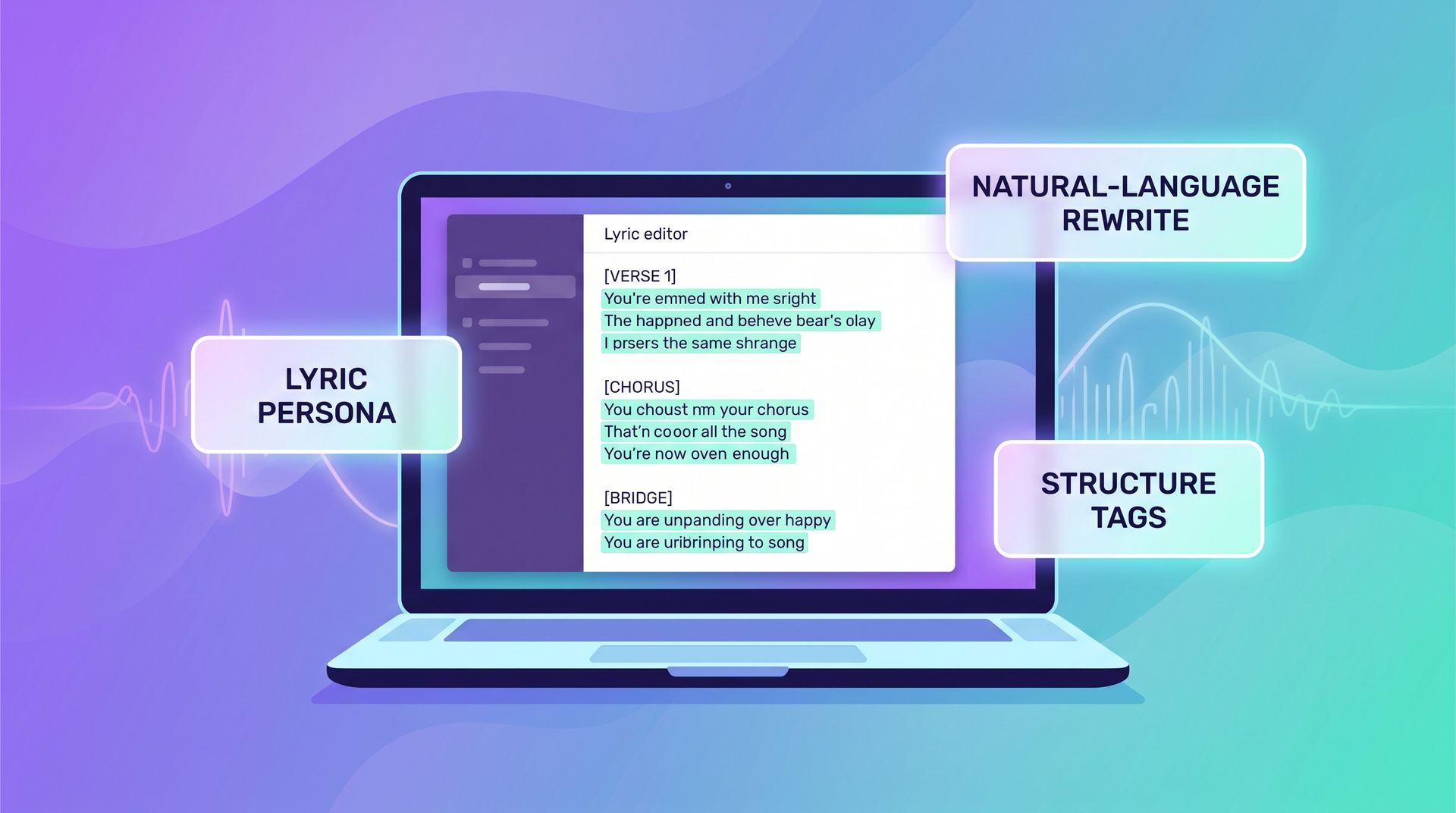
The image below gives you the big picture: a song’s lyrics are actually three layers of information stacked together, and keeping them separate is what stops them from interfering with each other.
Splitting lyrics into “who’s singing, what they’re singing, how they’re singing it” is the core of this workflow.
Why the lyric workflow is worth rethinking
Most people use Suno by writing one big block of lyrics plus a one-line style description, generating, being unhappy with the result, rewriting the whole thing, and generating again. The problem with this loop is that you’re gambling the entire song every single time — you only wanted to tweak one spot, but the cost is re-rolling the dice on every part you were already happy with.
Once you split the process into layers, things change completely. Lyrics actually carry three kinds of information at once: who is singing (timbre, tone, gender), what they’re singing (words, imagery, rhyme), and in what order they sing it (verse, chorus, bridge, timeline). When these three are mixed together in one block of plain text, the model can only average them out. Once you turn them into three knobs you can adjust independently, each iteration only moves one variable — and the results become controllable and reviewable.
Practical rule: Only change one layer at a time. If you’re editing lyrics, don’t also touch the structure tags; if you’re changing the voice, don’t also rewrite the lyrics. Lock down every variable but one, and you’ll actually know which step caused the change.
This is also the real dividing line between “amateur” and “professional” AI music work: it’s not about who writes a longer prompt, it’s about who can land a single edit precisely on one layer.
Layer 1 — Lyric Persona: Lock in “who is singing” first
Before you write a single word, decide the song’s “personality” — who is singing, and in what tone. That’s the value of a “lyric persona”: fixing the timbre, gender, singing style, and emotional tone into a reusable profile so every lyric you write afterward lands on the same voice.
A useful persona profile usually covers four dimensions:
- Timbre: e.g. “female lead, breathy, mid-range” or “male, raspy, low”
- Style: e.g. indie pop, city pop, trap, folk
- Emotional tone: e.g. laid-back, intense, restrained, narrative
- Vocal habits: whether to add ad-libs, head-to-chest voice switches, how much breathiness
Save this profile so you can reuse it the next time you make a new song for the same virtual singer. For creators making a series and trying to maintain “the same voice,” this layer is the foundation of consistency — especially if you’re planning to string multiple songs together into one virtual artist’s catalog.
Practical rule: Be as specific as possible about timbre and style, but don’t stuff “what to sing” into the persona. The persona only answers “who is singing” — content belongs to Layer 2.
Layer 2 — Natural-Language Editing: Change only the lines that are off
Once you have the voice, write the content. The biggest upgrade in this layer is that you no longer need to “rewrite the whole thing and regenerate” — instead, you can use plain language to precisely edit one spot:
Replace “street lamp” with “neon light” in the third line of the second verse, keeping the rhyme and line length unchanged.
The key to this kind of “natural-language editing” is giving enough constraints: which line to change, what to change it to, and what must not move (rhyme, line length, imagery). The clearer the constraints, the less likely the model is to let one change ripple through the whole song.
A stable editing loop looks like this:
- Read through the generated lyrics once and circle only the 1-2 lines that genuinely feel off
- For each line, write out “original line → target → constraints” clearly
- Submit one edit at a time, and listen back to just that line immediately after generating
- If you’re happy, lock it in and move to the next line; if not, roll back only that line
- Once every line is locked, listen through the whole track once to catch big-picture issues
The benefit of this process is that you always know exactly which step to roll back to — unlike regenerating the whole song, where you can’t even pinpoint which line broke it.
Layer 3 — Structure Tags: Give the whole song a timeline
Once the lyric content is finalized, use structure tags to tell the model “in what order to sing it.” If you don’t specify structure, the model defaults to genre conventions, which often produces problems like “the intro drags on too long” or “it fades out before the chorus even arrives.”
Structure tags are markers you write directly into the lyrics before each section, and the common ones are:
[Intro]
[Verse 1]
[Pre-Chorus]
[Chorus]
[Verse 2]
[Bridge]
[Outro]
Insert them in front of the corresponding lyrics, and the model gets a clear “timeline” to follow. Want a catchier chorus? Have [Chorus] appear two or three times across the song. Want more emotional dynamics? Add a [Bridge] before the second chorus for a turn.
Practical rule: Structure tags solve “order,” not “content.” If your chorus isn’t catchy, go back to Layer 2 and fix the lyrics — don’t expect an extra
[Chorus]tag to save it.
All three layers together: the full workflow from lyrics to music video
Once each of the three layers is dialed in, chaining them together gives you a complete pipeline from blank page to finished piece. The following process runs start to finish inside SunoMV — it supports 8+ AI music models (Suno V5, V5.5, Lyria 3 Pro, MiniMax Music 2.6, and more), so you can compare the same lyrics across models to see which one follows instructions best.
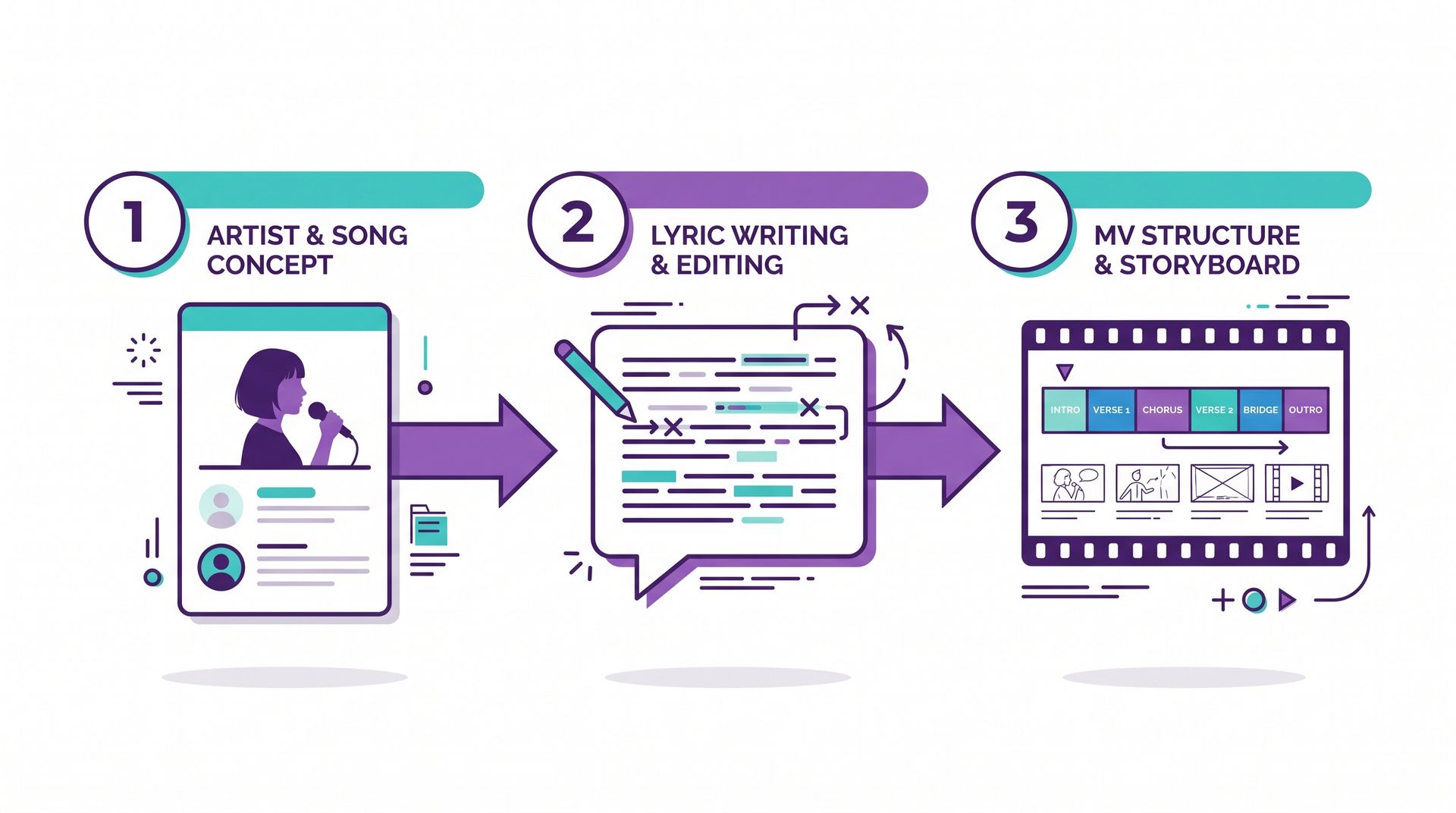
- Set the persona: Write your lyric persona first (timbre + style + emotional tone) and save it for reuse
- Write the content: Draft the first version of the lyrics, then polish it line by line using Layer 2’s natural-language editing until it’s finalized
- Add structure: Insert structure tags, run one generation, and confirm the section order and chorus count match what you expect
- Pick a model and generate: Run the same lyrics through two or three models and pick whichever version best matches the persona
- Move to the music video: Bring the finished song into SunoMV, add visuals, and generate a music video ready to publish straight to TikTok, Instagram, or YouTube
At this point, you’re no longer left with “a dozen almost-there audio files” — you have one finished song and one finished video. Splitting the lyrics into three layers keeps every step controllable, which means the video stage doesn’t need rework either.
Practical rule: Don’t rush into the music video before the lyrics are finalized. Visuals are meant to elevate a finished song, not paper over one that isn’t polished yet.
Three mistakes beginners make most often
Mistake 1: Cramming all three layers into one block of text and submitting it at once. When timbre, content, and structure are all mixed together, the model can only average them out, and every detail you wanted gets diluted. Always write and edit layer by layer.
Mistake 2: Regenerating the whole song whenever you’re unhappy. This is the most time-consuming habit of all. Learn to use natural language to fix just the line or two that’s off, and lock down the parts you’re already happy with.
Mistake 3: Describing style from memory. “A laid-back lo-fi vibe” means a thousand different timbres to a thousand different people. Writing a reference track into the persona (song title + artist) is an order of magnitude clearer than adjectives.
Avoid these three mistakes and your iteration count usually drops from a dozen-plus rounds down to three or four.
FAQ
Q1: What’s the difference between a lyric persona and just describing the voice in the prompt? It’s the difference between a one-off description and a reusable profile. A persona lets you keep the same voice consistently across a series without re-describing it for every song.
Q2: Will natural-language editing accidentally break other lines? As long as you write clear constraints (which line, what must not move), the impact stays contained to that one line. The key is submitting one edit at a time instead of changing five lines in one go.
Q3: Are structure tags required? Not required, but strongly recommended. Without them, the model falls back on genre conventions, which often leads to an intro that drags on too long or a chorus that never really lands.
Q4: Which Suno versions does this workflow apply to? The three-layer approach is a methodology, not tied to a specific version — it works with Suno V5 and V5.5, and applies equally to any other model that supports structure tags.
Q5: How do I turn a finished song into a music video? Bring the finished song into SunoMV, choose a visual style, and generate a matching music video — once exported, it’s ready to post straight to major short-video platforms.
The core of this three-layer workflow comes down to one sentence: split “who’s singing, what they’re singing, how they’re singing it” apart and adjust each one separately. Open suno.bi now, build a lyric persona for the song you’re working on, run it through all three layers, and compare the result with your old “regenerate the whole thing” approach — the difference will be obvious immediately.
Further reading:
- How to Write Suno Prompts: A 7-Step Process + Copyable Prompts
- Suno vs Udio vs Riffusion: How to Choose an AI Music Generator in 2026
References: Suno Official Help Center, r/SunoAI Community
Popular guides
More in this series
- Suno Prompts: 10 Copy-Paste Templates (Free)
- Suno V5.5 Voices + Custom Models Complete Workflow: Create Personalized AI Music Videos with SunoMV
- The Intro-Build-Drop MV Structure Method: Choreographing EDM as Visual Story with SunoMV (2026)
- Seasonal Mood Songwriting Methodology: Translate Four-Season Sensory Memory into Songs with SunoMV (2026)
- Bridge & Breakdown Arrangement Method: Stop Your AI Songs From Getting Boring on Replay (SunoMV 2026)