/icon.png)

HeyGen Video Prompt Guide: 10 Tips + Copy-Paste Templates

You paste MiniMax’s three labeled fields into HeyGen Video and the clip comes back with a second orchestra talking over the song. The jacket recasts because you never uploaded a still. The line you wanted spoken is missing because you wrote “lip sync” instead of the words in quotes. You did not fail at being creative. You handed HeyGen Video a prompt written for a different model.
People searching HeyGen Video prompt already picked the row. What they want is a block they can paste: a 5–15 second shot, one camera move, wardrobe named in the sentence, dialogue in quotes if anyone speaks, and the stills uploaded in reference mode. HeyGen’s model page is one clip, heygen-video-1, with its own audio. It is not the Video Agent that builds a 45-second deck.
This is not a methodology lesson. Every tip below is a full block. The anti-example is the same intent written as empty adjectives. Paste the block, pick HeyGen Video in the audio-to-video generator, and export a shot that can sit on a chorus.
Table of Contents
- Why a MiniMax three-field prompt fails here
- The three modes HeyGen Video actually runs
- 10 copy-paste tips
- 5 music-video templates
- What the picker locks
- Empty adjectives vs a HeyGen Video prompt
- FAQ
- Copy, pick HeyGen Video, export the shot
Why a MiniMax three-field prompt fails here
MiniMax H3 Max Turbo wants three labels: integrated_multimodal_description, overall_soundscape, and non_diegetic_music: N/A. That page is the Turbo prompt guide. HeyGen Video does not read those labels. Its API example is one plain prompt string plus a mode. On this picker the prompt cap is 5,000 characters. Duration, resolution, and references are controls next to the box, not flags you hide inside --dur.
The product row is also different. Turbo can pin a first frame and a last frame and has no reference-to-video list. HeyGen Video does the opposite: text, a first frame, or up to 9 reference images plus video and audio, and no first-and-last-frame toggle. Sound is in the take. You cannot switch it off. A prompt that says non_diegetic_music: N/A does not mute this row.
Image: SunoMV Team · write the shot. This still is not a HeyGen Video screenshot.
Practical rule: If the block still contains
integrated_multimodal_description, you are prompting Turbo. Delete the labels. Write the shot in sentences, and set duration on the picker.
The three modes HeyGen Video actually runs
HeyGen documents three calls for heygen-video-1. SunoMV exposes the same three jobs on the HeyGen Video row. The feature page is the picker explainer. This page is only the pasteable prompt.
| Mode | You give it | You get | Prompt job |
|---|---|---|---|
| Text to video | The prompt only | A new scene with its sound | Name subject, place, one camera move, and any spoken line in quotes |
| Image to video | The prompt and one still | A clip that opens on that still | Describe what happens after the still. The still sets the shape |
| Reference to video | The prompt plus images, video, or audio | A scene that keeps those people, products, or places | Upload them in reference mode, then describe them in the sentence |
Reference mode on this row takes up to 9 images, and you can also attach video and audio. HeyGen’s own limit is 12 references total (up to 9 images, 3 videos, 3 audio). A reference video is read from its first 5 seconds, so trim the clip before you upload it. Reference shots cost twice the tier: a 5-second 480P reference take is 80 credits, not 40.
Resolution on the picker is 480P, 720P, or 2K. The 2K key is stored as 1080P and sent as HeyGen’s 2k (2688×1536 at 16:9). 2K text and reference shots are only 16:9 or 9:16. An image-to-video clip follows the first frame. Credits for 5 seconds, before the reference doubling: 40 at 480P, 60 at 720P, 180 at 2K. Those follow list price ($0.02/s, $0.03/s, $0.09/s), not a promo rate.
Duration is an integer from 5 to 15 seconds. There is no 3-second or 4-second option. One generation is one lyric line, not the whole song.
The style-and-batch surface you click after pasting is the same timeline as every other row. The model name in the list is the model that runs.
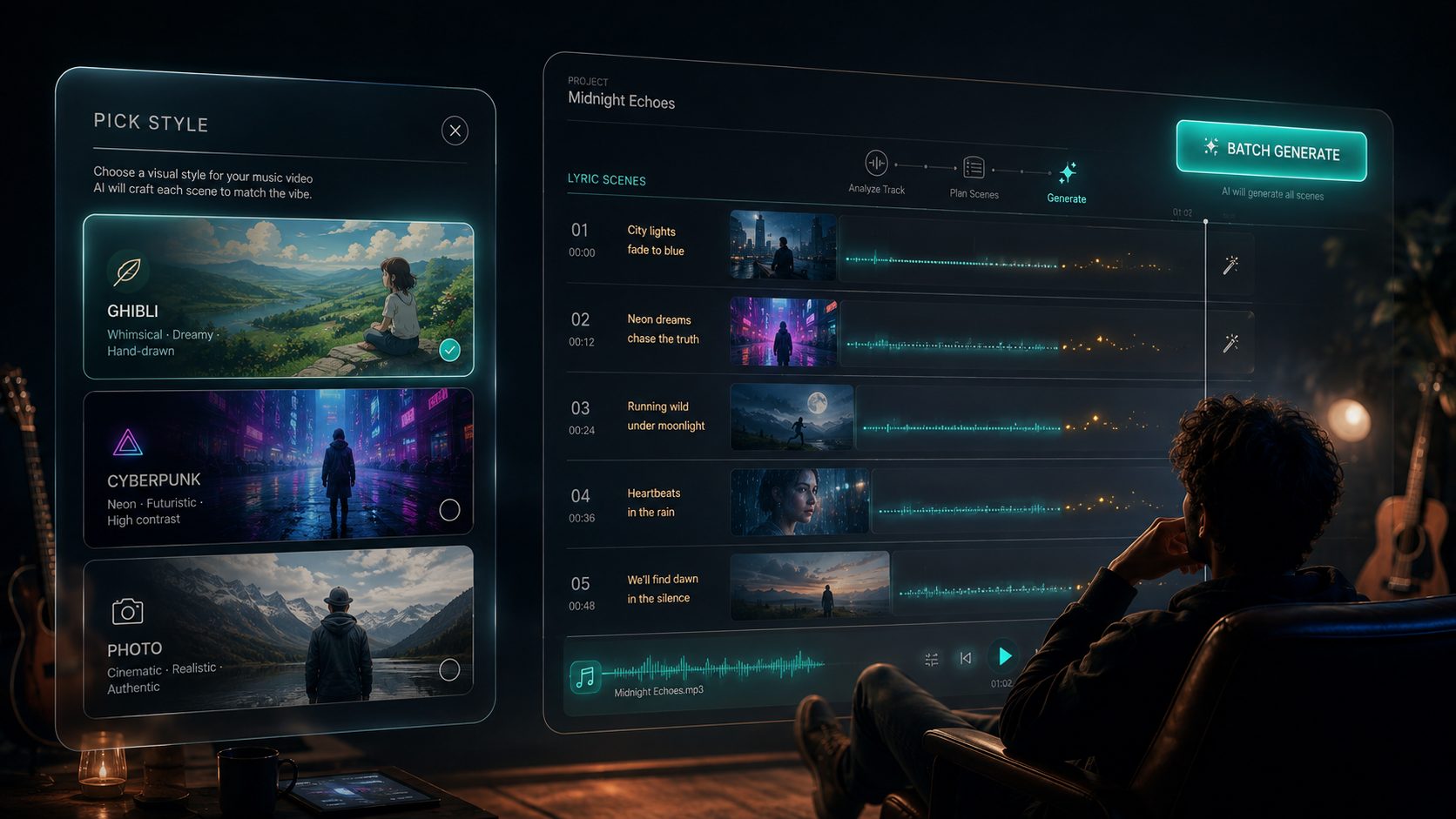
Image: SunoMV Team · HeyGen Video is a row in the model list. The prompt is still one shot.
Practical rule: Pick the mode before you write. A first-frame job describes the motion forward. A reference job describes the uploaded person. A text job has to name the face, because nothing else will.
10 copy-paste tips
Each tip is a full block. The anti-example is the same intent as empty adjectives. In SunoMV: pick HeyGen Video, set 5–15 seconds and 480P while you draft, paste the block, then cut the clip onto the lyric line.
1. Write one shot in sentences, not three MiniMax fields
One-line rule: HeyGen Video reads a plain prompt. Labels from another model are noise.
Duration on the picker: 8 seconds. Aspect ratio: 16:9. Resolution: 720P.

A woman in a cream knit and a thin silver chain stands on a wet subway platform. Medium close-up, slow push-in, 35mm, eye level. She looks past camera as a train light flares behind her. Keep the knit and the chain identical. Do not add a second song.
Anti-example: integrated_multimodal_description: cinematic 8K masterpiece, non_diegetic_music: N/A.
How to use it in SunoMV: paste the sentences into the shot box. Set 8 seconds and 16:9 on the controls. The words “Duration on the picker” are a reminder for you; the control is what the API sends.
2. Put the spoken line in quotes
One-line rule: “perfect lip sync” is not a line. The model speaks the words you quote, and the mouth follows that line. HeyGen’s clip docs treat dialogue as part of the prompt, not a separate speech pass.
8 seconds, 16:9, 720P.
Medium close-up of a woman in a cream knit and a thin silver chain on a wet subway platform. Slow push-in. She looks into camera and says, "Stay on this line." Room tone is the station hum and one arriving train. No second vocal. No new beat.
Anti-example: Perfect lip sync, epic soundtrack, she talks about the chorus.
How to use it in SunoMV: quote only the words that should be heard. If the Suno track already carries the vocal, do not put a second sentence in quotes. Name the room instead.
3. Upload the face, then describe that person
One-line rule: “a beautiful girl” is a casting call. Reference mode is how this row keeps a person. HeyGen’s example addresses an uploaded still as <Picture 1> inside the prompt. On SunoMV you upload the still in reference mode and describe the same person in the sentence.
Reference mode. 8 seconds. 16:9. 720P.
The woman in the uploaded reference, cream knit, thin silver chain, blunt bob, stands on the wet platform. Slow push-in, 35mm. She does not change hair or jacket. She does not look at a second camera. Station hum only.
Anti-example: Use my photo somehow. Cinematic music video, 8K.
How to use it in SunoMV: upload up to 9 stills in reference mode, then paste the block. A 5-second 480P reference take is 80 credits. Draft the idea as text-to-video at 40 credits first if you are still throwing shots away. A still made on ChatImg with the same wardrobe line can be that reference. The longer lock is the character-consistency method.
Image: SunoMV Team · reference mode is the lock. The prompt still has to name the knit.
4. A first frame is the opening picture, not a style board
One-line rule: image-to-video opens on the still you upload. Describe the next action. The still sets the aspect ratio. This row will not also pin a last frame.
Image to video. 8 seconds. Resolution 720P.
Open on the uploaded still: she is already on the platform, cream knit, silver chain, both hands in her pockets. She takes one step toward camera. Slow push-in, eye level. Station hum, one heel on wet concrete. Do not recast. Do not add a closing poster.
Anti-example: Morph from this photo to a different city in 8K.
How to use it in SunoMV: upload one still as the first frame. If you need a start picture and an end picture on the same generation, that control is MiniMax H3 Max, not this row.
5. One camera move, written as a physical path
One-line rule: orbit plus push-in plus handheld usually warps the face. Name one move. Runway’s camera notes make the same cut: one framing term, one movement term.
8 seconds, 16:9, 720P.
Hip-height tracking left, 35mm, slow. Camera not orbiting. A woman in a cream knit and silver chain plants her left heel on wet concrete, weight forward, knit swinging half a beat late. She does not smile. Keep face, bob, and knit identical. Station hum only.
Anti-example: She dances beautifully with a low aerial handheld orbit push-in, cinematic 8K.
How to use it in SunoMV: if you stacked four camera words, delete two. Keep the heel.
6. Name ambience. Do not ask this row for a new song
One-line rule: sound cannot be disabled. The failure mode on a Suno track is a second score, not silence. Write the room. Do not write “original soundtrack.”
8 seconds, 16:9, 480P.
Medium close-up, slow push-in. Woman in a cream knit on the wet platform, silver chain, blunt bob. She mouths the chorus without a new vocal. Sound is station hum, a distant announcement, one heel. No choir. No drum kit. No second song.
Anti-example: Cinematic 8K audio with an original soundtrack and perfect lip sync.
How to use it in SunoMV: draft this at 480P (40 credits for 5 seconds, 64 for 8). Keep the Suno track as the bed you edit afterwards. The measured music-video note for this row is HeyGen Video for a music video.
7. Trim a reference video to the 5 seconds you want followed
One-line rule: HeyGen reads the first 5 seconds of each reference video and trims the rest before generation. Upload the 5 seconds you mean.
Reference mode. 10 seconds. 16:9. 720P.
Follow the motion in the uploaded reference video: a slow push-in on the woman in the cream knit. Keep her face and the silver chain. The new shot stays on the wet platform. Station hum. No second song.
Anti-example: Watch my whole 40-second rehearsal and copy the best part.
How to use it in SunoMV: cut the reference down before you attach it. More than 3 reference videos, or more than 12 references in total, is outside the documented cap.
8. 2K is a final shape, not a word in the prompt
One-line rule: typing 8K or 4K does not add pixels. The picker offers 480P, 720P, and 2K. 2K text and reference shots are 16:9 or 9:16 only. A 5-second 2K take is 180 credits, 360 if it is a reference shot.
Picker: 8 seconds, 16:9, 2K. Text to video.
Medium close-up, slow push-in, 35mm. Woman in a cream knit and silver chain on a wet subway platform, blunt bob. Station light flares once behind her. Keep the knit identical. Station hum, one heel. No second song. No on-screen title.
Anti-example: Make it 8K IMAX anamorphic 21:9.
How to use it in SunoMV: lock the cut at 480P or 720P. Move the keeper to 2K only when the lyric line is chosen. For 9:16, change the aspect control. Do not ask 2K for 4:3 or 21:9; those shapes are not in HeyGen’s 2K table.
9. Do not paste a negative-prompt box this row does not have
One-line rule: there is no native negative-prompt field. Write the lock as a short closing sentence inside the same prompt. “No second song” belongs there. A separate box does not.
8 seconds, 9:16, 720P.
Vertical medium close-up. Woman in a cream knit, silver chain, blunt bob, wet platform. Slow push-in. She stays in the center third. Station hum. No second song. No subtitles. No logo.
Anti-example: a second box that says ugly, deformed, extra fingers, watermark, bad anatomy.
How to use it in SunoMV: keep the don’ts to the things this shot actually drifts into: a new score, a recast, subtitles, a logo.
10. One prompt is one lyric line
One-line rule: 15 seconds is the ceiling. A three-location montage is three generations. Stack them on the timeline.
12 seconds, 16:9, 720P.
One continuous take, no cut inside the clip. Start on her hands at the silver chain, end on her eyes as the train light flares. Slow tilt up, 35mm. Cream knit, blunt bob, identical throughout. Station hum. No second song.
Anti-example: A full music video that follows her all night across the city.
How to use it in SunoMV: generate the chorus line, drop it on the lyric timeline, preview, then export. Previewing the assembly is free. The generator is audio to video.
Practical rule: Draft at 480P without references. Add the face only on the take you will keep. Move to 2K last.
5 music-video templates
Each template is one paste. Set the picker to match the first line.
Chorus, with the Suno track already made
8 seconds, 16:9, 720P. Text to video.
Medium close-up, slow push-in, 35mm. A woman in a cream knit and thin silver chain, blunt bob, on a wet subway platform. She mouths the chorus. Station hum and one heel. No second song. No new vocal. Keep the knit identical.
Face lock across the verse
Reference mode. 8 seconds, 16:9, 480P.
The woman in the uploaded reference, cream knit, silver chain, blunt bob, turns her head a few degrees toward the train light. Slow push-in. Do not recast. Station hum. No second song.
First frame of the hook
Image to video. 6 seconds. 720P.
Open on the uploaded still. She lifts her chin. Slow push-in, eye level. Cream knit and silver chain stay as they are in the still. Station hum. No second song.
Vertical teaser
8 seconds, 9:16, 720P.
Vertical medium shot, locked off. Woman in a cream knit centered in the frame, wet platform behind her, train light at the edge. She says, "One more line." Station hum. No subtitles. No second song.
Product in her hand, reference still
Reference mode. 8 seconds, 16:9, 720P.
She holds the object from the uploaded reference at chest height, cream knit, silver chain, wet platform. Slow push-in. The object stays the same shape. Station hum. No second song. No logo animation.
Image: SunoMV Team · if a new beat appears under the Suno track, the prompt asked for a song.
What the picker locks
| Control | On this row | Do not expect |
|---|---|---|
| Duration | Integers 5–15 seconds | 3–4 second cuts, or a full song in one generation |
| Resolution | 480P, 720P, 2K | 4K, or 8K because you typed it |
| 2K shape | 16:9 or 9:16 for text and reference | 4:3, 1:1, 21:9 at 2K |
| Sound | Always on | A mute switch, or N/A from a Turbo prompt |
| References | Up to 9 images, plus video and audio, 12 total | A nine-still Hailuo library pasted as Image 1 labels with no upload |
| First and last frame | Not on this row | A morph between two stills |
| Prompt length | 5,000 characters here | The API’s 32,000-character ceiling |
| Negative prompt | No separate field | A second box of “bad anatomy” |
A public walkthrough of turning a Suno song into a finished AI music video is this 12-minute cut. The row you pick afterwards, for the shot that should arrive with sound, is HeyGen Video.
Video: YouTube · Roboverse. The assembly is the timeline. HeyGen Video is one 5–15 second shot with sound, not the whole song in a single prompt.
Practical rule: 2K and reference mode are for the keeper. Everything else is a draft at 480P.
Empty adjectives vs a HeyGen Video prompt
| Intent | Empty | Paste this instead |
|---|---|---|
| A chorus face | cinematic 8K masterpiece | 8 seconds, 720P, slow push-in, cream knit, station hum, no second song |
| She speaks | perfect lip sync | She says, “Stay on this line.” |
| Same person | a beautiful girl | Reference mode plus the uploaded still, blunt bob, silver chain |
| End on a poster | morph to the last frame | Not this row. Use MiniMax H3 Max for first-and-last frames |
| More pixels | make it 8K | Picker set to 2K, 16:9, after the cut is locked |
FAQ
Can I turn the sound off?
No. HeyGen Video generates dialogue, ambience, and effects in the same pass, and this picker cannot disable that audio. Write the room you want, and do not ask for a new song if a Suno track is already the score. The measured clip notes live on HeyGen Video for a music video.
Why did my MiniMax prompt add an orchestra?
Those three fields are for MiniMax H3 Max Turbo. This row ignores the labels and still generates sound. Delete non_diegetic_music and write “No second song” in the sentence.
Does 1080P mean 1080p?
On this picker the top label is 2K. The stored key is 1080P and the request goes out as HeyGen’s 2K size class. A 5-second take at that tier is 180 credits, 360 with references. See the HeyGen Video feature page for the row, and set the tier on the control rather than in the adjective list.
Where do I click?
Open the audio-to-video generator, choose HeyGen Video, set 5–15 seconds, paste one template, generate, and drop the clip on the lyric line.
Copy, pick HeyGen Video, export the shot
Copy one block. Open the generator. Pick HeyGen Video. Set the duration and the tier the first line names. Upload a reference only when the face has to match. Export the line, not the whole song.
The same-cluster experiment on this site already measured the title shape. In May–July 2026 two Suno prompt pages sat near the same Search Console position: the copy-paste title pulled 3.79% CTR; the “7-Step Pro Method” title pulled 0.17%. This page is the HeyGen Video version of the winner shape.
Practical rule: One block, one lyric line, sound already in the take. If you still need a first frame and a last frame, you are on the wrong row.
Popular guides
More in this series
- Seedance 2.0 4K Prompt Guide: 10 Tips + Copy-Paste Templates
- MiniMax H3 Max Turbo Prompt Guide: 10 Tips + Copy-Paste Templates
- Seedance 2.0 Fast Prompt Guide: 10 Tips + Copy-Paste Templates
- Grok Imagine 1.5 Prompt Guide: 8 Tips + Copy-Paste Templates
- FLUX 3 Prompt Guide: 8 Tips + Copy-Paste Templates