/icon.png)
Seedance 2.0 vs 2.5 In-Depth Comparison: What Does 52% More Money Actually Buy You? Prompting, Capabilities, and Real Costs Explained (August 2026)

Seedance 2.0 vs 2.5 In-Depth Comparison: What Does 52% More Money Actually Buy You? Prompting, Capabilities, and Real Costs Explained (August 2026)
On August 7, 2026, Seedance 2.5’s API officially went live on Volcano Engine. That same day, official pricing was announced: 70 RMB per million tokens (excluding video input), about 52% more than 2.0’s 46 RMB.
So here’s the question: 2.0 isn’t going away either — and it just got a discount. From August 7 to September 7, 2.0 mini is 60% off list price and fast is 25% off. On one side, a stronger but pricier new flagship; on the other, a previous generation that just became unprecedentedly cheap. Which should you use?
No hype, no hate — this piece lays out the capability differences, prompting differences, and real costs between the two generations, then ends with a decision table for “which model for which content type.”
1. One Table to Understand the Core Differences
Here’s the summary table first, with details broken down one by one after:
| Dimension | Seedance 2.0 | Seedance 2.5 |
|---|---|---|
| Single-shot generation length | Up to 15 seconds | Up to 30 seconds |
| Reference material limit | ~12 items | 50 (images ≤30, videos ≤10 clips, audio ≤10 clips) |
| Second-level timestamp shot control | Officially “supported but unstable” | Efficiently responsive |
| Multi-view subject reference | Not officially recommended | Supported |
| Output aspect ratio | Fixed 6 presets | Any ratio from 0.4–2.5 |
| White-model reference/rendering | — | Supported |
| Grid storyboard reference | — | Supported |
| Seamless video transitions | — | Supported (input two clips to fill the gap) |
| Video instruction editing | Basic | Supports timestamp-targeted add/remove/modify |
| Official price (excl. video input) | 46 RMB/million tokens | 70 RMB/million tokens (+52%) |
| Official price (incl. video input) | 28 RMB/million tokens | 42 RMB/million tokens (+50%) |
Data sources: Volcano Engine’s official pricing page and the Seedance 2.5 launch announcement.
Practical rule: When comparing AI video models, check “single-shot generation length” and “reference material limit” first — these two rows determine whether your content needs to be split and stitched, and whether a character’s face can stay locked for the full runtime. That predicts your actual experience better than any benchmark.
2. Prompting Differences: On Timestamps, the Two Generations Give Opposite Answers
This is the most easily overlooked difference — and the one that most affects your success rate.
When writing prompts for 2.0, the official prompting guide states plainly: “The model’s support for precise timing (e.g., 0–3 seconds) is unstable, and forcing a duration constraint may cause abnormal results” — it recommends a sequential “Shot 1 / Shot 2 / Shot 3” style instead, letting the model control its own pacing.
When writing prompts for 2.5, the official stance does a 180: the 2.5-specific guide says both timestamps and shot numbering work, and the launch announcement even lists “efficient response to second-level timestamps in prompts” as a core selling point — official examples are almost all written in the 0s-3s: format.
In other words: the same prompt with a precise timestamp is a precise beat-hitting instruction for 2.5, but potentially a source of glitches for 2.0. If you’ve been writing timestamps since the 2.0 era and always felt your reroll rate was a bit high — don’t blame yourself first. Try switching to sequential numbering, or just switch to 2.5.
For content that must hit exact beats — like music videos — this difference is basically a verdict: for beat-synced scenes, pick 2.5 outright. A shot cut that must land at exactly the 4th second, a caption that must appear on the chorus downbeat — only a model with stable second-level timestamp response can deliver that.
Practical rule: When migrating old prompts to 2.5, don’t just swap the model name — convert sequential shot numbering back into second-level timestamps, so 2.5’s beat-hitting ability actually gets used.
3. The Cost Math: 52% Pricier, But That’s Not How the Bill Actually Adds Up
A 52% higher unit price doesn’t mean your total cost goes up 52% — there are three variables to factor in:
First, the reroll rate. The real cost of video generation = unit price × number of generation attempts. 2.5’s improved instruction-following and long-narrative stability were repeatedly emphasized in the launch announcement: “longer duration doesn’t amplify randomness.” If a clip takes 5 rerolls on 2.0 but only 2 on 2.5, the 52% pricier unit cost can still end up cheaper overall. This is especially true for complex narratives, multi-character ensemble scenes, and long shots.
Second, stitching cost. 2.0 caps out at 15 seconds per clip, so a 30-second chorus has to be split into two generations and stitched together — and the visible jump cut at the seam often needs further fixing; 2.5 does a full 30 seconds in one continuous shot, eliminating both the stitching step and its failure rate.
Third, August’s limited-time discounts changed the value proposition at the low end. From August 7 to September 7:
| Model | Discount | Actual 720p price |
|---|---|---|
| Seedance 2.0 mini | 60% off | As low as ~0.2 RMB/second |
| Seedance 2.0 fast | 25% off | As low as ~0.6 RMB/second |
What does 0.2 RMB/second for mini mean? A 5-second shot costs less than 1 RMB. For drafting, testing composition, and previewing shot sequences, this price lets you experiment freely.
Practical rule: Don’t run an entire project on the same model. Use discounted 2.0 mini for drafts and experimentation, then switch to 2.5 for the final key shots — this “cheap drafts, flagship final cut” combo saves more than running everything on a single model.
4. Capabilities Exclusive to 2.5: Four Things 2.0 Simply Can’t Do
If duration and timestamp support are “quantitative” changes, the four items below are “qualitative” — things 2.0 doesn’t have at all.
- Seamless video transitions: Input two video clips, and the model automatically fills in the transitional footage between them. For music videos, this is a killer feature — the transition between two adjacent shots is no longer guessed from first/last frame images, but genuinely generated from the content of both clips.
- White-model reference/rendering: Use a simple geometric 3D white-model video to lock in camera movement and blocking, and let the model handle the “coloring” and rendering of the final shot. A gift for shot-control perfectionists.
- Grid storyboard reference: A single 3x3 storyboard grid image can define the shot structure and pacing of an entire clip, paired with a prompt to fill in action and style details.
- Timestamp-targeted video editing: “Only edit seconds 3–5 of video 1, change the background to a rainy night” — localized edits no longer require re-rendering the whole segment.
Together, these capabilities point in one direction: 2.5 is pushing AI video from “generation” toward “production” — what you provide is no longer just a description, but real production inputs like storyboards, white-model previews, and reference material libraries.
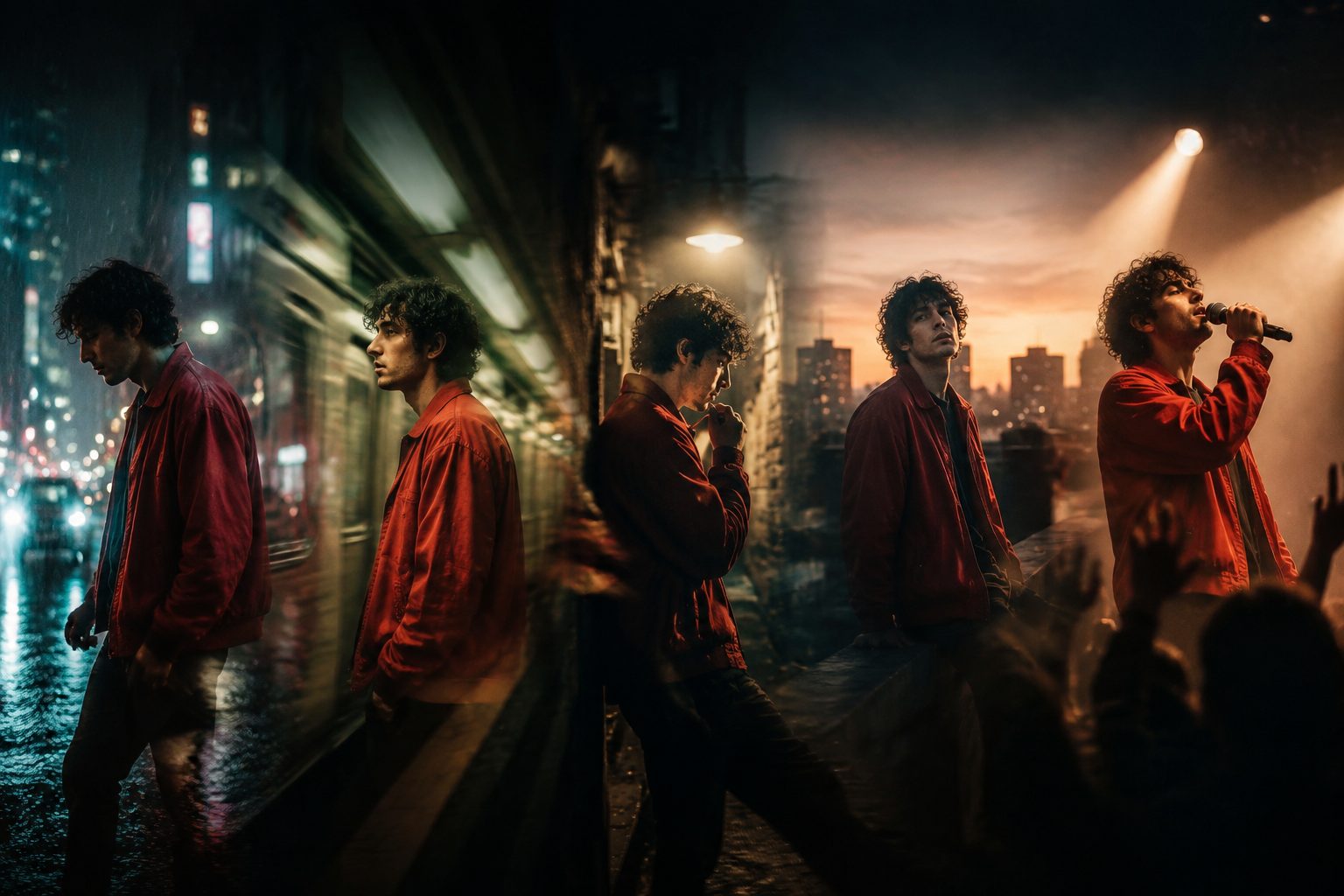
Image: SunoMV Team · cross-shot character consistency example
5. Decision Checklist: Which Content Should Use Which Generation
Compressing all the differences above into one table:
| Your content | Recommendation | Reason |
|---|---|---|
| Music videos, beat-synced edits | 2.5 | Second-level timestamp beat-hitting, 30 seconds covers a whole chorus |
| Multi-character ensemble scenes, long-form narrative shorts | 2.5 | Character consistency and long-shot stability are a generational leap |
| Need seamless transitions/white-model previz/localized editing | 2.5 | Exclusive capabilities, 2.0 doesn’t have them |
| Single-shot mood pieces, B-roll, footage clips | 2.0 fast | Excellent value after the 25% discount, pacing left to the model |
| Drafts, composition testing, shot previews | 2.0 mini | ~0.2 RMB/second after the 60% discount, room to experiment freely |
| Budget-sensitive bulk content | 2.0 series | 52% lower unit price, the gap adds up at scale |
One-line summary: the more certainty you need, the more worth paying the premium for 2.5; the more exploratory your work, the more you should run volume on the discounted 2.0 series.
6. Both Generations Are Directly Selectable in SunoMV
Don’t want to manage the API yourself, count tokens, or write storyboards? SunoMV’s video model list has the full Seedance lineup selectable — 2.0, 2.0 fast, 2.0 mini, and the newly-added 2.5 early-access version. Even better, the shot-format routing is already built in: pick 2.5 and it automatically uses second-level timestamps, pick a 2.0-series model and it automatically uses sequential numbering — the prompting pitfalls in the official guides are already routed around at the product level.

Image: SunoMV Team · audio-to-music-video creation workflow
Two further reads if you want to dig deeper: The Complete Seedance 2.5 Prompt Guide (breaking down the official formula step by step) and The Complete Seedance + Suno Workflow. For a third-party perspective, check Artificial Analysis’s video model leaderboard, where the Seedance series has long dominated the text-to-video tier.
FAQ
Q: Will 2.0 be discontinued now that 2.5 is live?
No. Both generations are sold in parallel, and the 2.0 series is currently on a promotional discount (August 7 – September 7). The official product logic is clear: 2.5 competes on certainty and ceiling, 2.0-series competes on value and throughput.
Q: Does quality drop as 2.5’s 30-second clips get longer?
The official launch claim, based on testing, is that “longer duration doesn’t amplify randomness — if anything, it makes complex narratives more controllable.” In our own 480p short-clip tests, generation completed in 72–124 seconds, with visual quality consistent with shorter-duration clips.
Q: Can old 2.0 prompts be used directly on 2.5?
They’ll still generate output, but two adjustments are recommended: convert sequential shot numbering into second-level timestamps (to make full use of 2.5’s beat-hitting ability), and add a lighting description (a quality lever that works across both generations). See the Complete Prompt Guide for details.
Q: Where can regular users try 2.5?
Volcano Engine’s console has an online trial page; if you’d rather skip the API entirely, SunoMV has already added 2.5 to its model list as an early-access option — just select it and generate.
Try It Now
The best comparison is running it yourself: head to the SunoMV Audio-to-Video Generator, generate the same song once with 2.0 fast and once with 2.5, and put the two music videos side by side — your eyes will tell you whether the 52% price gap is worth it.
SunoMV Team
Popular guides
More in this series
- FLUX 3 Video Model Tested: From Text-to-Video to Video Extension, What Music MV Creators Need to Know
- Suno v5.5 Song to Music Video: SunoMV vs Freebeat vs VidMuse (2026)
- MiniMax H3 (Hailuo 03) for AI Music Videos: Feed the Song Itself In, and the Visuals Finally Hit the Beat
- GEMA vs Suno: What the Munich Verdict Means for AI Music Creators (2026)
- Suno vs Udio vs Riffusion 2026: How to Choose an AI Music Generator