/icon.png)

Word-by-Word Synced Lyric Videos (2026): Karaoke Lyrics That Never Drift — SunoMV Guide

Putting lyrics on screen sounds as easy as “add some captions” — until you actually try it. The text lags half a beat behind the vocal. A line flips to the next page before it’s even finished. A chorus gets chopped into a mess. You want to sing along, but the words are always just a hair off. The first thing people judge in a lyric video isn’t the visuals — it’s whether the words keep up with the singer’s mouth. When they do, viewers can’t help but hum along. When they don’t, even gorgeous footage feels cheap.
This is a hands-on walkthrough of how to use SunoMV to turn a song into a word-by-word synced karaoke lyric video: every word lights up at the exact moment it’s sung — fast songs, slow songs, instrumental breaks, all in time — and you almost never have to drag a single timeline manually.
Want to jump straight in? Open suno.bi, paste your song link, and hit “Make a lyric video” to see the word-by-word highlight in action.
Why Most Lyric Videos “Can’t Keep the Beat”
Whether you build it in an editor yourself or use a generic captioning tool, the place lyric videos fall apart is rarely the imagery — it’s the timing. Three failures show up again and again:
- The whole line jumps at once: an entire line appears together and disappears together. You can get away with it on a slow ballad, but in fast songs and rap a single line carries so much that the eye can’t keep up — let alone sing along.
- It drifts the further you go: the opening is dead on, but two or three minutes in the captions creep slower and slower, and by the chorus they’re completely off. This is worst on long songs.
- Manual timing is brutal: the old way to get word-level precision is to drag the timeline one word at a time. A three-and-a-half-minute song has hundreds of words; by the time you’ve timed it once your eyes are fried, and changing one line means redoing the rest.
Rule of thumb: to judge whether a lyric video is professional, don’t look at how flashy the visuals are. Pick any line at random and check whether the moment a word lights up matches the moment the singer opens their mouth. If it lines up, you’ve cleared the bar. If it doesn’t, no amount of beauty will save it.

The lyric-video format itself is proven — it’s the most common way musicians visualize a track outside a full music video (see the Wikipedia entry on the lyric video). And in the short-video era, content you can “sing along to” naturally earns more watch time, replays, and shares. The question was never whether to make a lyric video — it’s how to make the words actually keep up.
What “Word-by-Word Sync” Really Means — and Why It’s Worth More Than Line Captions
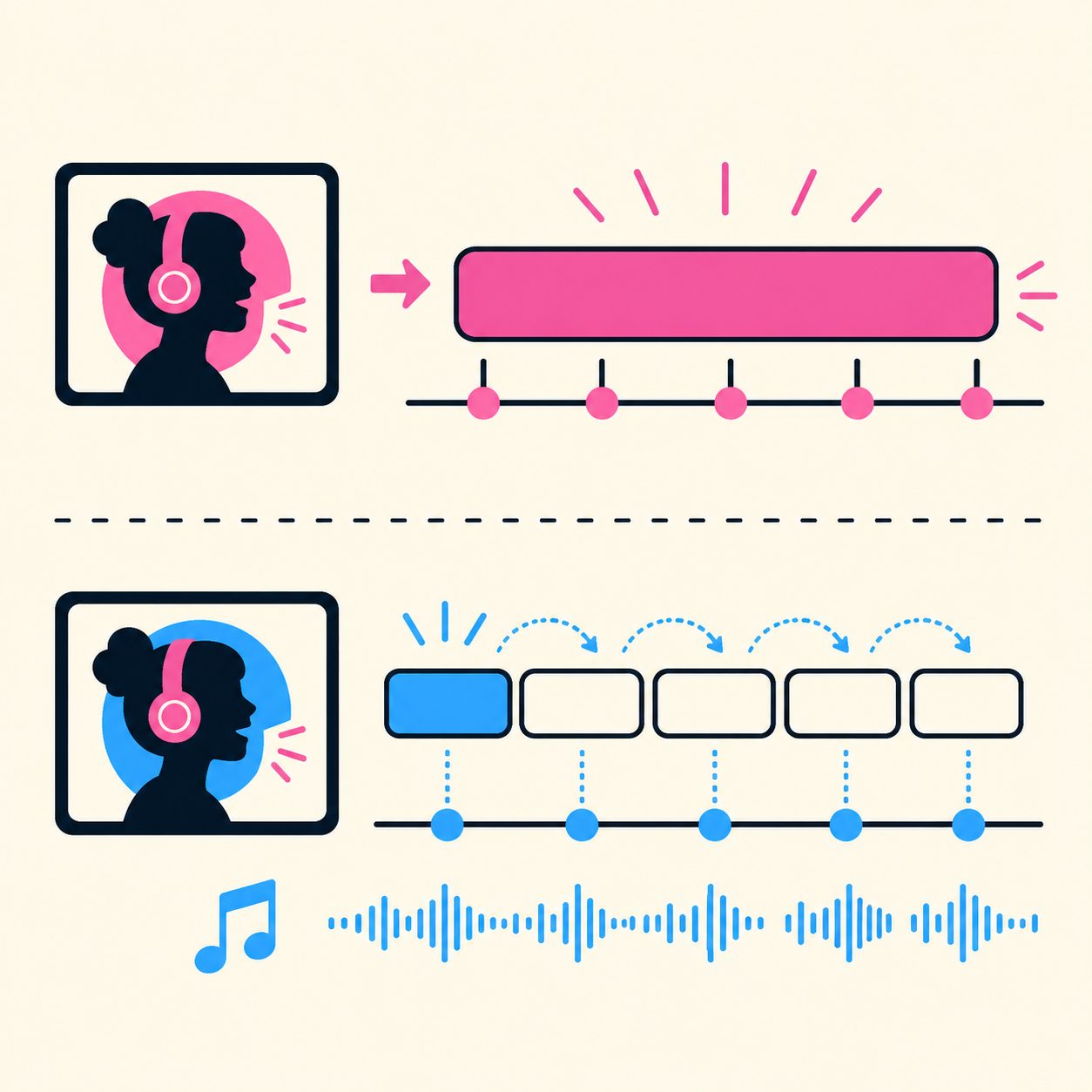
In one sentence: word-by-word sync means each word lights up only at the moment it’s sung, instead of a whole line appearing at once.
That’s the karaoke experience — the text changes color one word at a time, following the vocal, so you don’t have to remember the lyrics; you just let your eyes follow the color and sing. For viewers, word-level highlighting does three things that line captions simply can’t:
- Keeps up with fast songs: in rap and dense choruses there’s no time to read a whole line, so word-by-word highlighting acts like a metronome you can follow.
- Held notes aren’t awkward: when a word is sung for three seconds, the highlight “stays” on that word, so viewers understand the note is being held.
- It makes you want to sing along: the visual rhythm of words lighting up one by one is contagious on its own — far more alive than a static line of text.
Rule of thumb: a slow love song can get away with line captions. But the moment a track has rap, a dense chorus, or noticeably held notes, you need word-by-word sync — otherwise those exact sections become the most jarring part of the whole video.
If you’d rather first get the whole lyric-video workflow straight (how words, visuals, and rhythm work together), start with the broader complete guide to AI lyric video generators; this post zooms in on the hardest layer of all — getting the timing right word by word.
Make a Sing-Along Lyric Video with SunoMV in a Few Steps
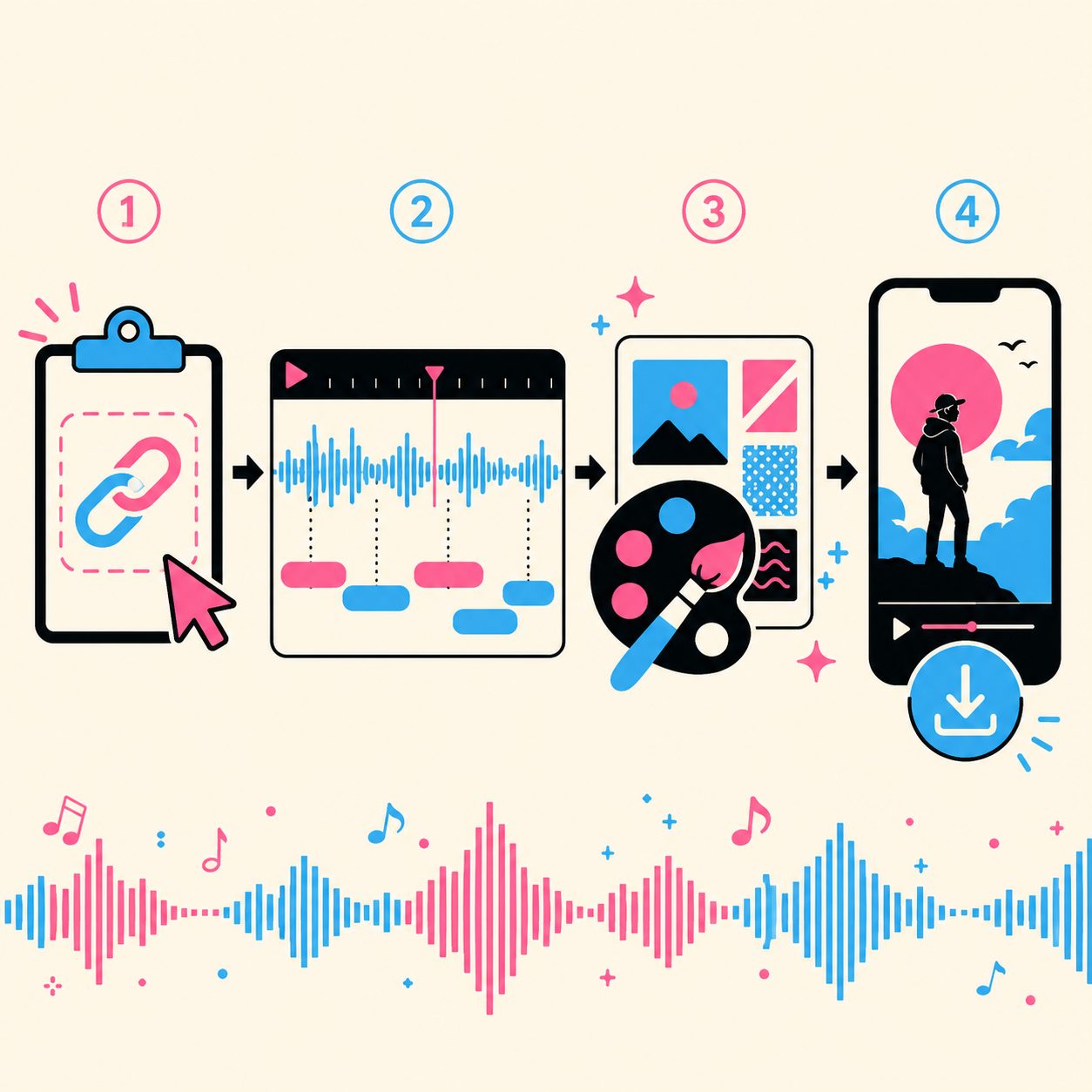
The whole thing happens without ever touching a timeline. Four steps:
- Paste the song link. Open SunoMV and drop in your Suno song share link. It reads the full track and lyrics automatically.
- Get word-by-word lyrics, automatically. SunoMV listens through the whole song and lays the lyrics onto the timeline word by word — based on how they’re actually sung. What you see is already perfectly timed word-level captions; nothing to drag.
- Pick a visual style. Choose a look you like (cinematic, anime, 3D…) and the AI lays imagery against the lyrics scene by scene.
- Export. One click to export vertical (great for TikTok / Reels / Shorts) or widescreen.
The part where you actually spend your energy shifts from “timing hundreds of words” to “choosing visuals and shaping the mood.” The first half is handed to the tool; the second half is the creative work that’s genuinely worth your time.
Rule of thumb: use the original Suno share link whenever you can, rather than exporting an audio file and uploading that. The original link carries the full lyric information so word timing lands more accurately; a bare audio file loses that, and results suffer.
To make the lyrics themselves flow better and sing easier, see this 7-step pro method for Suno songwriting — the catchier the chorus, the stronger the sing-along pull of word-by-word highlighting.
Why SunoMV’s Lyrics “Stay Locked and Never Drift”
This is the thing SunoMV obsesses over most, and the thing most worth talking about: from the first second to the last, the captions stay glued to the vocal — no drift. Whatever’s happening behind the scenes, it all shows up in the result:
- Word-perfect timing: the moment a word lights up is the moment it’s sung — not an estimated average pace.
- Keeps up with fast rap: a rapid-fire string of words still lights up one at a time, accurately, instead of blurring together.
- No drift to the end of long songs: on a three- or five-minute track, the final chorus is still dead on — it doesn’t creep slower the further it goes.
- Instrumental gaps stay blank: intros, breaks, and outros with no vocals are automatically left blank, instead of cramming lyrics in.
- Almost zero manual timing: you basically never go in and drag lines one by one — that’s the very hours that used to be the most painful part of making lyric videos, saved.

Lined up against the traditional approaches, the difference is obvious:
| Dimension | Manual word-by-word timing | Generic auto captions | SunoMV word-by-word sync |
|---|---|---|---|
| Word-level precision | High (but extremely slow) | Low, often jumps by line | High, word-aligned |
| Time per song | Hours | Minutes | Minutes |
| Long-song stability | Depends on patience | Drifts the longer it runs | Locked start to finish |
| Fast rap | Exhausting, makes you quit | Basically can’t keep up | Keeps up |
| Instrumental handling | Blank it out by hand | Often crams lyrics in | Auto-leaves it blank |
Rule of thumb: to decide whether a lyric-video tool is worth it, don’t just look at how pretty its imagery is. First run a song that has rap or a long instrumental break through it — whether it nails the word-level timing and leaves the break blank tells you everything in one test.
Advanced Tips and Common Fixes
Real songs always throw a few “irregular” situations at you. Here’s how to handle each:
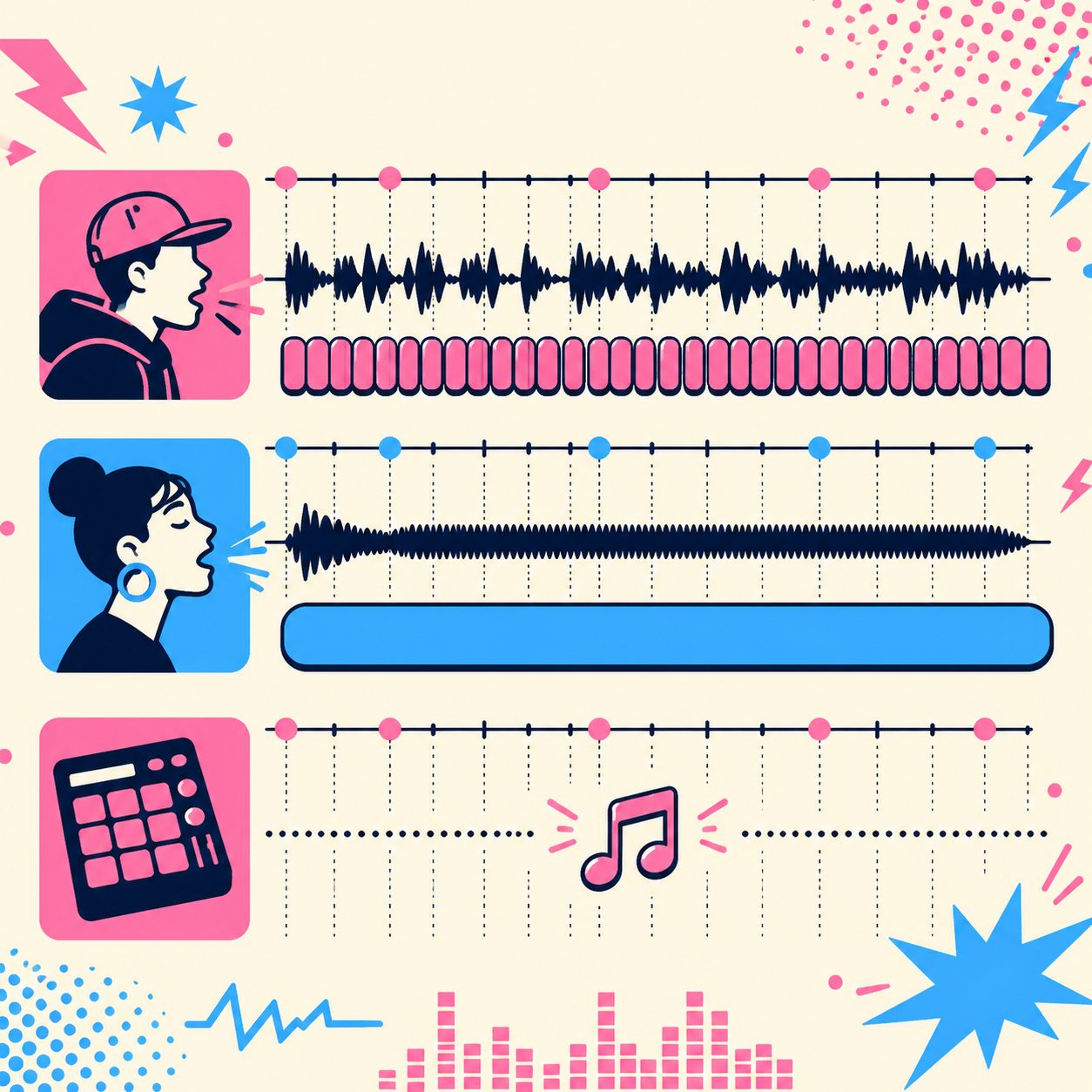
- Lyrics differ from what’s actually sung (Suno occasionally swaps words, changes them, or only sings part): go by what you hear. SunoMV times the words to what’s actually sung, so even if it doesn’t match your original lyric draft, the captions follow the vocal. All you need to do is check the odd word.
- Pure-instrumental / long break sections: these vocal-free stretches are left blank automatically — nothing to do. If you want to drop a title or a line of text into the break, you can add it separately.
- Multilingual lyrics: English, Chinese, Japanese, Korean and more all align word by word, including songs that mix languages.
- Fast rap sections: no special setup needed — dense words light up automatically at the actual delivery speed.
Rule of thumb: once your first version is out, focus your check on two spots — the first line of the chorus and the final chorus. They’re where the urge to sing along is strongest and where caption drift is most likely to show. Get those two right and the whole video holds together.
To make your visual cuts land on the drum hits too, read on with the method for cutting in time with the beat, so the words and the visuals hit the beat together.
Beyond the Video: Export Synced Lyrics as LRC for Any Player
A lyric video is great for TikTok, Reels, or Shorts. But if you actually listen to your song — on the commute, in the car, on headphones before bed — you want the lyrics to move with the audio, not to open a video every time.
SunoMV now lets you export your time-aligned lyrics as an LRC file. LRC is the synced-lyric format almost every music player understands:
- Import it into your music player and the lyrics highlight line by line as the song plays — sing along without drifting
- Drop it on your phone and the current line shows on the lock screen and headphone controls
- Car stereos, karaoke tools, podcast players… anything that reads LRC gives your song “living lyrics”
- Want to share timestamped lyrics? Send a tiny .lrc file — far cleaner than a screenshot
Open the Download menu at the top-right of the song editor and pick Download LRC. It uses the same aligned data as the video, so the exported lyrics are exactly as accurate as what you see on screen.
Start Making Your Word-by-Word Lyric Video
Sing-along precision is no longer a privilege reserved for pro teams. Hand the song to SunoMV, save the hours you’d spend on the timeline, and put your energy into what actually decides whether the piece is good — the visuals and the mood.
Open suno.bi, paste your song link, pick a style, and a few minutes later you’ll have a karaoke lyric video with captions glued to the vocal. For membership and export specs, see the pricing page.
FAQ
Do I have to adjust the timing of every word by hand? No. SunoMV automatically lays each word onto the timeline based on how the song is actually sung, so what you get is already perfectly timed word-by-word captions — usually you only need to check the odd word.
Does it support languages other than English? Yes. English, Chinese, Japanese, Korean and more all do word-level alignment, and it can handle songs that mix languages.
Will a long song (four or five minutes) drift further out of sync as it plays? No. SunoMV’s captions stay glued to the vocal from start to finish, so even the final chorus of a long song is still dead on.
How is this different from regular “line captions”? Line captions appear and disappear a whole line at a time; word-by-word sync lights up each word at the moment it’s sung — much more like karaoke. The sing-along experience is completely different, especially on fast songs.
Where can I use the finished lyric video? You can export vertical or widescreen, perfect for TikTok / Reels / Shorts / Instagram / YouTube, and it also works as portfolio footage or as a live sing-along screen.
—— SunoMV Team
Popular guides
More in this series
- The Lyric-Driven MV Narrative Arc Method: From Text to SunoMV Shot Sequences (2026)
- AI Music Visualizer Workflow: The SunoMV Method from Lyrics to Storyboard to Visual Rhythm 2026
- Verse-Chorus-Bridge Shot Rotation Method (2026): Align Your AI MV's Visual Structure 1:1 with Your Song Structure
- BPM-Synced Cut Transition Method (2026): Make SunoMV Cut Exactly on the Beat
- Lyric-Driven Shot List Method for SunoMV (2026): Reverse-Engineer Storyboards from Suno Lyrics