


Pictures + motion
Hero · the chorus
Storyboard pictures with camera motion and synced lyrics. 30 seconds from a full-song export.
Paste a Suno link. We sync the lyrics, draw a picture for every line, and film the scenes you pick.
Real exports from real songs. Press play.
Storyboard pictures with camera motion and synced lyrics. 30 seconds from a full-song export.
One scene filmed with AI video, 5 seconds. You pick which scenes get this.
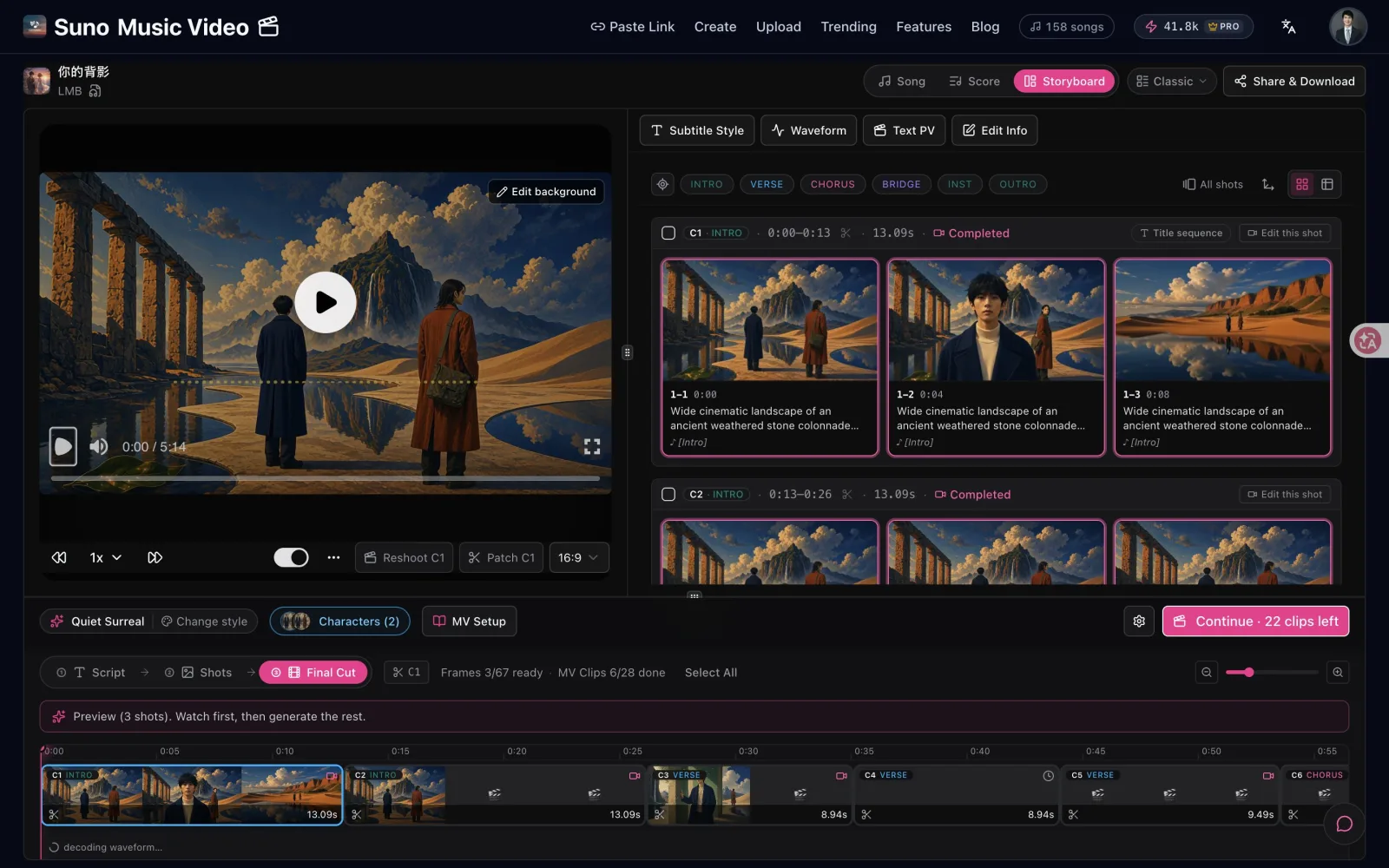
Oil-painting look. One picture for each lyric line.
💡 Most videos mix the two: film the chorus, keep the verses as pictures. It keeps the cost down.
Suno to Video turns a finished Suno song into a music video in your browser. You get a storyboard first, check a preview, then film only the scenes you want moving. Each step shows its price before it runs. For the wider category, see AI Music Video Generator.
Made in SunoMV · real exports
Every sample below is an untouched SunoMV export: 3 AI storyboard shots, one AI-filmed clip, then the lyrics. Each one uses a different caption style and frame size.
Suno launched Visuals on November 17, 2026. Here is what each one is built for, from Suno's own pages and ours. User-reported figures are marked.
| SunoMV | Suno Visuals | |
|---|---|---|
| Length | The whole song in one project | 5–15 s per clip; longer by extending clips |
| Lyrics on screen | Synced word by word across the full song, 18 caption styles | Styled lyrics per clip |
| Video models | Choose per shot: MiniMax H3, Seedance, Kling and more | One model, H3 Move (based on MiniMax H3) |
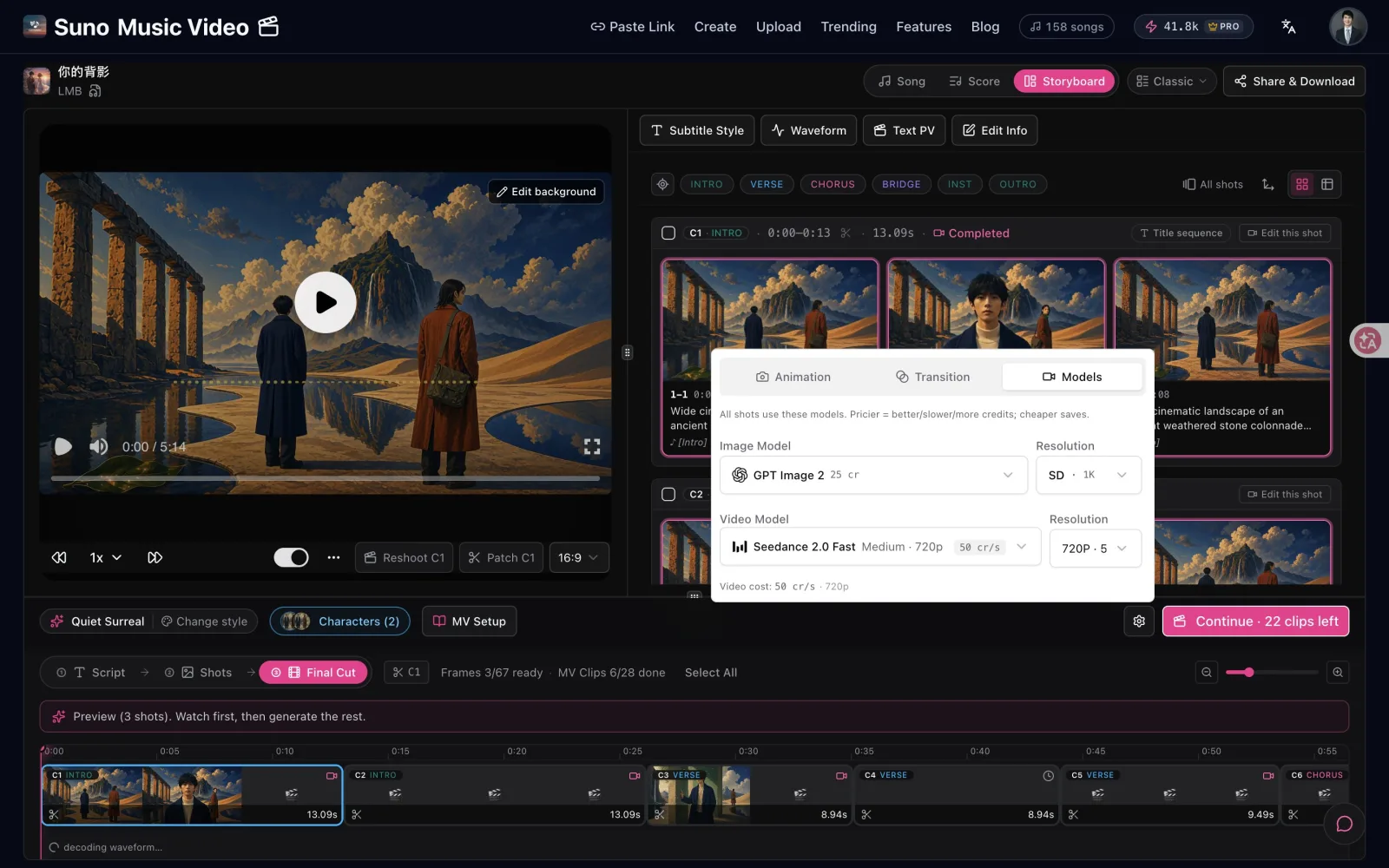
| Price shown before you generate | Yes, on every button; full-song preview is free | Depends on length and quality; no per-second table published |
| Example price | H3 Max Turbo 720p: 16 credits/s. Lyric scenes: no video credits | About 450 Visual credits (~$3) per 15 s clip (user reports) |
| Credits | One balance for pictures and video | Visual credits are separate from song credits |
| Lip sync | Yes, per scene | Yes |
| Your own face | Upload your photo in Cast | Strict likeness filters; some users report their own photo blocked |
| Where it runs | Browser, iPhone and Android | Inside Suno: web, iOS and Android |
SunoMV — Best when you want the full-length music video and want to see the price of every scene first.
Suno Visuals — Best for a quick hook clip without leaving Suno.
Four steps. You see each one before you pay.
We pull the song and lyrics, and sync every line to the vocals.

Choose from 36 styles. Add a face photo so your singer looks the same in every scene.
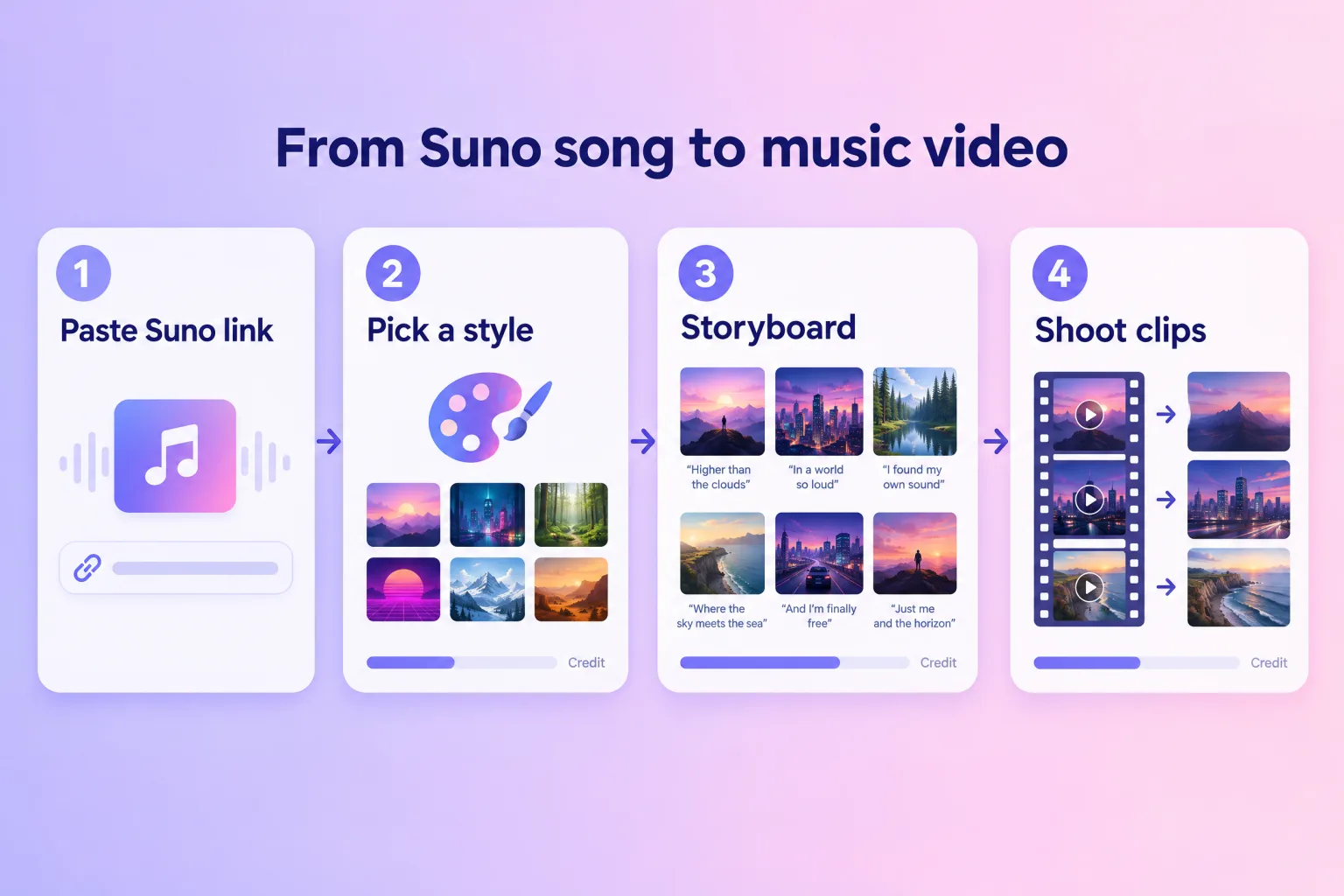
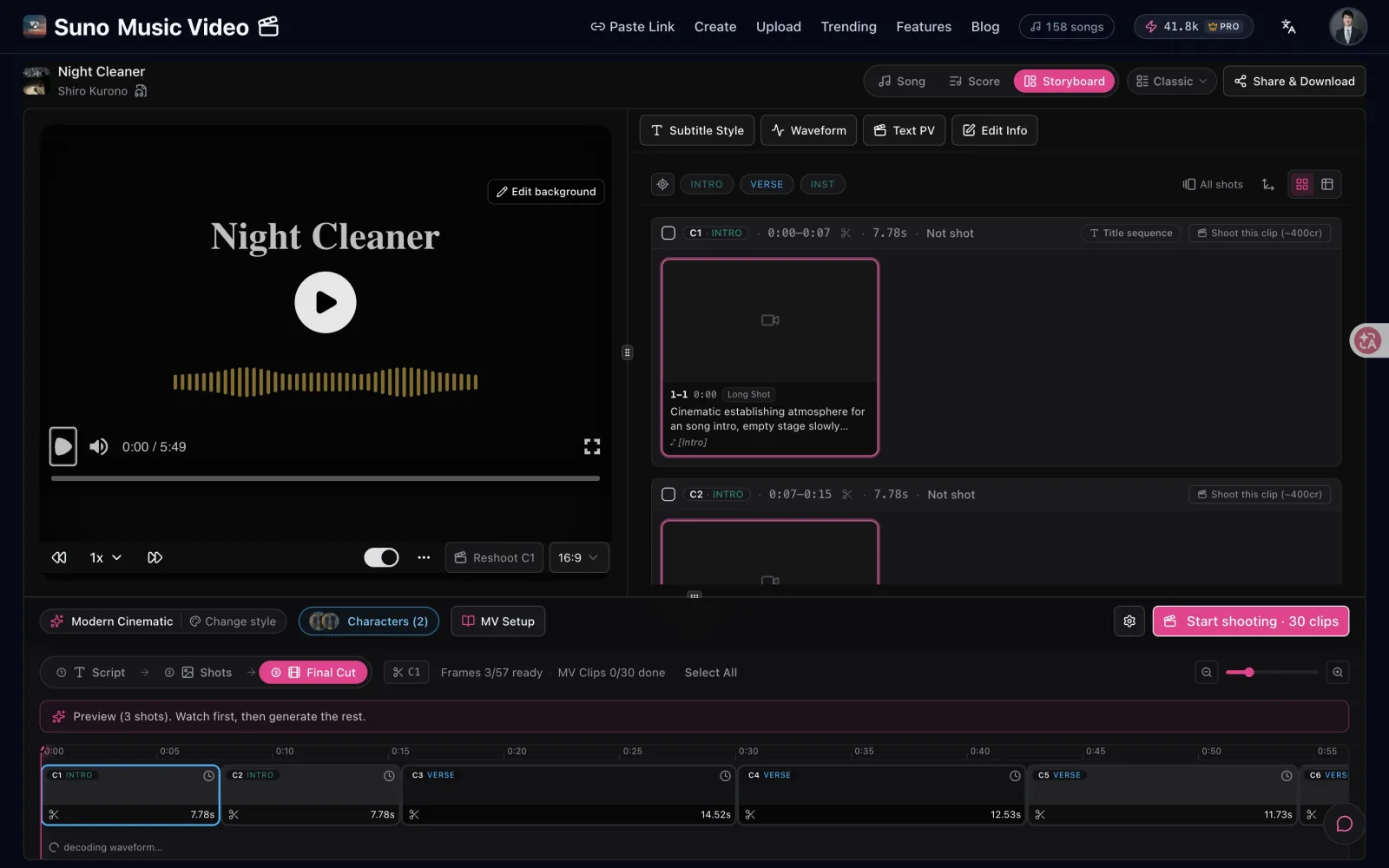
We draw a few pictures first. Like the look? Draw the rest of the song.
Film the scenes you want moving. The rest play as pictures or lyric scenes. Export 9:16 or 16:9.
The price is on the button before you press it.
Anyone with a finished Suno song.
A video to post, pin and run ads with. Film the chorus, keep the verses as pictures.
Cut the hook into a 9:16 clip. Lyrics on screen, so it works on mute.
Lyric scenes and pictures only. No video credits needed.
A lyric video displays a song’s words on screen in time with the vocals, over a static, animated or generated background. It exists because most music platforms are audio-only while most social feeds are video-only — the lyric video is the format that lets a song travel through a video feed.
A storyboard is one picture per shot, laid out in order before anything is filmed. Directors use it to agree on the look and the cuts cheaply. In an AI music video it plays the same role: a still costs a fraction of a video clip, so fixing the picture first saves credits.
Song structure is the arrangement of sections — intro, verse, chorus, bridge, outro — that most popular music follows. It matters for video because those section boundaries are natural cut points. A track already carries its own shot list; the sections tell an editor where the picture should change.
Suno users generate roughly 7 million songs per day, while Deezer reports that 44% of tracks newly uploaded each day are fully AI-generated. The volume of finished songs now far exceeds the volume of finished videos.
Suno Revenue and Usage Statistics (2026), Business of Apps ↗Suno Visuals makes clips up to 15 seconds from a song in your library; you can extend, edit and re-prompt them. Visual credits are bought separately from song credits.
Introducing Visuals, Suno blog (Nov 17, 2026) ↗Clip length 5 to 15 seconds; ratios 9:16, 1:1, 16:9, 4:3, 3:4; Lip Sync works best on a clear vocal section with the face visible.
How do I create videos with Suno Visuals?, Suno Help Center ↗The model is called H3 Move, based on H3 from MiniMax. Visual credit cost depends on duration and quality; Fast costs less than Standard.
Suno Visuals: FAQ, Suno Help Center ↗"450 credits (USD 3.0) for 15 seconds" — a Suno Premier user's first Visual, posted on launch day.
@TheOatmilkFan on X ↗FAQ'S
Ask us anything!
Paste your link, preview free, then film the parts you love.