
How to Connect the Suno MCP to Claude, ChatGPT, Codex and Grok Bot: Song to Music Video in One Chat (2026)

Every Suno user can now use the Suno MCP, including the Free plan. Connect it to your AI assistant and the assistant writes songs with your Suno account. Add the SunoMV MCP and the same chat turns that song into a music video: storyboard stills first, video only after you approve them, then an MP4 sent to your inbox.
This guide goes assistant by assistant: what to click and what to paste in Claude, Claude Code, ChatGPT, Codex and Grok Bot, then what to say to the assistant once everything is connected.





What this setup does: lyrics to finished video in one chat
It started with a post from Min Choi on X: Claude wrote the style and lyrics, Suno made the song, Claude Code cut the video, and the whole music video came out of an AI assistant.
 Min Choi @minchoi
Holy smokes... I just made this entire music video with my AI assistant.
Suno MCP is now available to everyone. It works right inside Claude, ChatGPT, Gemini, Cursor and more.
I wrote the style and lyrics with Claude, Suno turned them into the song, then Claude Code cut the video.
Works on every Suno plan, even Free. Songs use your credits.
Connect Suno to your AI assistant and try it yourself 👇
@SunoMusic
Source: Min Choi on X, Nov 18, 2026. The post says the Suno MCP works on every Suno plan and songs use your own Suno credits.
Cutting the video in Claude Code assumes you can write an editing script and have the footage on your machine. The SunoMV MCP replaces that step with ready-made tools: lyrics are aligned to the vocals, each line gets a shot, and you see stills before any video is shot. Here is how the two MCPs split the work:
| MCP | URL | What it does | Whose account |
|---|---|---|---|
| Suno MCP | https://api.suno.com/mcp | Generate, extend or cover songs; returns a Suno song link | Your Suno account |
| SunoMV MCP | https://suno.bi/api/mcp | Turn the song into a music video: storyboard, stills, clips, lip sync, export | Your SunoMV account |
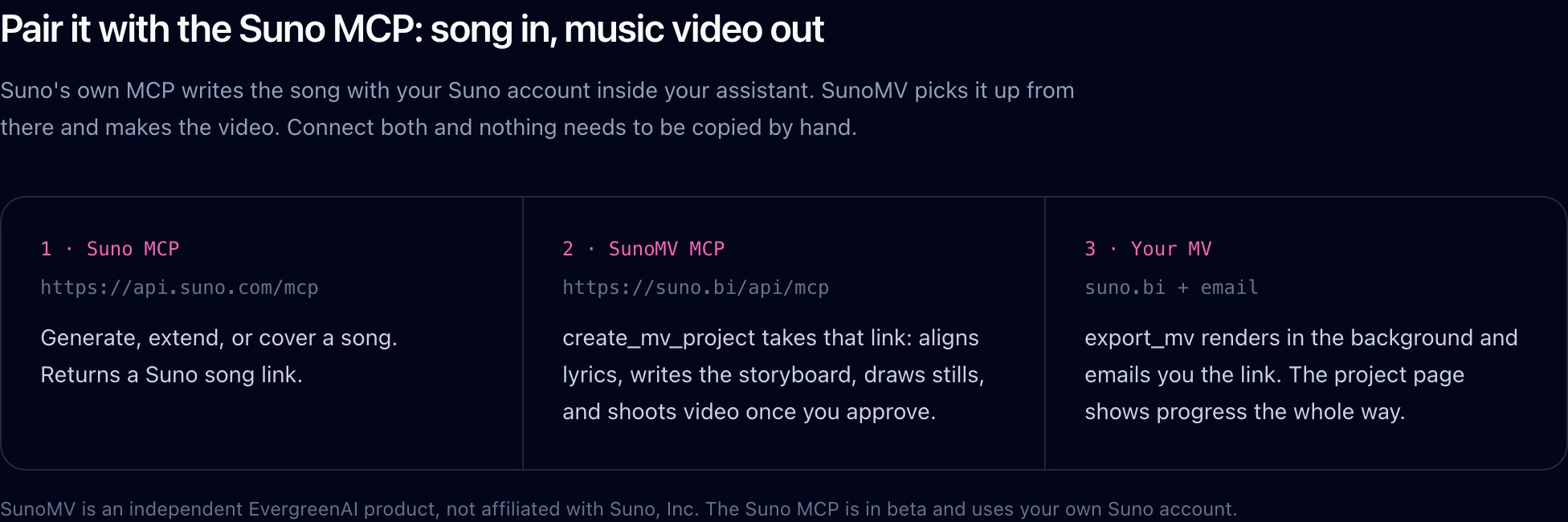
Screenshot: the “Suno MCP + SunoMV MCP” section on suno.bi/mcp.
Both are remote MCP servers over Streamable HTTP, and each asks you to sign in through a browser window (OAuth) the first time. The accounts don’t cross over: your Suno sign-in only makes songs, and your SunoMV sign-in only makes videos.
Practical rule: One MCP, one job. Suno writes the song and SunoMV makes the picture. Sign in to each separately and don’t expect one token to work everywhere.
Claude and Claude Code: one in settings, one in the terminal
Claude (web and desktop)
- Open Claude → Settings → Connectors → Add custom connector.
- Name it
Suno, set the URL tohttps://api.suno.com/mcp, click Connect and sign in to Suno. - Add a second one: name
SunoMV, URLhttps://suno.bi/api/mcp, click Connect and sign in to SunoMV (you can sign up in the same window).
Claude Code (terminal)
claude mcp add --transport http suno https://api.suno.com/mcp
claude mcp add --transport http sunomv https://suno.bi/api/mcp
The browser sign-in opens on the first tool call. You can also install the SunoMV plugin inside Claude Code, which adds the MCP and the song-to-mv skill in one go:
/plugin marketplace add mofa-si/sunomv-skill
/plugin install sunomv@sunomv
The skill spells out the workflow for the assistant: show stills first, and only spend credits on video after you say yes. The assistant calls the tools in order instead of spending everything in one go. To install the skill on its own: npx skills add mofa-si/sunomv-skill --skill song-to-mv (details at suno.bi/skills).
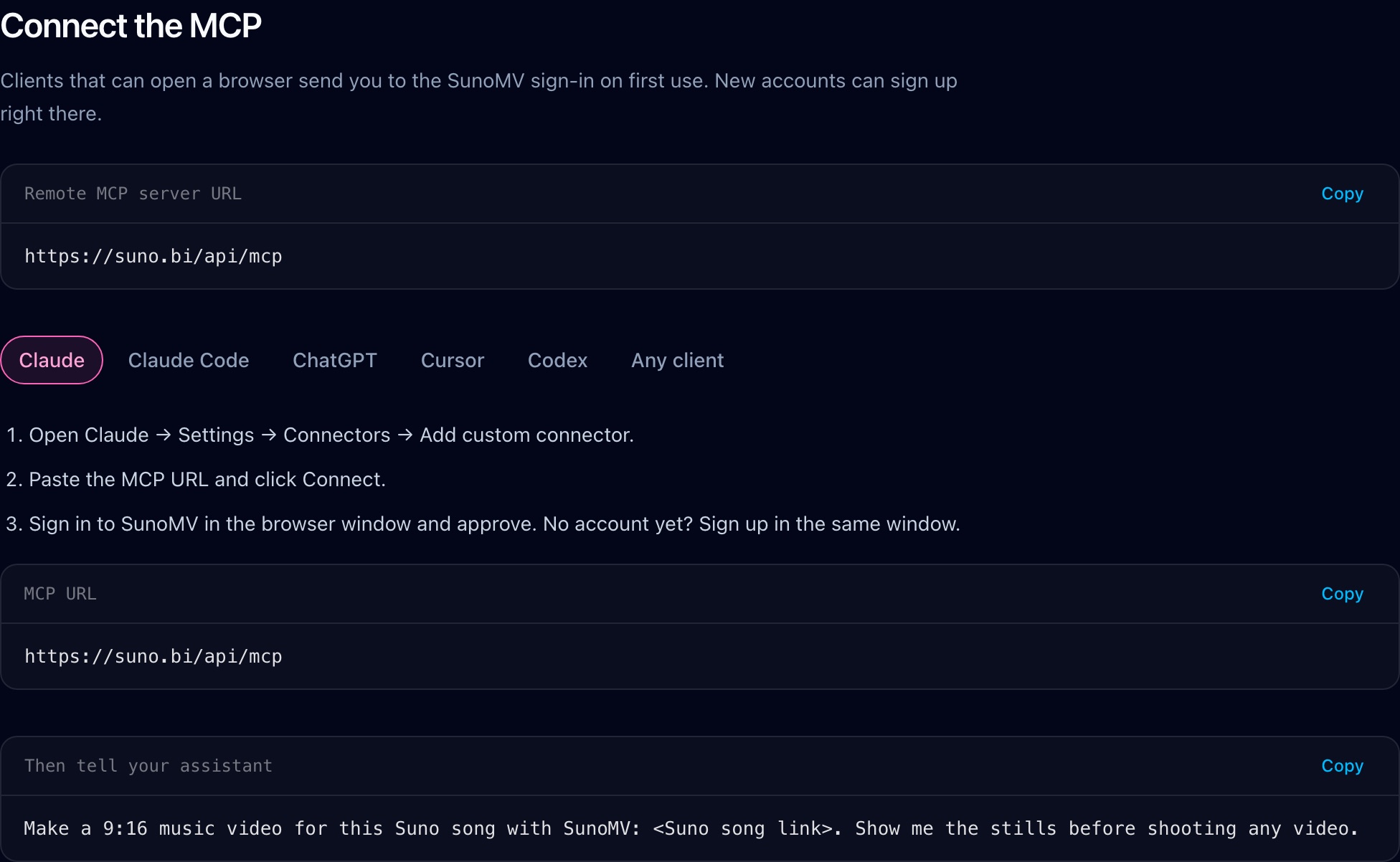
Screenshot: the connect section on suno.bi/mcp. Each assistant has a tab, and every URL and command has a copy button.
Practical rule: In Claude Code, install the plugin. With only the MCP the assistant knows which tools exist; with the skill it also knows to show you stills first.
ChatGPT and Codex: turn on developer mode first
ChatGPT
Custom MCP servers in ChatGPT need developer mode:
- Settings → Apps & Connectors → Advanced settings → turn on Developer mode.
- Create connector, URL
https://suno.bi/api/mcp, choose OAuth, and sign in to SunoMV when asked. - Repeat for the Suno MCP with
https://api.suno.com/mcp.
Codex
Add this to ~/.codex/config.toml:
[mcp_servers.suno]
url = "https://api.suno.com/mcp"

[mcp_servers.sunomv]
url = "https://suno.bi/api/mcp"
Then sign in to each:
codex mcp login suno
codex mcp login sunomv
The config format is in the OpenAI Codex docs. Cursor works the same way: put {"mcpServers": {"sunomv": {"type": "http", "url": "https://suno.bi/api/mcp"}}} in .cursor/mcp.json and sign in when prompted.
Practical rule: ChatGPT and Codex share an account, but a connector added on the web and your local
config.tomlare separate configs. Add the server again wherever you work.
Grok Bot: say “custom server” in the chat
Grok Bot is xAI’s always-on teammate, and each Bot has its own cloud computer (x.ai/bot). It has no config file; you ask the Bot to add the MCP in chat. Send these two sentences to the Bot, one at a time:
Add a custom MCP server called suno at https://api.suno.com/mcpAdd a custom MCP server called sunomv at https://suno.bi/api/mcpThree things to watch:
- Say custom server. Otherwise the Bot may search its plugin marketplace, and SunoMV is not listed there.
- The Bot repeats the name and URL back. Check them, click Add it, then sign in on the card it shows.
- When you use it, type
@in the chat and attach suno and sunomv to the task.
Grok Bot and Grok Build are different products. Grok Build is the terminal coding CLI, where you run grok mcp add --transport http sunomv https://suno.bi/api/mcp. Don’t run that command for Grok Bot.
What about Meta’s Muse?
Muse is the personal AI agent Meta launched in September. Its connectors are submitted by developers and reviewed by Meta; approved ones appear under Settings → Connectors, and the public docs don’t describe a way for users to paste their own URL. SunoMV isn’t listed on Muse yet, so you can’t connect the SunoMV MCP there today. We’ll update this section once it is.
Practical rule: Bots that run in the cloud (Grok Bot, Muse) can’t reach
localhoston your laptop. They need a public MCP URL, and both suno.bi and api.suno.com are public.
Once connected: what to say first
With both MCPs connected, send your assistant something like this:
Use Suno to write a City Pop song about a convenience store at 3 a.m., female vocals, with a catchy chorus.
Then use SunoMV to make a 9:16 music video for it. Show me the stills first, and only shoot video after I like them.
Here is what the assistant does:
- The Suno MCP generates the song and returns a Suno song link.
- SunoMV’s
create_mv_projecttakes that link: it imports the song, aligns the lyrics and writes the storyboard. Calling it again with the same song returns the same project. generate_stillsdraws the storyboard stills, and the assistant gives you the project page link.- You ask for changes like “make scene 3 a rainy night”. When you’re happy,
shoot_clipsturns scenes into video, andlipsync_clipsadds lip sync if you want it. export_mvrenders the MP4 in the background and emails you in a few minutes.list_my_mvsreturns the finished video link any time.
The paid tools return a price on the first call and charge nothing. The assistant has to call again with max_credits at or above that price before anything is charged, and the skill tells it to ask you first. Prices match the buttons on suno.bi.
Already have a Suno song and only want the video? Just say:
Make a 9:16 music video for this Suno song with SunoMV: <Suno song link>. Show me the stills before shooting any video.Prefer the website? The same workflow runs there too: paste a Suno link to make a music video.
FAQ
Can I use the Suno MCP on Suno’s Free plan? Yes. The Suno MCP works on every Suno plan, and songs use your own Suno credits.
How is SunoMV related to Suno? SunoMV is an independent product, not affiliated with Suno, Inc. The Suno MCP makes the song with your Suno account; the SunoMV MCP makes the video with your SunoMV account.
Will the assistant spend credits without asking?
No. SunoMV’s paid tools quote first and only charge when called again with max_credits. If you run out, the tool tells you, and you can upgrade or top up on suno.bi/pricing.
What if my environment can’t open a browser?
Create a key starting with sk_mv_ at suno.bi/user/integration and send it as Authorization: Bearer. The key only works on suno.bi.
Does it work with other assistants? Any MCP client that speaks Streamable HTTP works. See the “Any client” tab on suno.bi/mcp. The protocol itself is documented at modelcontextprotocol.io.
Made in SunoMV · real exports
See what a song turns into
Every sample below is an untouched SunoMV export: 3 AI storyboard shots, one AI-filmed clip, then the lyrics. Each one uses a different caption style and frame size.
Popular guides
More in this series
- Suno Visuals Review: 15-Second Clips, Separate Credits, and How to Get a Full-Song Music Video
- How to Make a Music Video from One Sentence
- Suno v6-mini Is Free — Make the Song, Then Make the Video
- The Complete Guide to AI Music Video Creation with SunoMV: From Storyboard to Final Cut
- Is Suno AI Free? 50 Credits a Day, but Downloads Are Capped (2026)