
Suno Visuals Review: 15-Second Clips, Separate Credits, and How to Get a Full-Song Music Video

You finished a song in Suno last week. This morning there is a new Visuals tab next to your library. You drag the song in, type “a woman dancing in an empty parking garage, moody light”, and fifteen seconds later she is mouthing your chorus. It looks good. Then you check the length: fifteen seconds, out of a three-minute song.
That gap is the real question behind every “Suno Visuals” search this week. Suno now makes video. Does it make your music video, the one you post with the full song, or a short clip you still have to build on?
Most launch-day posts stop at “Suno can make videos now.” This review goes further. We read the official announcement, the help center, the pricing page, and the replies under Suno’s launch post. Below: what Visuals actually does, what it costs, where it is the right tool, and how to get from a 15-second clip to a full-length video without paying per second for every second.
What Suno Visuals actually is
Suno announced Visuals on November 17, 2026, live on web, iOS and Android the same day. In Suno’s words it is a way to make “lyric videos that move with the beat,” album art, and “a photo re-imagined into an inspiring video clip.”
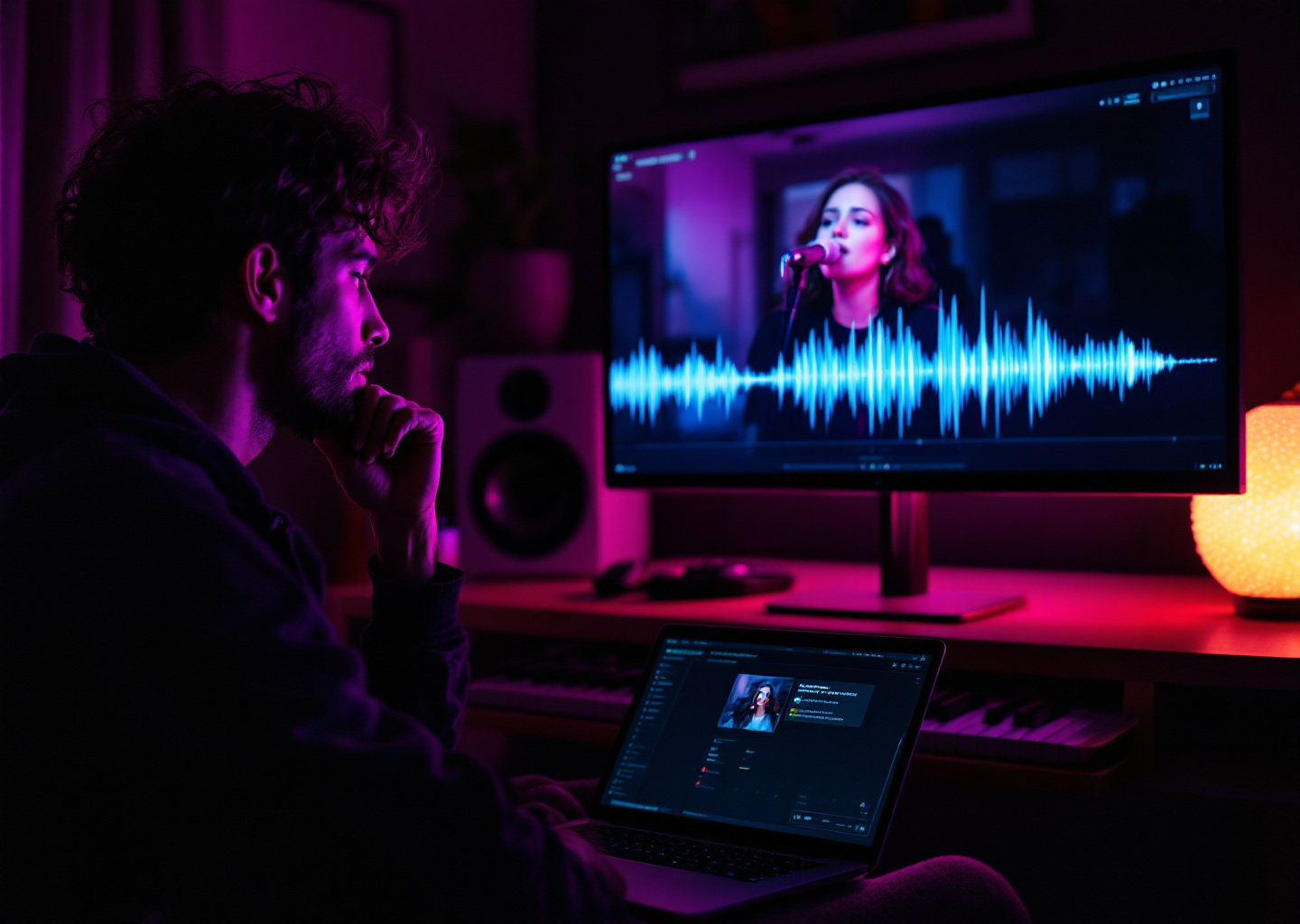
A 15-second clip of a three-minute song: the question this review answers.
Here is what the video help article and FAQ confirm:
| Feature | What Suno Visuals does |
|---|---|
| Clip length | 5 to 15 seconds per clip |
| Longer videos | Extend clips and combine them into “Sequences” in the Visuals Editor |
| Audio | Pick a song from your Suno library (or upload audio), then choose which part to feature |
| Lip sync | A toggle; works best on a section with clear singing and a visible face |
| On-screen lyrics | Turn on lyrics, then set style, position, font and color |
| Guidance | Text prompt, start and end frames, a character image, reference images |
| Aspect ratios | 9:16, 1:1, 16:9, 4:3, 3:4 |
| Quality modes | Fast (cheaper drafts) and Standard |
| Model | “H3 Move”, based on MiniMax H3 and tuned by Suno |
The model detail matters. Suno says it optimized the model so clips “follow your song’s structure, pick up on your lyrics and lip sync right along with them.” Lip sync on a clear vocal line is what the most-liked positive replies under the launch post praised.
Practical rule: Suno Visuals is a clip maker, not a music-video maker. Plan on 15-second pieces, and decide up front how you will cover the other two minutes and forty-five seconds.
What it costs: Visual credits are a second wallet
This is where most of the launch reaction landed. According to Suno’s Visual credits article, song credits now pay only for songs. Every image and video, including edits, uses Visual credits, a separate balance.
What Suno publishes:
- Pro and Premier subscribers get a limited, one-time grant of Visual credits to try the feature. The launch post calls it “your first Visual, on us.”
- Anyone can buy Visual credit packs at suno.com/pricing/visuals. Purchased Visual credits never expire.
- The cost of each video depends on its duration and its quality mode. Suno does not publish a per-second credit table.
- A new Platinum plan on the pricing page costs $120 a month ($1,200 a year) and includes 20,000 Visual credits a month.
What Suno does not publish is the per-second rate. Early users posted their own numbers under the launch post on X. The most repeated: about 450 Visual credits for a 15-second clip, which one user priced at roughly $3. Take that as user reports, not a price list. At that rate, covering a full three-minute song in generated video would come out somewhere around $36–40.
The math most replies did: one clip is cheap, a whole song is not.
Three other cost details from the replies are worth knowing before you start:
- The free trial is small. Several users said the grant did not cover a single 10–15 second clip at their settings.
- Downloads still count. Users reported that downloading a Visual counts against the monthly song-download limit on their plan.
- Likeness filters are strict. Suno blocks prompts and uploads that depict real artists and public figures. Some users said their own photo was flagged as impersonation, and Suno pointed them to support.
Practical rule: Before you buy a Visual credit pack, make one Fast-mode clip of your strongest 10 seconds. If that clip is the whole deliverable, Suno Visuals is enough. If it is a teaser for a full video, read on.
Where Suno Visuals is the right tool
It would be easy to write this as “use us instead.” That would be wrong for a lot of people. Suno Visuals is a good fit when:
- You need a hook clip. A 9:16, 15-second, lip-synced chorus for TikTok, Reels or Shorts is exactly what it was built for.
- You want everything in one app. Song, cover art and clip live in the same library, on your phone.
- You make original characters. Suno ships its own characters, so you are not starting from a blank prompt box.
- You want the safety filters. If you work with a label or a brand, the strict likeness and IP filters and the embedded watermark are a feature, not a bug.
Watch Suno’s own walkthrough to see the editor before you spend credits:
Practical rule: Use Visuals for the moment of the song people will share, usually the first chorus. Don’t use it to fill the parts nobody will watch twice.
From a 15-second clip to a full-length music video
A full music video does not need three minutes of generated video. Most of a song is verses, bridges and instrumental breaks, where synced lyrics over a strong still or a slow camera move work as well as a fresh AI clip. You need generated motion where the energy peaks.
That is how SunoMV builds a video from a Suno song:
- Paste the Suno song link. SunoMV reads the audio, the title, the cover and the full lyrics from the link. You don’t download or re-upload anything.
- Pick a look. Choose one of the visual styles. SunoMV drafts a storyboard, one picture per lyric line, across the whole song.
- Preview the whole song free. Synced lyrics, pictures and pacing for all three minutes, before you pay anything.
- Animate only the shots that matter. Turn the chorus and the drop into AI video. Each model shows its price per second before you press the button.
- Export. Vertical, square or widescreen, at full song length.
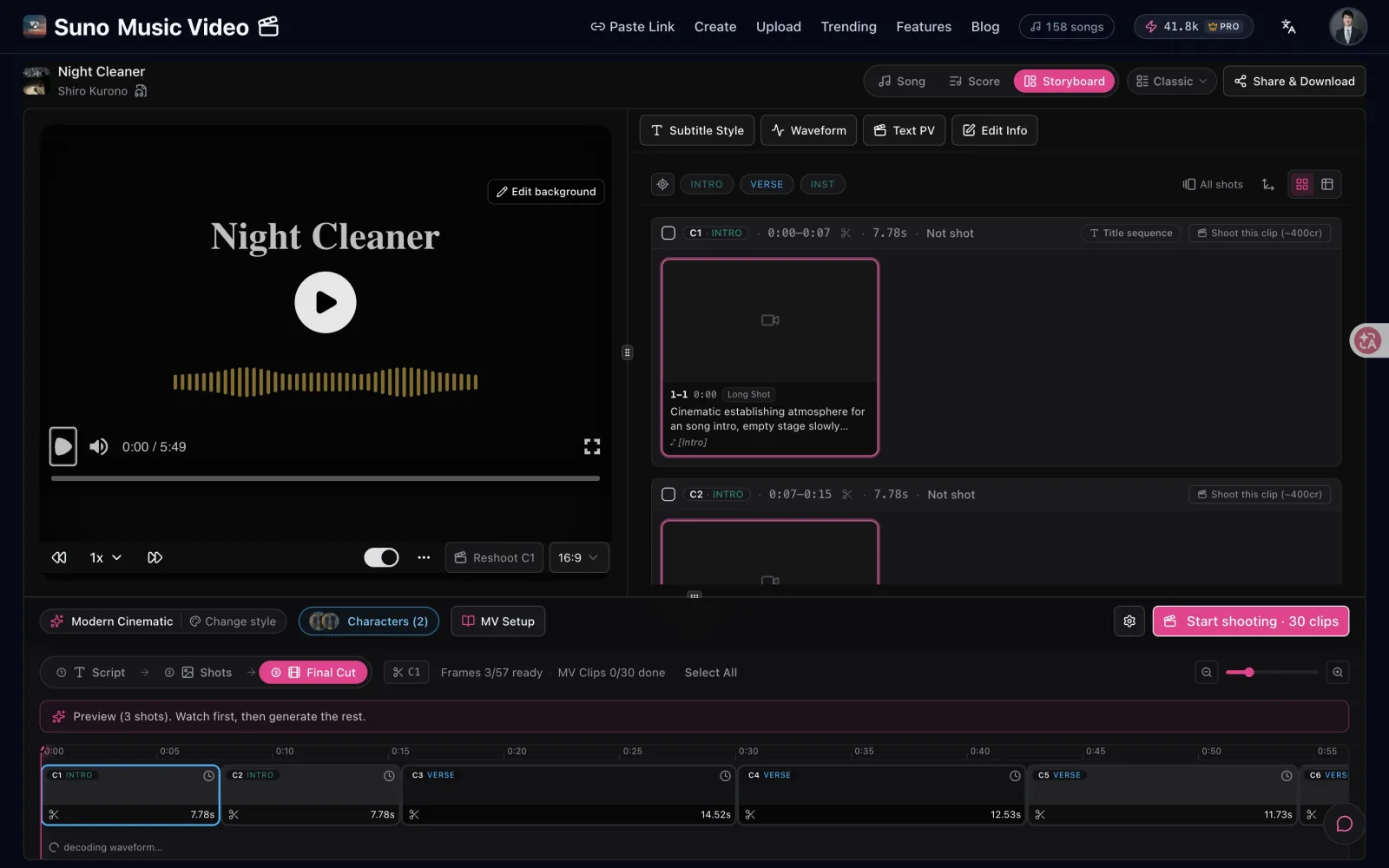
Real screen: the storyboard covers the whole song, and you choose which shots become video.
Lyric scenes and pictures with gentle motion use no video credits. You only pay per second where you ask for AI video. On SunoMV, MiniMax H3 Max Turbo (the same model family Suno built H3 Move on) is 16 credits a second at 720p, and Seedance 2.0 Fast is 50 credits a second at 720p.
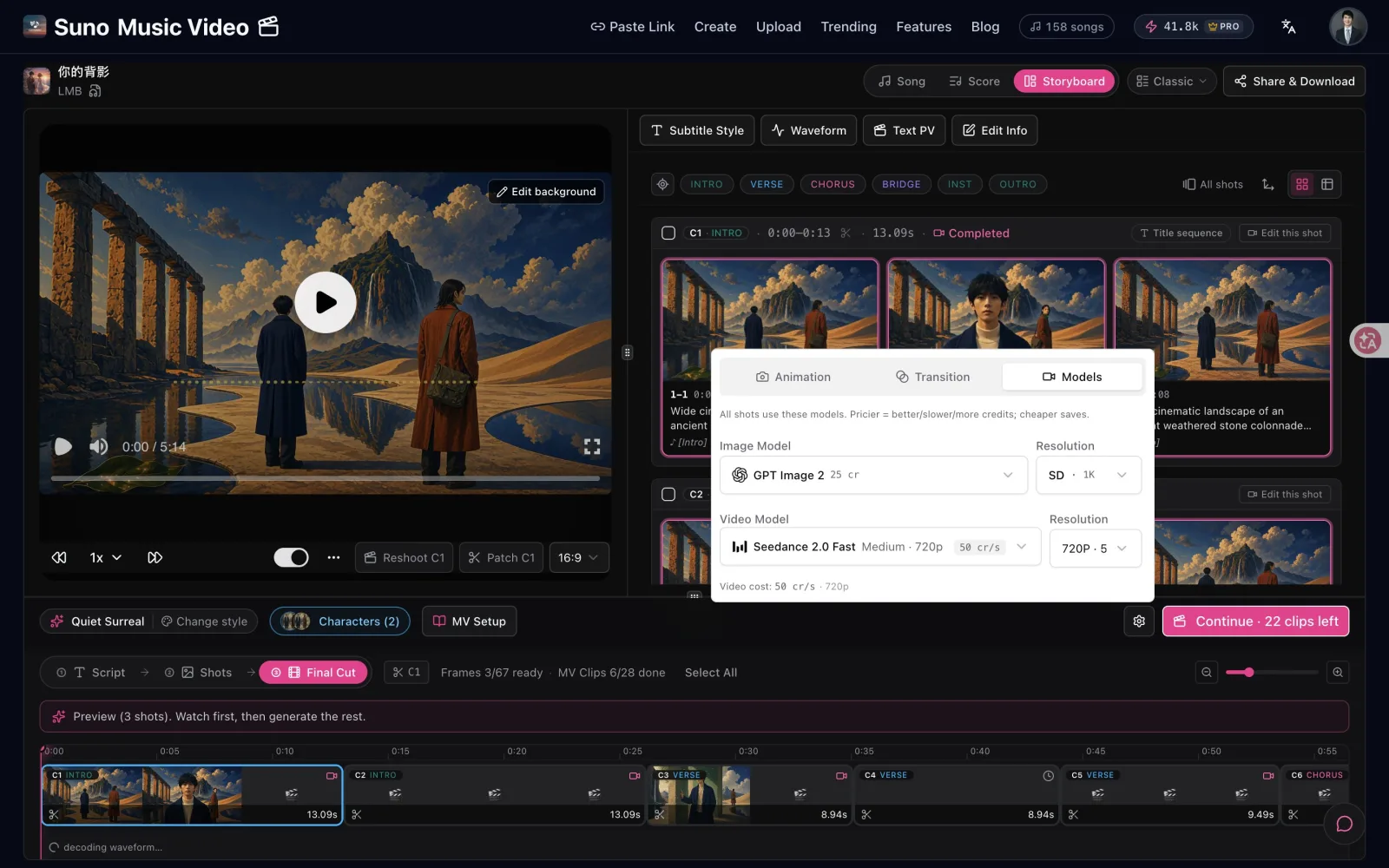
Real screen: the price is on the button before you press it.
Practical rule: Spend generated-video seconds on the chorus and the drop. Let synced lyrics carry the verses. That is how a full-song video stays affordable.
Suno Visuals vs SunoMV: side by side
| Suno Visuals | SunoMV | |
|---|---|---|
| Best for | Hook clips, teasers, all-in-one Suno workflow | Full-length music video for a finished song |
| Length | 5–15 s per clip; longer via extended Sequences | The whole song in one project |
| Start from | Your Suno library or uploaded audio | Suno song link, uploaded audio, or a new AI song |
| Lyrics on screen | Yes, styled per clip | Synced word by word across the full song |
| Video models | H3 Move (MiniMax H3, tuned by Suno) | Several models to choose per shot, including MiniMax H3 and Seedance |
| Pricing | Separate Visual credits; per-second rate not published | Credits shown per shot before you generate; free full-song preview |
| Your own face | Strict likeness filters; some own-face uploads flagged | Upload a reference photo to keep the same character across shots |
They are not substitutes. Plenty of creators will use both: a Suno Visuals clip as the teaser, a SunoMV video as the full release.
FAQ
Is Suno Visuals free?
Not really. For a limited time, Pro and Premier subscribers get a small grant of Visual credits to try it. After that you buy Visual credit packs or move to the Platinum plan, which includes 20,000 Visual credits a month.
How long can a Suno Visuals video be?
Each clip is 5 to 15 seconds. You can extend clips and combine them into a longer Sequence in the Visuals Editor, and each extension uses more Visual credits.
What model does Suno Visuals use?
Suno’s FAQ says the model is called H3 Move, based on H3 from MiniMax and optimized by Suno with extra safeguards.
Can Suno Visuals use my song’s lyrics?
Yes. Clips can lip-sync to a chosen section of your song, and you can switch on lyrics with your own style, position, font and color.
Can I make a full-length music video from a Suno song?
Yes. Paste the song link into SunoMV, preview the whole video free, and animate only the shots you want. See the step-by-step guide for the full walkthrough.
The bottom line
Suno Visuals is the best way yet to get a short, lip-synced clip without leaving Suno, and the H3-based model is genuinely good at it. It is not built to fill a three-minute song, and with a separate credit wallet and no published per-second rate, it gets expensive fast if you try.
So use it for the hook. When you want the whole song on screen, paste the same link into SunoMV, check the full preview for free, and pay only for the seconds you choose to animate. If you are still deciding what Suno itself gives you, start with Can Suno make music videos?.
Made in SunoMV · real exports
See what a song turns into
Every sample below is an untouched SunoMV export: 3 AI storyboard shots, one AI-filmed clip, then the lyrics. Each one uses a different caption style and frame size.
Popular guides
More in this series
- How to Make a Music Video from One Sentence
- Suno v6-mini Is Free — Make the Song, Then Make the Video
- The Complete Guide to AI Music Video Creation with SunoMV: From Storyboard to Final Cut
- Is Suno AI Free? 50 Credits a Day, but Downloads Are Capped (2026)
- AI Music Video Generator vs. Manual Editing: Which Gets Your Song On-Screen Faster (2026)