/icon.png)

Suno v6-mini Is Free — Make the Song, Then Make the Video

You hit Generate. Thirty seconds later a chorus you actually like is sitting in the player. You loop it twice. You already know where it belongs: a 15-second hole on TikTok, a Reel, a Short. Then you look at what you have. An audio file. A square cover. No captions locked to the beat. No 9:16 crop. The feed does not play songs. It plays pictures that happen to sing.
Suno v6 is that moment, scaled up. On 9 September 2026 the company shipped a new family of models. News desks spent the day on licenses, lawsuits, and which tier gets which row. That is not the decision in front of you. The decision is whether the track you can make today ever leaves the player.
This is not another “what is Suno v6” recap. The official launch post, Kol Tregaskes’ same-day rundown, and Suno’s own “Welcome to the v6 era” thread already covered the spec. This is a public-source briefing — not a hands-on studio session — on the conversion the thread actually ends with: go make something, then turn that song link into a lyric-synced music video.
Table of Contents
- What did Suno actually ship on 9 September 2026?
- Why start on v6-mini if you can generate today?
- Which new controls still leave you with an audio file?
- Why doesn’t a better model post itself?
- How do you turn a v6 song into a lyric-synced video today?
- What should you ship this week — and what should you wait on?
- FAQ
What did Suno actually ship on 9 September 2026?
As of 10 September 2026, Suno v6 is a public model family, not a teaser. CEO Mikey Shulman’s Introducing v6 post dated 9 September says the company is shipping “a new generation of music models developed with our industry partners, including Warner Music Group, BMG and Believe,” and that the family comes in three named rows: v6, v6-wild, and v6-mini.
Five days earlier, on 4 September, official @suno posted a 12-second vertical clip (“Soon enough, you’ll hear it all”) and named “the v6 family” in a reply. That was a teaser. The 9 September blog is the changelog. Do not collapse the two dates.
The training story is the other load-bearing sentence. TechCrunch reports Suno saying v6 is not trained on the data used for previous versions. Music Business Worldwide reports the same partner list and quotes CPO Jack Brody that previous models will be retired the same day. The official blog repeats that retirement in one line: “we will retire our previous models and move Suno entirely onto the v6 generation.”
What the launch post does not give you: a quality score, a stem count, a voice list, a commercial-license rewrite, or a date for the opt-in artist remix program. If a thread lists any of those as facts, it is not citing Suno.
Practical rule: Treat 9 September as the ship date and 4 September as the teaser. If a claim has no sentence in the launch post, it is a rumor.
The live named model before this week was v5.5 (26 March 2026: Voices, Custom models, My Taste). That page is still the right reference for the last generation. It is no longer the Create-menu default once v6 finishes rolling out.
Why start on v6-mini if you can generate today?
The conversion row is the free one. Official @suno said it in the launch thread, not in marketing paraphrase: “v6-mini is super fast and efficient. It comes with every Suno account (including our Free tier!).” The thread ends “So go make something.” That is the whole ask. A song you can generate on a free account is already enough to paste into SunoMV.
Kol Tregaskes had the same three-way split hours before the official thread: v6 paid and precise, v6-wild paid and weirder, v6-mini the free one they say beats any other free music model. The official blog agrees: v6-mini is “a faster, more efficient version available to everyone.”
| Model | Who can use it (official) | Job the post describes |
|---|---|---|
| v6-mini | Everyone, including Free | Super fast, efficient first pass. Start here if you can generate today. |
| v6 | Pro and Premier | Flagship. “Reliable, precise,” polished when you already know the destination. |
| v6-wild | Pro and Premier | Exploration. Less predictable; generate ideas, then bring keepers back into v6. |
Replies under the official thread are mixed. Some people say they like v6. Others say they hear hiss, miss v5.5, or cannot download enough of what they generate. None of that is a reason to sit on an empty library. This briefing did not re-test audio quality. The job that does not wait is the video: a song link still needs a 9:16 cut with words locked to the vocal.
Decision filter: If your account can hit Generate, start on v6-mini. Paid rows are for steering after you already have a keeper. Nobody in that table is handed a finished vertical video.
If you still have v5.5 keepers, read the v5.5 Voices / Custom Models / My Taste walkthrough before you assume those controls survived the retirement line unchanged. This briefing does not re-test that UI.
Which new controls still leave you with an audio file?
v6 adds language for editing a song. It does not add a camera. The launch post lists six creator controls. Every one of them returns audio:
- Edit one section in plain language while keeping the rest (“Change the chorus so it’s sung by a gospel choir”).
- Mash up sources in one request (vocals from x, drums from y, new lyrics, a genre).
- Sample a timestamp, isolate an instrument, build a beat around it.
- Start from a vibe or a mix of references (“midnight on a rooftop”).
- Start from text, audio, an image, or a video and get a song.
- Change one lyric line without rebuilding the track.
Those are real. They are also still a music generator. “Create with … images and video” in the launch post means image or video in, song out. It does not mean “export a TikTok-ready master.” Do not read the input list as an output list.
The “what comes next” paragraph is the other trap. Suno says it is developing opt-in experiences around individual artists, where artists choose to participate and get paid. That sentence is a roadmap, not a toggle in Create. TechCrunch notes an opt-in remix program with labels is planned, not shipped. Until that program has a public switch, do not write as if remixing a catalog artist is a v6 feature.
Practical rule: If the output is still a song link, you are not done. The feed asked for a picture, captions, and a crop.
A better generator makes the last mile more expensive to skip, not less. The track got faster. The unused track in your library got faster too.
Why doesn’t a better model post itself?
Shorts, Reels, and TikTok rank moving pictures with readable captions, not private audio players. A v6 render can be more expressive and still die in the camera roll because the platform never sees a 9:16 file with words locked to the vocal.
That gap is older than this week. It is the job Suno to Video is built for: take a public Suno song link, time the lyrics, generate scenes, export the crop the feed uses. The pillar walkthrough is the long version of the same last mile — paste a suno.com/song/… or suno.com/s/… link, skip the mp3 round-trip, preview before you pay to download.
The timing failure is what viewers actually punish. A line that jumps as a block, a chorus that drifts two minutes in, a caption track you dragged by hand until your eyes quit — those are the tells. The word-by-word lyric-video guide is blunt about it: judge a lyric video by whether the highlight matches the mouth, not by how expensive the still looks.
Watch what happens when the words lag. The clip still has a beat. It just looks unpaid.

Caption: a lyric track that drifts half a beat behind the vocal. The feed reads that as amateur before it reads the song as new.
A licensed training stack does not fix that. Warner, BMG, and Believe change who got paid to train the model. They do not time your chorus for TikTok. If you want the legal story, read the launch post and the TechCrunch write-up. If you want the clip to survive mute, you still need words on the picture.
The same is true for “create from an image or a video.” That path is a reference into the song, not a finished MV. You can start from a still and still walk out with an audio player.
How do you turn a v6 song into a lyric-synced video today?
Paste the Suno song link you can generate today. Do not wait for a “supports v6” row. SunoMV reads audio and lyrics from a public song URL. It does not import a model name. When a v6 (or v6-mini, or v6-wild) link exists, the same paste path applies. This is not a claim that a v6 picker lives inside SunoMV.
The workflow is short on purpose:
- Generate on the live row you actually have — v6, v6-wild, or v6-mini.
- Copy the song link from Suno (
suno.com/song/…or the shortsuno.com/s/…form). - Paste it into SunoMV.
- Let it pull audio, title, cover, and lyrics, then time the words to the vocal.
- Preview the lyric-synced cut. Export the 9:16 file when the highlight matches the mouth.
The paste step is the whole integration. There is no mp3 to download, no lyric file to re-upload, no timeline to drag for the free preview path. The add-lyrics-to-a-music-video workflow covers the same timing job when you already have a finished track. The AI lyric-video generator guide is the cluster sibling if you want styles rather than the launch briefing.
Here is the four-beat shape of that paste path, from link to export.

Caption: paste the Suno link, let the words time themselves, pick a caption style, export the vertical cut. The model name never enters the form.
Word-level highlighting is the part generic caption tools skip. A line that appears as a block is fine on a ballad and unreadable on a fast chorus. The product times each word to the vocal so the clip still reads on mute.
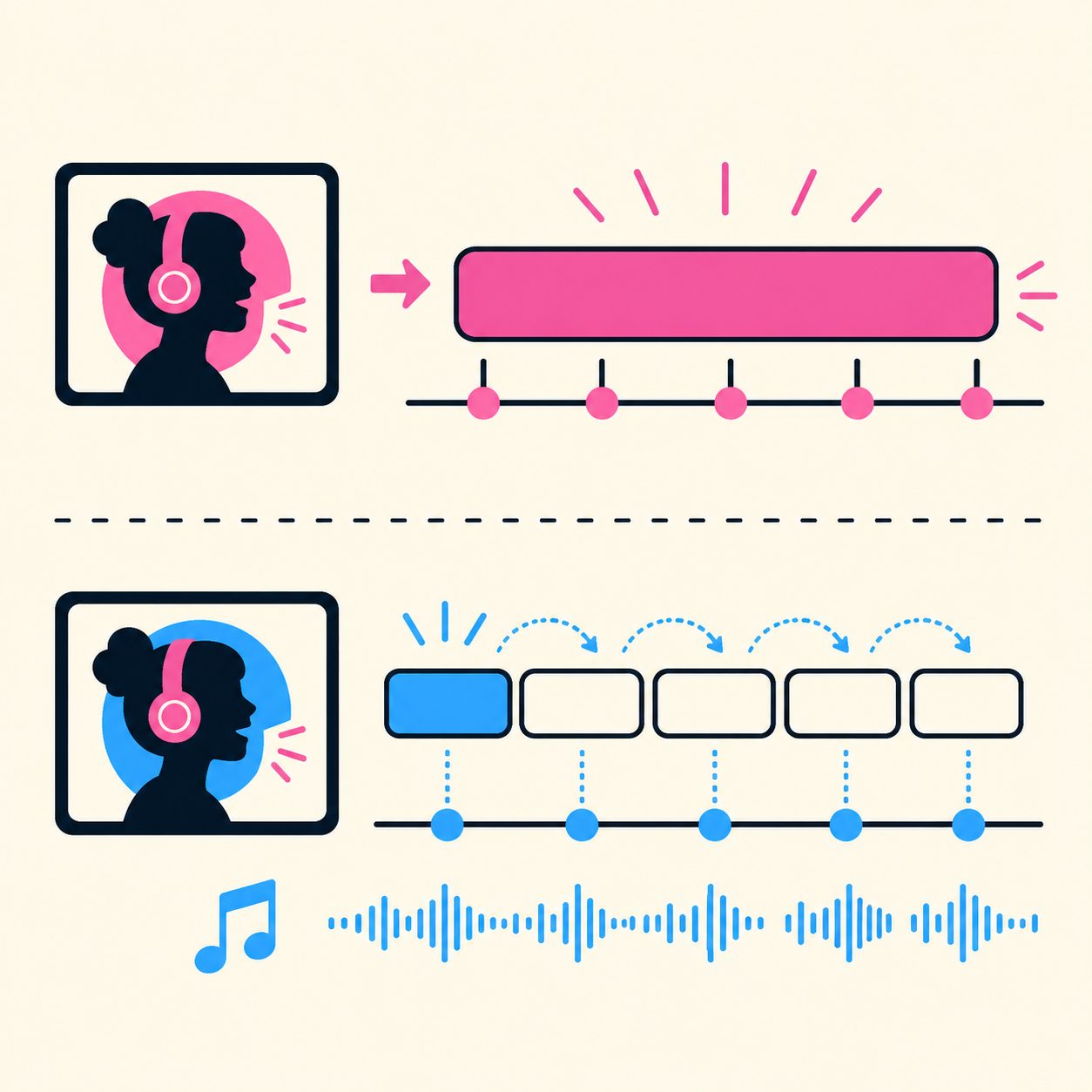
Caption: one line broken into words that light up as they are sung. That is the difference between a subtitle file and a lyric video.
Locked timing is the bar. If a random line matches the singer’s mouth, you can post. If it does not, a prettier still will not save the upload.

Caption: words locked to the vocal across a full song, including the long stretch where hand-timed captions usually drift.
Need lyrics before you generate? Use the lyric generator, then take the Suno link into the same paste path. Do not treat the generator as a v6 feature. It is a writing step that still ends in a song URL.
Practical rule: If you cannot paste a public Suno link, you do not have a v6 video problem yet. You have a generate problem. Finish the song, then video it.
What should you ship this week — and what should you wait on?
Make a song on the row you already have. Then video it. Official Suno’s last line is “So go make something.” The next line, for a feed, is paste that link.
Do this week:
- If you are on Free, generate on v6-mini. That is the row every account has. Do not wait for Pro to “unlock v6.”
- If you pay, use v6 when you know the destination and v6-wild when you want a surprise. Then treat the keeper the same way: copy the song URL.
- Paste the keepers into SunoMV and export one vertical cut per track you would actually post. Preview is free.
- Replies arguing hiss vs “v6 is great” are not a ship date. Video the keeper you would post this week. Remake later if a later take wins.
Wait on:
- Official quality charts, stem counts, or “v6 sounds 2× better” claims. None are in the launch post.
- The opt-in artist remix program. The blog calls it “what comes next,” not “what shipped.”
- A SunoMV “v6 mode.” There is not one, and there should not be. The input is a song link.
If you write about this launch, keep the two dates honest. 4 September named the family. 9 September shipped it.
A v6-mini song is still a song until you give it a face. Generate on the free row, then paste the Suno link into SunoMV and preview the lyric-synced cut before you export.
FAQ
Is Suno v6 live?
Yes, as of the 9 September 2026 Introducing v6 post. The public family is v6, v6-wild, and v6-mini. The 4 September X posts were a teaser, not the ship date.
Does v6 replace v5.5?
Suno says it will retire previous models and move the product onto the v6 generation as the family rolls out. Treat v5.5 as the last named generation, not as a row you should assume stays in Create. Check the live picker; this briefing did not re-test the UI.
Can I use v6 for free?
Yes — v6-mini. Official Suno: “super fast and efficient… every Suno account (including our Free tier!).” Flagship v6 and v6-wild stay on Pro and Premier. Generate on mini, then paste the song link into SunoMV for the video. Plan limits and commercial terms are on Suno’s live pricing and terms pages, not in this article.
Does SunoMV “support Suno v6”?
SunoMV reads a public Suno song link — audio plus lyrics — and builds a lyric-synced video. It does not select a Suno model. When you have a v6, v6-wild, or v6-mini song URL, paste that URL into the Suno to Video flow. Do not wait on a picker that is not part of the product.
Is v6 the licensed music-industry model from the BMG deal?
The 9 September post says v6 was developed with industry partners including Warner Music Group, BMG, and Believe. TechCrunch reports it is not trained on the previous-generation dataset. That is the official identity as of 10 September 2026. Do not bolt on extra license terms the post does not state.
Should I wait for the artist remix program before posting?
No. The launch post files that work under “what comes next.” A song you can generate today still needs a vertical cut if you want the feed to see it. Follow the pillar paste-link walkthrough; revisit remix features when they have a public switch.
SunoMV Team
Made in SunoMV · real exports
See what a song turns into
Every sample below is an untouched SunoMV export: 3 AI storyboard shots, one AI-filmed clip, then the lyrics. Each one uses a different caption style and frame size.
Popular guides
More in this series
- The Complete Guide to AI Music Video Creation with SunoMV: From Storyboard to Final Cut
- Is Suno AI Free? 50 Credits a Day, but Downloads Are Capped (2026)
- AI Music Video Generator vs. Manual Editing: Which Gets Your Song On-Screen Faster (2026)
- Free AI Music Video Generator: Complete Guide (2026) — Make Your First MV Today
- How to Make a Music Video With AI From Any Song (2026 Guide)