/icon.png)

How to Make a Music Video from One Sentence

A music video stalls when the lyric, the sound, and the picture are still three jobs. You already have the idea. You do not yet have a song that knows where to cut.
Make a music video from one sentence takes that sentence: who is in the frame, where they are, the genre, and the turn in the story. You get a title, Suno style tags, a full lyric, and four to six shots. SunoMV Pro sends that song to Suno. When the track is ready, you build the lyric-synced video on the song page SunoMV already has. The model is Claude Opus 5.5. The price sits in the citations on the feature page.
This page does not take a Suno API key. The click does not drop an MP4. It drops a page that plays: every frame is a function of song time, the cuts sit on lyric lines, and scrubbing back to the same second draws the same frame. A public code-rendered video is built this way (pdoom-video): the preview and a later export are the same page, and the file is a headless browser plus ffmpeg. We do not reuse that song or those scenes. Word times in this draft are the model’s, not a stem alignment.
A night bus. A concrete sentence beats a mood word.
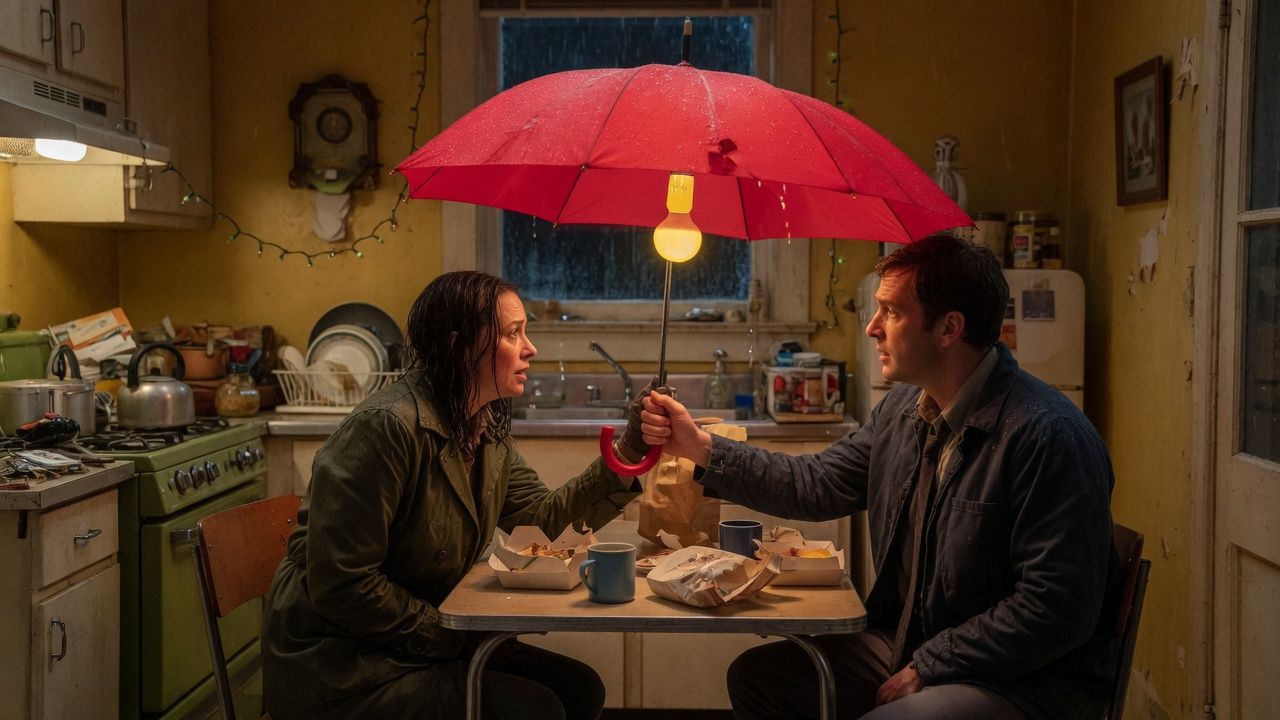
One umbrella, two people, one turn.
Plates laid on a clock. The same second draws the same frame.

Scrub the page first. An MP4 is a later recording of it.
Practical rule: “Rainy and sad” is too thin. “Rainy night bus, city pop, she almost gets off at the wrong stop” is a brief.
Four things the sentence has to hold
The director reads people and places, not a list of mood words.
- Who. One person, two people, or nobody but a road.
- Where. The last bus, a kitchen, the tunnel out of a stadium, the second table at a wedding.
- Genre. City pop, rap, acoustic, a choir. Write the thing you want Suno to sing.
- The turn. The wrong stop, the umbrella left behind, the toast that stops halfway. Without a turn, the chorus has nowhere to lean.
The lyric follows the language of your sentence. Write in English, the lyric comes back in English. Write in Japanese, the lyric comes back in Japanese. Style tags can stay in English, because that is how Suno usually reads a style line.
What you get, and what you do not
One click on “Make this music video” returns a plan:
- a title
- one line of style tags
- a full lyric labeled verse, chorus, and bridge
- four to six shots, one sentence each
The page is the preview. Four to six plates each own a window of seconds. The lyric is drawn on that window, and the words light as time moves. Those times are a draft in this pass, not a forced alignment of separated vocals. Once Suno has finished a track, the accurate lyric times still come from the aligner on the song page.
Practical rule: The plan is yours as soon as it lands. Copy it if you are not on Pro yet. Sending the song to Suno is the Pro step.
Each direction holds a fixed credit amount before the model runs. The number sits next to the button. Welcome minutes cover the same count. If the plan does not come back, the hold is returned. The daily cap is 8, which is enough to rewrite the same sentence a few times.
Three sentences you can rewrite
These are shapes, not someone else’s film. Swap in your own people.
The last bus. “Rainy night bus, city pop, a woman on the strap, she almost gets off at the wrong stop.” The shots land on wet glass, an empty seat, the doors opening.
The argument. “Two people in a kitchen fighting over one umbrella, bright pop-punk, neither of them apologizes in the chorus.” That sentence wants a lyric that answers itself, and cuts between the sink and the door.
The toast. “The best man stops halfway through the speech, acoustic guitar, he finally says he loved the same person.” Keep the lines short. Put the pause in the bridge.
If you want two voices tearing into each other, write that: “two voices undercut each other in the chorus,” plus the genre. Do not hang the sentence on a film somebody else already posted.
When Suno actually sings
The plan stops at lyrics and style. Suno sings when you press “Send this song to Suno” on the same card.
That step is the Pro creation path SunoMV already runs. It is not a new item in the studio’s main flow, and it does not attach your Suno key. Suno’s help center is the product that sings a lyric and a style line: help.suno.com. The model list price is on Claude Opus 5.5 at Vercel AI Gateway: $4 per million input and $20 per million output. That is why a direction spends credits instead of running for free all day.
While the song generates, the card offers “Open the song and make the video.” That is the existing song page.
Practical rule: Do not wait on pictures while the track is still generating. Open the song, wait for audio, then lay the lyric-synced pictures on top.
If you already have a Suno link and do not need a new song, use Suno to Video. If you only need words, use the Lyric Generator.
This is not “hand the model your key”
Some setups give a coding model a key that can call Suno and let it fire the request. The key sits with the model. Whatever comes back is whatever that run decided.
SunoMV does not do that. The reasons are ordinary. A key should not be a field on the page. Song creation already has a membership and a monthly allowance. The music-video editor already starts from a finished song. The director only fills the gap in the middle: lyric, style, shots.
There is no “paste your key” box on this page.
Three checks before you cut
- The chorus should come back as the same lines. If the two choruses tell different stories, make the sentence more concrete and run it again.
- The style line should be short. If it turned into a review, cut it before you send it to Suno.
- You should recognize the place in the shots. If you do not, add the place to the original sentence instead of half-editing the list.
Then open the song page and make the video.
The Chinese version is at /zh/blog/opus-5-5-directs-a-suno-music-video.
SunoMV Team
Popular guides
More in this series
- Suno v6-mini Is Free — Make the Song, Then Make the Video
- The Complete Guide to AI Music Video Creation with SunoMV: From Storyboard to Final Cut
- Suno AI Free: Exactly What You Get (and What You Don't) in 2026
- AI Music Video Generator vs. Manual Editing: Which Gets Your Song On-Screen Faster (2026)
- Free AI Music Video Generator: Complete Guide (2026) — Make Your First MV Today