/icon.png)

Character Consistency in AI Music Videos: H3 Max Turbo Face Lock vs H3 Max, Seedance, Kling O3 and Wan 3.0

First verse, first shot: silver bob, a little star stud in her left ear. First chorus shot: still her. Third chorus shot: a sequined jacket, and with it a different face. The chin is sharper, the eyes sit a little wider. You go back to the prompt and nothing changed. The model did not make a mistake. Nobody ever asked it to remember this person. You gave it one first frame, and its whole job was to animate that one picture.
In a music video, “face lock” is really an input choice. Either a shot is image-to-video, with a storyboard still as the first frame, or it is reference-to-video, where you hand the model a stack of photos of the same person. In October 2026 MiniMax H3 Max Turbo got a reference-to-video endpoint on fal, so the fast tier of the H3 family can finally lock a face.
Most model comparisons rank single-shot quality. This one uses a different ruler: across the forty-odd shots of one song, does the singer stay the same person, and what does that cost in money and waiting time? Below is how we weigh these face-lock endpoints after wiring them into SunoMV.
Table of Contents
- Why music video face lock is about shot-to-shot identity
- What H3 Max Turbo reference-to-video actually adds
- Turbo and H3 Max cost the same to lock a face
- Five face-lock endpoints compared for music videos
- Which model for which kind of shot
- How to use it in SunoMV
- Frequently asked questions
Why music video face lock is about shot-to-shot identity
A three-minute song cut line by line is often forty to fifty shots. One beautiful shot does not save the video if the singer changes faces in the chorus. Image quality is a shot-level problem. Identity is a whole-video problem.
There is no shortage of songs. Business of Apps’ Suno statistics put Suno’s output at roughly 7 million songs a day. What you compete for is attention, and a singer people can recognize does more for a track than the lighting in any single shot.
Illustration: SunoMV Team · Face lock means the same person across forty shots, not the prettiest single shot
We looked at the video clips generated in SunoMV over the last 90 days. Seedance Fast made about 69% of them. MiniMax H3 Max Turbo made about 5.8%, roughly 6 times as many as H3 Max. FLUX 3 made about 0.2%. Most people, on most shots, pick a model that is fast and good enough. It also tells you that default rendering is almost always image-to-video. Reference-to-video is the upgrade you reach for only when you hold character reference images or a motion reference clip.
Practical rule: Ask first whether the same person has to appear across shots. If not, use image-to-video. If yes, turn on face lock.
What H3 Max Turbo reference-to-video actually adds
Until now H3 Max Turbo had text-to-video, image-to-video and first/last frame. With character images, the best you could do was use the first reference image as the first frame. That locks a first frame, not a face. Shot one looks like her. Shot two starts from a different storyboard still, and the model no longer has her photos.
The minimax/h3-max-turbo/reference-to-video endpoint on fal adds a real reference slot (checked 2026-10-26):
- Up to 9 reference images, 3 reference videos and 3 reference audio clips, 12 files in total. Combined video length and combined audio length are each capped at 15 seconds.
- The prompt refers to assets as
Image 1,Video 1,Audio 1. - 480P, 768P and 1080P (1080P is a latent refinement of the native 768P output), 0.92 to 15 seconds.
- No
image_urlorend_image_url. You cannot lock a face and pin the first and last frames in the same request.
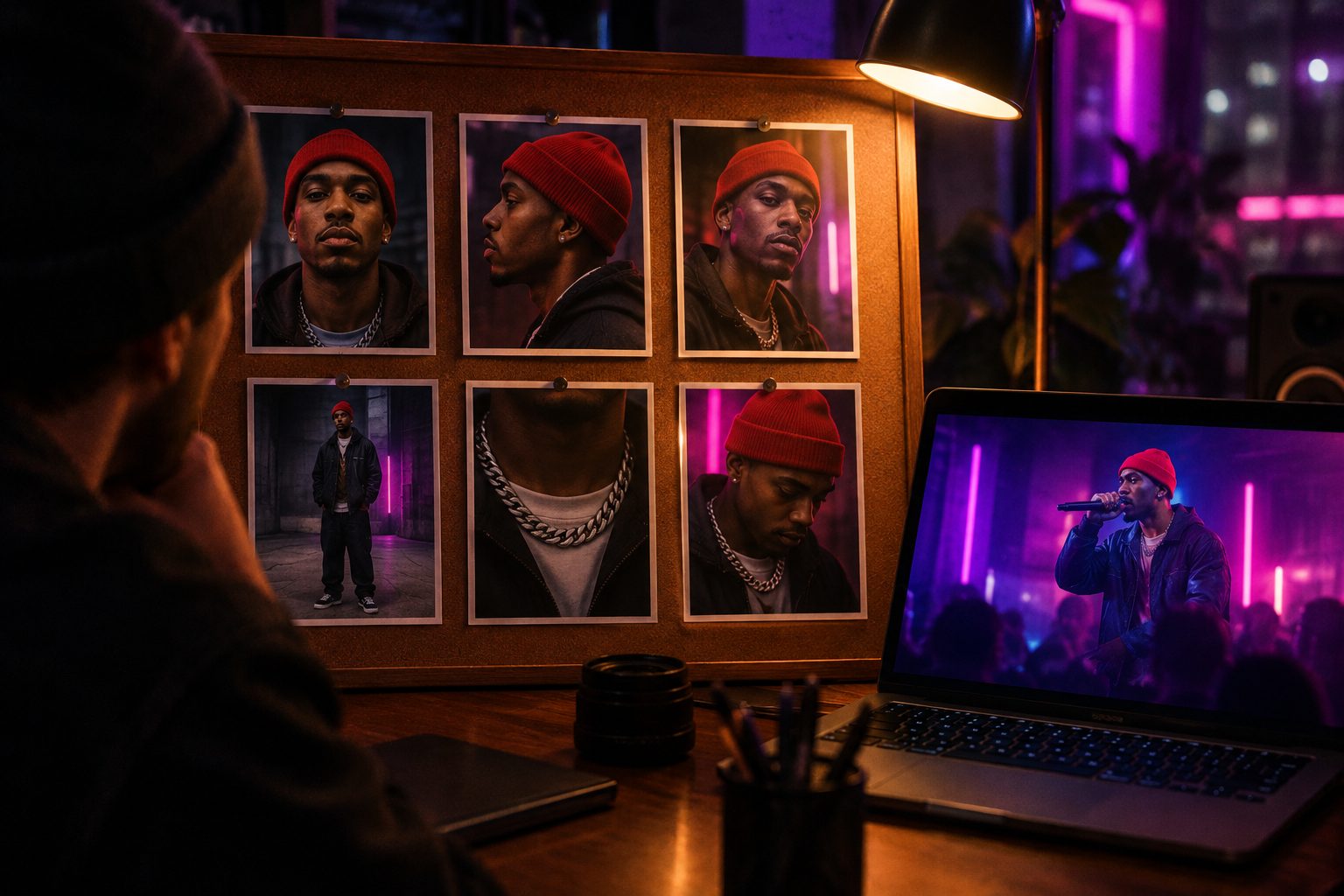
Illustration: SunoMV Team · A reference pack: front, profile, three-quarter, full outfit, accessory close-up
It is live in SunoMV. When you pick H3 Max Turbo and the character library has face images, the shot goes to reference-to-video automatically. Without character images it stays on image-to-video. The FAST switch now uses Turbo again too.
Practical rule: Build the reference pack per person: one front, one profile, one full body, one signature accessory. That beats nine near-identical selfies.
Turbo and H3 Max cost the same to lock a face
The first instinct is “Turbo is cheaper, so its face lock is cheaper.” It is not. Measured against actual billed usage on 2026-10-26, Turbo reference-to-video works out to about $0.05 / $0.08 / $0.16 per second at 480P / 768P / 1080P. That is the same tier as the listed price for H3 Max reference-to-video. Image-to-video is where Turbo saves money: its standard fal price is $0.025 / $0.04 / $0.08 per second, about half of H3 Max.
With face lock priced the same, the choice comes down to two things:
- Turbo wins on speed. In the same hour you get more rounds: more chorus outfits, more camera angles, more expressions, and you spot the drifting shot sooner.
- H3 Max wins on image quality, and it can pin frames. H3 Max reference-to-video accepts a start image, a middle image and an end image alongside the references. If a chorus entry needs a locked composition and a locked face, only H3 Max does both in one call.
So our position is this: music video face lock is about identity across shots, not single-shot quality. During iteration, use Turbo reference-to-video and buy stability with more rounds. For the final cut, hand the few key shots to H3 Max and pin frames and face together. Empty shots and location shots stay on Turbo image-to-video, which is where the real savings are.
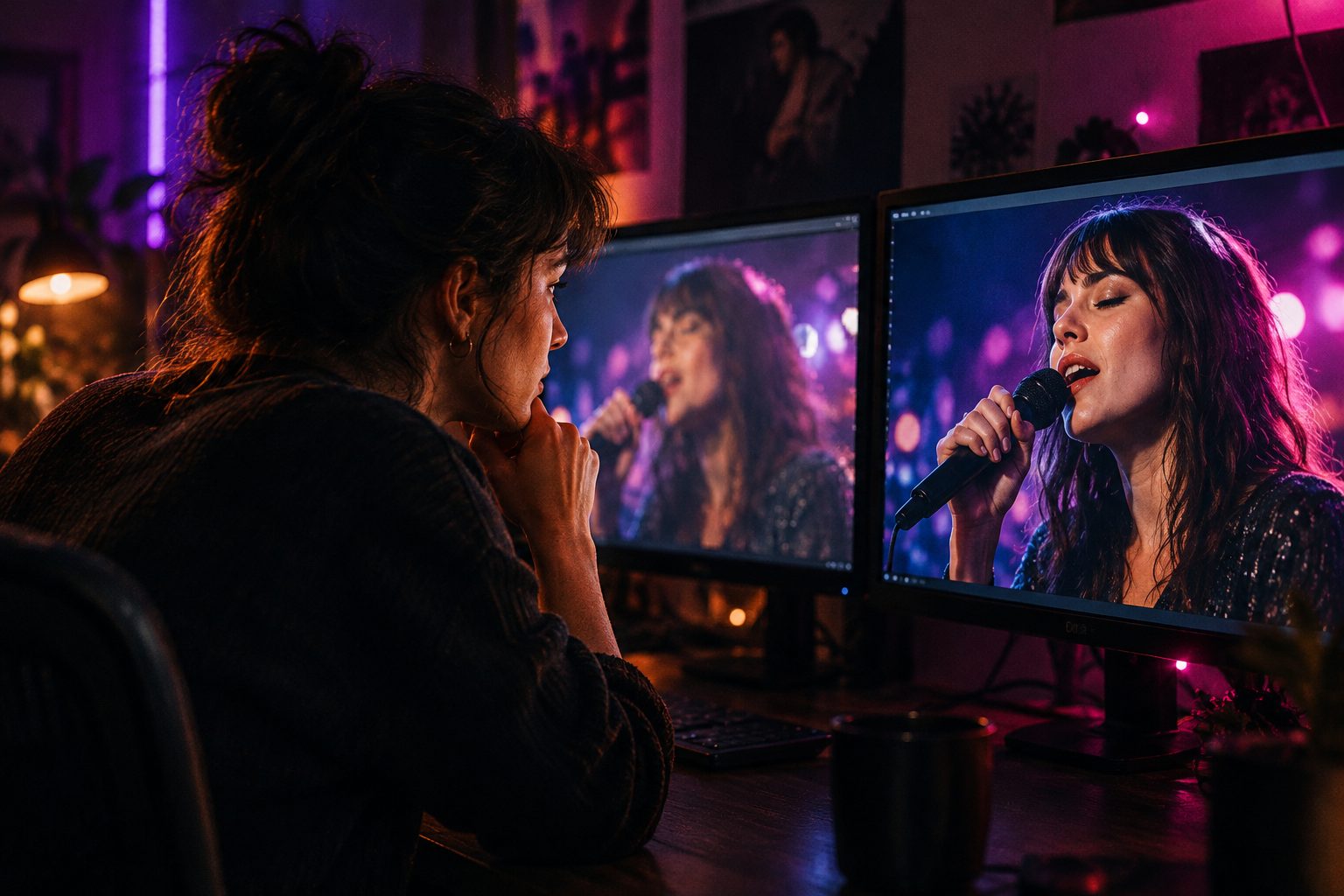
Illustration: SunoMV Team · Same face-lock price. Turbo buys rounds, H3 Max buys quality and pinned frames
Decision filter: Does this shot need a pinned entry or exit composition? Yes means H3 Max reference-to-video. No means Turbo is faster.
Five face-lock endpoints compared for music videos
Only true face-lock reference-to-video endpoints are compared here. FLUX 3 is not in the table: it has no character-library face lock. Its edit-video endpoint is video-to-video on an existing clip, good for changing a jacket, not for remembering a person.
| Model (fal reference-to-video) | Reference slots | Length / tiers | Reference price (~720p, per second) | Best music video use |
|---|---|---|---|---|
| H3 Max Turbo | 9 images + 3 videos + 3 audio, 12 total | 0.92–15 s, 480P–1080P | ~$0.08 at 768P | Same singer across many shots while iterating |
| H3 Max | 9 images + video + audio, start/middle/end frames | 480P–1080P | $0.08 at 768P | Final key shots, chorus entries and exits |
| Seedance 2.0 Fast | 9 images (@Image1) + 3 videos + 3 audio, 12 total | 4–15 s, 480p / 720p | ~$0.24 at 720p | Dance motion reference, sung shots with audio |
| Kling O3 Standard | 4 total across images and elements (@Image1 / @Element1) | 3–15 s | $0.084 (audio off) | Solo singer, slot-strict prompts |
| Wan 3.0 | 10 images + 5 videos + 5 audio | 2–30 s, 480p–1080p | $0.10 at 720p | Long tracking shots in a bridge |
Prices from each model’s fal page and llms.txt, checked 2026-10-26. Turbo reference-to-video is converted from actual billed usage on 2026-10-26. Seedance bills at 0.6x when video inputs are present.
What the table does not show:
- Seedance is our highest-volume family and takes reference video and audio. For a dance video, a real dance clip as
@Video1is far more reliable than writing “hip-hop dance” in the prompt. The cost is the rate: at 720p it is roughly 3 times H3-family face lock. - Kling O3 caps at 4, and images and elements share that cap. Enough for a solo singer, tight for a band. The upside is a strict slot grammar: bind
@Image1on the first line, then write the action, and the model improvises less. Our Kling O3 prompt guide covers that grammar. - Wan 3.0 runs up to 30 seconds per shot with a large reference budget. It suits a bridge where the singer keeps walking and the camera keeps following, not line-by-line fast cuts.
Which model for which kind of shot
Sung shots. The face and the mouth matter. Run a few versions of the same face with Turbo reference-to-video, pick one, then decide whether it needs lip-sync. The H3 reference slot accepts the vocal as Audio 1, but if the lyric has to land, post-generation lip-sync is more reliable. See how lip-sync changes after the H3 open-source release.
Chorus outfit changes. Changing a jacket is the easiest way to lose a face. Put one full-body shot of the new outfit and two face close-ups in the pack, then write the person in Image 1 wears the jacket from Image 3. Iterate with Turbo. If the final shot must cut seamlessly from the previous one, use H3 Max and pin the first frame.
The same singer across many shots. This is the core Turbo reference-to-video job: one pack, then verse, bridge and chorus in a row. Speed means more comparisons.
Dance motion reference. If you have a clip of a real dancer, use it as the motion reference. Seedance, the H3 family and Wan 3.0 all have a reference video slot. We usually try Turbo first, since time is the cheap part, and move to Seedance when the choreography is too complex.
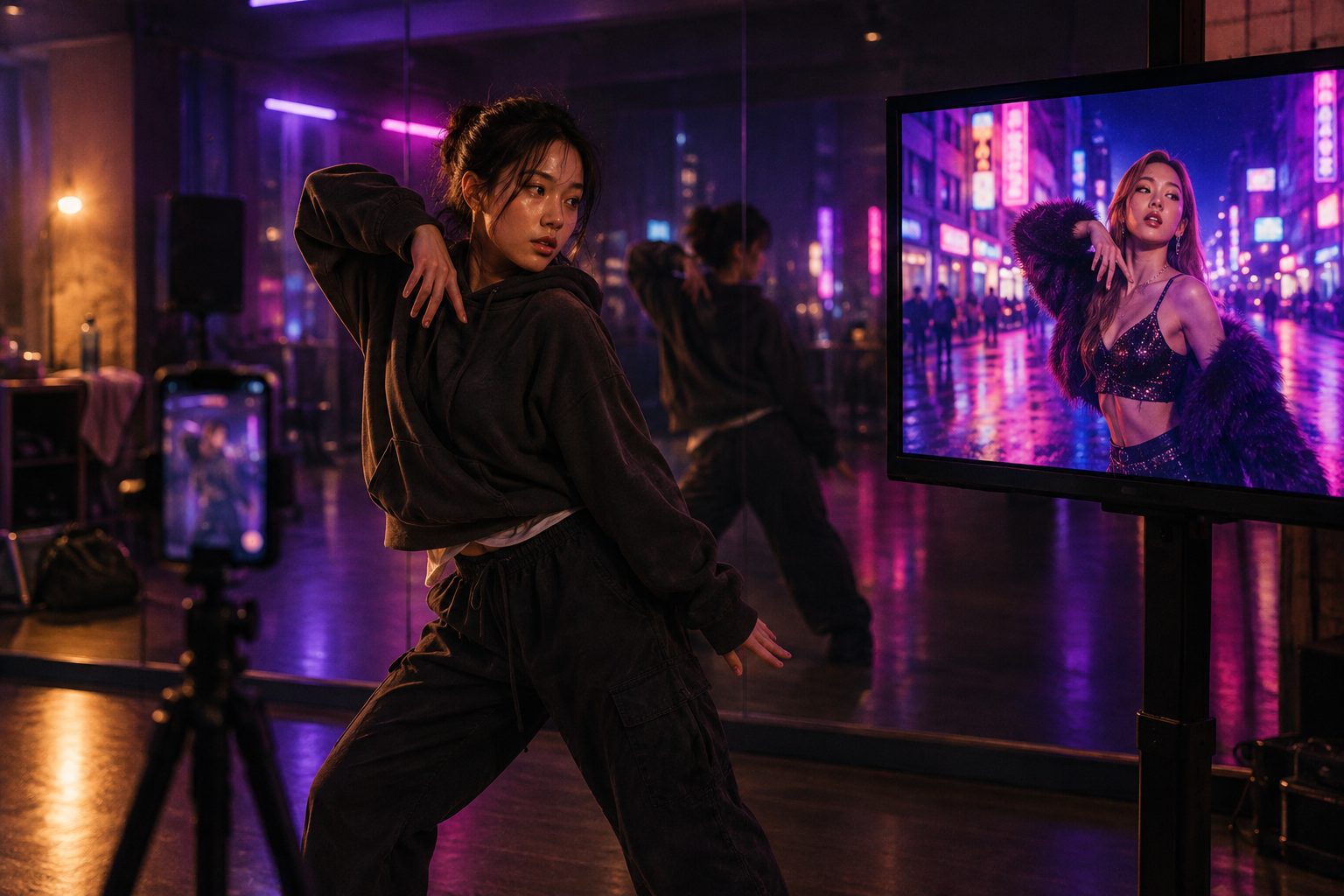
Illustration: SunoMV Team · One real dance clip explains motion better than ten adjectives
This review looks at H3 character consistency alongside its higher resolutions, which is useful for setting expectations before you start:
Video: Mark DK Berry · MiniMax H3 character consistency and resolution tests
Practical rule: Motion goes to the reference video, identity to the reference images, lyrics to lip-sync. Do not cram all three into one prompt sentence.
How to use it in SunoMV
- Open Suno link to music video, paste the song and generate storyboard stills.
- Upload a reference pack for the lead singer to the character library: front, profile, full body, signature accessory.
- Leave empty shots and location shots on default image-to-video. For shots with the singer, pick MiniMax H3 Max Turbo and the shot goes to reference-to-video automatically.
- Preview the whole song, find the two or three chorus entries that must cut seamlessly, and switch those to H3 Max with pinned frames.
- Add lip-sync to close-up sung shots, then export.
For the boundary between image-to-video, reference-to-video and edit-video, read image-to-video vs reference-to-video vs edit-video for music videos. For the whole ecosystem after H3 went open source, including the speed-ups, post-trained models and hosted endpoints, see the pillar guide MiniMax H3 open-source ecosystem explained. If you make short dramas rather than music videos, the multi-character trade-offs are in DramaSo’s short drama face-lock comparison.
Frequently asked questions
Is H3 Max Turbo face lock cheaper than H3 Max?
No. By actual billed usage, Turbo reference-to-video and H3 Max reference-to-video sit in the same price tier. Turbo’s advantage is speed and more iterations. What is cheaper is Turbo image-to-video, about half of H3 Max.
Can Turbo reference-to-video pin first and last frames?
No. The endpoint has no image_url or end_image_url. For a shot that needs face lock plus pinned frames, use H3 Max reference-to-video.
Without character images, does H3 Max Turbo still use reference-to-video?
No. Without reference images SunoMV renders from the storyboard still with image-to-video, which is the default.
Can FLUX 3 lock a face?
No. FLUX 3 has no character-library reference-to-video. Its edit-video endpoint modifies an existing clip, video to video.
How many reference images should I use?
For a solo singer, four to six usually works: front, profile, three-quarter, full outfit, one or two signature accessories. Fewer images with distinct angles beat nine similar ones.
Face lock is not about making one shot prettier. It is about the audience still recognizing the singer in shot forty. Get the whole song working with the fast option, then spend on the few shots that need to be pinned.
Make a music video where the singer keeps one face:
- 🌐 SunoMV: https://suno.bi/en
- 🎬 Audio to video: https://suno.bi/en/audio-to-video-ai-generator
- ✨ Suno link to video: https://suno.bi/en/features/suno-to-video
Made in SunoMV · real exports
See what a song turns into
Every sample below is an untouched SunoMV export: 3 AI storyboard shots, one AI-filmed clip, then the lyrics. Each one uses a different caption style and frame size.
Popular guides
More in this series
- AI Music Video Lip Sync After H3 Went Open Source: What Changed in the Workflow
- How Much Does an AI Music Video Cost? Spend Credits Section by Section (2026)
- Music Video Storyboard Workflow: Preview the Shot, Then Lock 1080p
- How to Lip Sync a Suno Music Video Without Reshooting
- Image-to-video, reference-to-video, and edit-video for music videos