
Kling 4.0 Prompt Guide: 10 Tips + Copy-Paste Templates

You type cinematic, 8K, masterpiece and the clip comes back as a walking stock photo. The chorus still has no camera. The jacket changes color on the second beat. You did not fail at taste. You handed Kling 4.0 a mood and asked it to direct a shot.
People searching Kling 4.0 prompt already picked the model. What they want is a string they can paste: duration and ratio first, then the stills if they have a face, then subject, action, scene, camera. Kling 4.0 is not Kling O3 with a new badge. The picker facts are different, and the prompt has to match them.
This page is the pasteable version. The older Kling O3 prompt guide still covers O3 and O3 Pro (15 seconds, four references, a real negative-prompt field). Do not copy that block onto Kling 4.0.
Table of Contents
- What Kling 4.0 actually accepts
- The slots to fill
- 10 copy-paste tips
- 5 music-video templates
- FAQ
- Copy, pick Kling 4.0, export the shot
What Kling 4.0 actually accepts
Kling 4.0 went into the SunoMV model list on 2026-10-24, after Kuaishou’s 2026-10-15 release and fal opening the v4 API. In this picker it is one row, labeled Kling 4.0. These are the limits the shot has to respect:
| Fact | Kling 4.0 in this picker | Kling O3 / O3 Pro (do not mix) |
|---|---|---|
| Text-only shot | Yes | No. O3 needs a picture |
| Length | 3–30 seconds | 3–15 seconds |
| Reference stills | Up to 10 | Up to 4 |
| Resolution | 720p and 1080p on this same row | O3 is 720p, O3 Pro is 1080p |
| Negative prompt box | None. The field was removed | Yes |
| Prompt shape | Plain text, 2,500 characters | Multi-element tags |
| Your Suno vocal as lip-sync audio | No. It does not take a reference audio track | No |
The model does generate its own soundtrack, and that switch is not optional. That soundtrack is not your song. You already have a track. Paste the shot, export the picture, cut it onto the lyric line. Do not write the chorus into the prompt and expect a mouth to hit the words.
On this site, the same-cluster experiment is already measured. In May–July 2026, two Suno prompt pages sat at almost the same Search Console position: the copy-paste title pulled 3.79% CTR; the “7-step pro method” title pulled 0.17%. This page keeps the winner shape.
Image: SunoMV model compare · Kling 4.0 sample poster. It is a product sample, not a diagram of the prompt slots.
Practical rule: If the first line is not duration, ratio, or
@Image1 is…, you are decorating a shot the model already chose.
Kling 4.0 Flash sits on the next row from 5 November 2026. Every block on this page pastes into it unchanged, with three edits: keep the duration at 20 seconds or less, drop Resolution: 1080p (Flash is 720p only), and skip tip 9, because Flash takes a start image but no end frame. In our first run a 3-second shot came back in about a minute, against about 2.5 minutes on Kling 4.0, so Flash is the row for trying a chorus shot before you commit.
The slots to fill
| Slot | Fill this | Anti-example |
|---|---|---|
| Duration / ratio | Duration: 10 seconds. Aspect ratio: 9:16. Use 3–30s and only 9:16, 1:1, or 16:9 | “make it viral” |
| Face lock | @Image1 is the woman. Up to @Image10 | “use my references” with no tag |
| Subject | One person, wardrobe, hair, age band | “a beautiful girl” |
| Action | Verbs plus weight and contact | “dancing beautifully” |
| Scene | Room, weather, time of day | “epic location” |
| Camera | Shot size, named move, speed | “cinematic camera” |
| Continuity | What must stay identical for the whole clip | (nothing — the jacket recasts itself) |
| Don’ts | In the same positive block. There is no negative box | a paragraph aimed at a field this model does not have |
Open the audio-to-video generator, pick Kling 4.0, paste the block into the shot description.
Practical rule: O3’s
@Elementtags and negative-prompt paragraph do not transfer. Kling 4.0 reads one plain block.
10 copy-paste tips
Each tip is a full block. The anti-example is the same intent written as empty adjectives.
1. Put duration and ratio on line one
Duration: 8 seconds. Aspect ratio: 9:16.
One woman, black wool coat, shoulder-length black hair.
She steps off a curb into rain, weight on the front foot.
Night market, neon signs, wet asphalt, no crowd faces in focus.
Camera: medium shot, slow push-in, eye level.
Keep the coat, hair, and earring identical for all 8 seconds.
Anti-example: cinematic vertical music video, 8K, masterpiece, trending.
In SunoMV: pick Kling 4.0, paste the block, generate, then drop the clip on the lyric line.
2. Bind the face before you describe the shot
Duration: 6 seconds. Aspect ratio: 16:9.
@Image1 is the singer. Keep this face, hair, and jacket identical.
He turns his head toward camera on the downbeat, then looks past lens.
Rooftop at blue hour, one practical lamp, city bokeh.
Camera: close-up to medium, gentle orbit left.
No wardrobe change. No second person enters.
Anti-example: a guy who looks like the photo, cinematic, emotional.
Use this when you uploaded a still. @Image1 is the lock. Empty “use the reference” is not.
3. Ten stills is the ceiling, not a mood board dump
Duration: 5 seconds. Aspect ratio: 16:9.
@Image1 is the singer's face. @Image2 is the jacket. @Image3 is the guitar.
Keep those three identical. Ignore any extra stills beyond the wardrobe.
He strums once, pick hand in focus, body still.
Small stage, one red spotlight, dark background.
Camera: tight on hands, then a short tilt up to the face.
Anti-example: uploading ten unrelated screenshots and writing mix these vibes.
The cap is 10 images. More than three identities in one 5-second shot usually means the face loses.
4. There is no negative-prompt field
Duration: 10 seconds. Aspect ratio: 9:16.
One dancer, silver jacket, short curls.
She hits one pose and holds it, feet planted.
Concrete studio, grey wall, hard side light.
Camera: locked-off full body.
Keep one person only. Keep the jacket silver. Keep the wall bare. No captions, no logo, no extra hands.
Anti-example: a separate “negative:” paragraph. This model’s schema dropped that field. The exclusions have to sit in the positive block, as locks, not as a junk list.
5. Text-to-video is allowed — only if you do not need a specific face
Duration: 12 seconds. Aspect ratio: 16:9.
No reference image.
A lone figure in a red coat walks away down a rain street, face not visible.
Sodium lamps, puddles, steam from a grate.
Camera: wide, slow lateral track, the figure stays small in frame.
Keep the coat red. Keep the street empty.
Anti-example: text to video of my exact face from memory.
If the face matters, upload it and use tip 2. Kling O3 cannot do this text-only path at all. Kling 4.0 can, and it will invent a face if you do not bind one.
6. Do not spend the prompt on lyrics
Duration: 8 seconds. Aspect ratio: 9:16.
@Image1 is the singer. Mouth closed, no dialogue, no sung words.
She nods once on the beat, eyes to lens.
Dark club, one magenta rim light.
Camera: close-up, static.
The picture has no readable text and no lip movement.
Anti-example: pasting a whole verse and writing lip sync the chorus perfectly.
audioReference is off. The model will not take your Suno vocal. Its own generated sound is not your track. Cut picture to picture; lay the song in the editor.
7. Say 720 or 1080 in the shot only when the frame needs it
Duration: 15 seconds. Aspect ratio: 16:9. Resolution: 1080p.
@Image1 is the guitarist.
He walks three steps toward camera, stops, looks down at the fretboard.
Empty rehearsal room, afternoon window light.
Camera: medium-wide, slow dolly in.
Keep the guitar body and the shirt identical.
Anti-example: 8K IMAX ultra HD.
This row offers 720p and 1080p, not 8K. Asking for 8K does not change the encoder.
8. Stay under 2,500 characters
Duration: 6 seconds. Aspect ratio: 1:1.
@Image1 is the singer, black turtleneck.
One blink, then a small smile. No head turn.
Seamless grey backdrop, soft frontal light.
Camera: head-and-shoulders, static.
Keep the turtleneck and the backdrop flat.
Anti-example: a 4,000-character biography of the artist. The schema cap is 2,500 characters. Over that, the request fails instead of “trying its best.”
9. First and last frame: describe the change, not two movies
Duration: 5 seconds. Aspect ratio: 16:9.
Start frame @Image1: singer at the door, hand on the handle.
End frame @Image2: same singer one step inside, same coat, door open.
She pushes the door and steps through.
Apartment hallway, warm practicals.
Camera: side angle, short track with her.
Same person, same coat, no time-of-day change.
Anti-example: a start frame at noon and an end frame at night with a different jacket.
Start-end is one move between two stills. If the stills disagree on identity, the clip spends the five seconds reconciling them.
10. A 30-second clip still needs one action
Duration: 30 seconds. Aspect ratio: 16:9.
@Image1 is the singer. Same black coat the whole time.
She walks a straight corridor, steady pace, no dance break, no outfit change.
Fluorescent hallway, locked perspective.
Camera: follows from behind at a constant distance.
One action only: walking. No cuts, no second location.
Anti-example: 0-5s verse, 5-15s chorus choreography, 15-30s drone city, outfit change.
Thirty seconds is the maximum, not permission for a three-scene mini film. One action holds. For a real chorus cut, generate separate shots and edit them.
Practical rule: One shot, one action, one identity. Edit the song out of several shots. Do not ask one prompt to be the timeline.
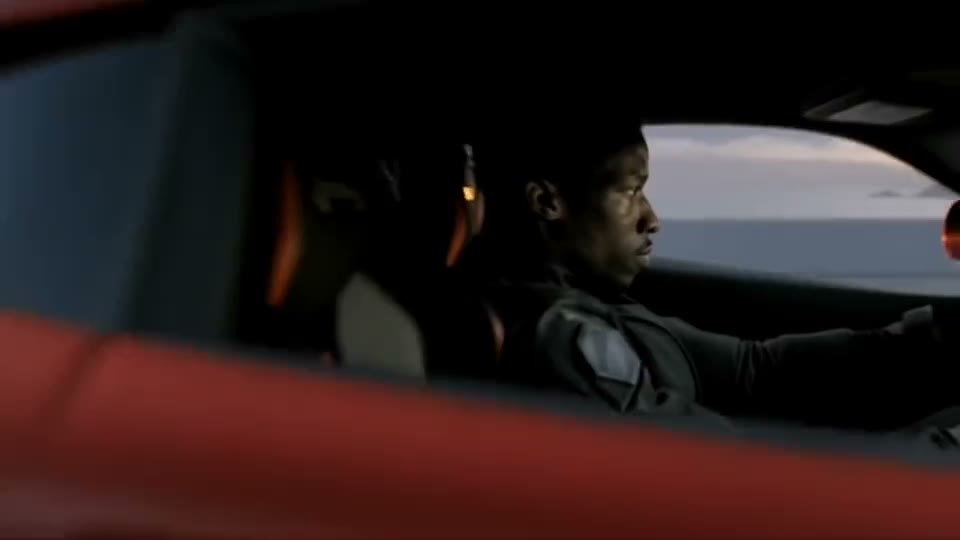
These stills are from the public Kling 4.0 collection. They are not SunoMV music-video exports. They show what the model does with a plain shot description: one action, one camera, one identity.
Image: public Kling 4.0 collection · one-take action still. Use it as a reminder to write one action, not as a music-video result.

Image: public Kling 4.0 collection · pose set with keyframes. Same job as start frame and end frame in tip 9.

Image: public Kling 4.0 collection · one subject, one location. A 30-second prompt should stay this simple.
5 music-video templates
Chorus push-in
Duration: 10 seconds. Aspect ratio: 16:9.
@Image1 is the singer. Keep face and black leather jacket identical.
She stands still, then lifts her chin on the last beat.
Wet street, neon sign behind her out of focus, light rain.
Camera: medium close-up, slow push-in, eye level.
No lip movement. No readable text. No second person.
Vertical hook for a short
Duration: 6 seconds. Aspect ratio: 9:16.
@Image1 is the singer, silver hoops, cropped jacket.
She snaps her fingers once, then holds still.
Dark background, single hard key from frame left.
Camera: tight close-up, static.
Keep jewelry and jacket identical. No captions.
Square thumbnail hold
Duration: 4 seconds. Aspect ratio: 1:1.
@Image1 is the singer.
Neutral expression, eyes to lens, no smile change.
Flat color backdrop, even light.
Camera: headshot, static.
No text, no logo, no camera move.
Walk-away, face not required
Duration: 12 seconds. Aspect ratio: 16:9.
No reference image. Face stays turned away.
A person in a long red coat walks away down a rain street.
Sodium lamps, puddles, empty sidewalk.
Camera: wide, slow follow from behind.
Keep the coat red and the street empty.
Door step, two stills
Duration: 5 seconds. Aspect ratio: 16:9.
@Image1 start: hand on a door handle, same black coat.
@Image2 end: one step inside, same coat, same hair.
The person pushes the door and steps through.
Warm hallway light.
Camera: side angle, short move with the step.
Same identity. No time jump.
FAQ
Can Kling 4.0 lip-sync my Suno song? No. This picker does not send your track as reference audio. The model may play its own generated sound. Cut the picture onto your song in the editor. The audio-to-video generator is where you pick Kling 4.0; it is not a vocal dubber.
Why does my O3 negative prompt do nothing here? Kling 4.0’s schema has no negative-prompt field. Write the locks in the positive block (tip 4). If you need that field and element tags, use the Kling O3 prompt guide and pick O3 or O3 Pro instead.
Can I generate without a photo?
Yes. Kling 4.0 is on the text-to-video list. The face will be invented. If you need a specific person, bind @Image1.
How long can the clip be? 3 to 30 seconds. Ratios are 9:16, 1:1, and 16:9. The prompt cap is 2,500 characters.
Should I use Kling 4.0 or Kling 4.0 Flash? Flash to try a shot fast and at a lower credit price: 3–20 seconds, 720p, no end frame. Kling 4.0 when the shot needs 1080p, more than 20 seconds, or a fixed start and end frame. The prompt blocks are the same.
Does “8K” change the file? No. This row outputs 720p or 1080p.
Copy, pick Kling 4.0, export the shot
- Copy one block above. Do not add a negative-prompt section.
- Open the audio-to-video generator and pick Kling 4.0.
- Paste, generate, then cut the clip onto the lyric. If you needed O3’s negative box, you are on the wrong row — switch models, do not fight this prompt.
Practical rule: The prompt is done when a stranger can paste it and get the same shot size, the same identity lock, and no lyric in the box.
Made in SunoMV · real exports
See what a song turns into
Every sample below is an untouched SunoMV export: 3 AI storyboard shots, one AI-filmed clip, then the lyrics. Each one uses a different caption style and frame size.
Popular guides
More in this series
- Seedance 2.0 Mini Prompt Guide: 10 Tips + Copy-Paste Templates
- HeyGen Video Prompt Guide: 10 Tips + Copy-Paste Templates
- Seedance 2.0 4K Prompt Guide: 10 Tips + Copy-Paste Templates
- MiniMax H3 Max Turbo Prompt Guide: 10 Tips + Copy-Paste Templates
- Seedance 2.0 Fast Prompt Guide: 10 Tips + Copy-Paste Templates