/icon.png)
Seedance 2.0 Mini Prompt Guide: 10 Tips + Copy-Paste Templates

You paste cinematic, 8K, masterpiece, 0-3s drone into Seedance 2.0 Mini and wait. The clip comes back fast, then looks like a poster that learned to blink. The coat changes color on Shot 2. A second score crawls under the Suno track. The word 4K did nothing, because this picker cannot output 4K.
People searching Seedance 2.0 Mini prompt already chose the cheap, fast sibling. They do not need another lecture on “prompt engineering.” They need a block they can paste, generate eight drafts, and throw seven away.
This page is that block. Mini uses the same Shot grammar as Seedance 2.0 Fast. It does not use the clock grammar on the Seedance 2.5 prompt guide. It is not the hero frame — that promotion belongs on the Seedance 2.0 4K prompt guide. Paste, pick Seedance 2.0 Mini in the SunoMV audio-to-video generator, and keep only the take whose coat still matches.
Table of Contents
- Why Mini is the draft pass, not a second Fast page
- The slots Seedance 2.0 Mini actually uses
- 10 copy-paste tips
- 5 music-video templates
- Empty prompt vs a Seedance 2.0 Mini prompt
- FAQ
- Copy, pick Seedance 2.0 Mini, export the draft
Why Mini is the draft pass, not a second Fast page
ByteDance Seed launched Seedance 2.0 on 12 February 2026. Mini is the later, smaller sibling in that 2.0 line: the public picker calls it Seedance 2.0 Mini, and the job of the row is batch drafts. The product line under the name says it is about twice as fast as Fast and cheaper, which is why you use it to try the verse before you spend a hero render.
The 2.0 series prompt guide is blunt about writing. Bind assets by type and number. Sequence events with Shot 1 / Shot 2 / Shot 3. Mark sound with brackets. Precise clocks such as 0–3s are officially unstable on 2.0. Forcing a duration into the prose can warp the clip. Mini inherits that writing job. It does not inherit a 4K sensor.
On this site the same-cluster experiment is already measured. In May–July 2026, two Suno prompt pages sat at almost the same Search Console position: the copy-paste title (10 Tips + Copy-Paste Templates) pulled 3.79% CTR; the “7-Step Pro Method” title pulled 0.17% — a 22× gap on the same intent. The variable was the title shape. This page keeps the winner shape and changes only the model row.
Do not paste a Seedance 2.5 timestamp script here. The 2.5 prompt guide lists the split itself: 2.0 does not answer timestamps and only answers shot numbers, while 2.5 accepts integer-second clocks. Mini is 2.0. Delete the clocks before you paste.
A ferry-deck still, written as camera plus coat plus spray, is the picture this prompt is aiming at. “Cinematic 8K” is not in the frame.
Image: SunoMV Team · one still named as subject + coat + spray, not as cinematic 8K
Practical rule: If the prompt asks Mini for 1080p or 4K, you are paying a draft price for a resolution the row cannot emit. Write 480P or 720P, or leave resolution to the picker.
The slots Seedance 2.0 Mini actually uses
Mini on this picker is a full 2.0 clip model with a smaller bill. It generates from text. It takes a still as the opening frame. It takes first and last frames. It takes up to nine reference stills. It can take a reference video and an audio reference. Duration is 4–15 seconds. Resolution in the list is 480P or 720P. There is no 1080P row and no 4K row.
There is no separate negative-prompt box. Put “don’ts” as locks at the end of the description (No subtitles. No BGM. Do not recast the coat.).
| Slot | Fill this on Mini | Anti-example |
|---|---|---|
| Duration / ratio | Duration: 8 seconds. Aspect ratio: 16:9. (4–15s) | “make it viral” |
| Resolution | Leave it to the picker: 480P to try, 720P to keep | “native 4K, 1080p, IMAX” |
@Image1…@Image9 | Name who or what the still is, then call it in the shot | “use the attached photos” |
| Shot numbers | Shot 1, Shot 2, Shot 3. One camera move each | 0–3s, 3–6s, 6–9s |
| Subject lock | Face, hair, coat named in prose and repeated after every shot | “cinematic woman” |
| Sound | Room tone in the scene. No BGM when the Suno track is the score | “add epic trailer music” |
| First / last frame | The still is the actual frame. Describe the path into it | “morph these two pictures” |
Price is why the page exists. On the clip meter Mini is 14 credits per second at 480P and 30 credits per second at 720P. A 5-second 720P draft is 150 credits. The same 5 seconds on Fast at 720P is 250 credits (50 per second). A 5-second Seedance 2.0 4K clip is 3,000 credits (600 per second). Ten verse drafts on Mini at 480P for 5 seconds is 700 credits. One 4K hero of the same length is more than four times that stack. Draft on Mini. Promote the keeper.
Generation time follows the same split. Fast is measured around 135 seconds of wait for a short clip. Mini is estimated around 70 seconds, the “about twice as fast” claim on the row. That is wall-clock for one generation, not the length of the video.
The batch control on the timeline is where those cheap takes stack. One Mini prompt is still one clip. You change the verb, not the coat, and run it again.
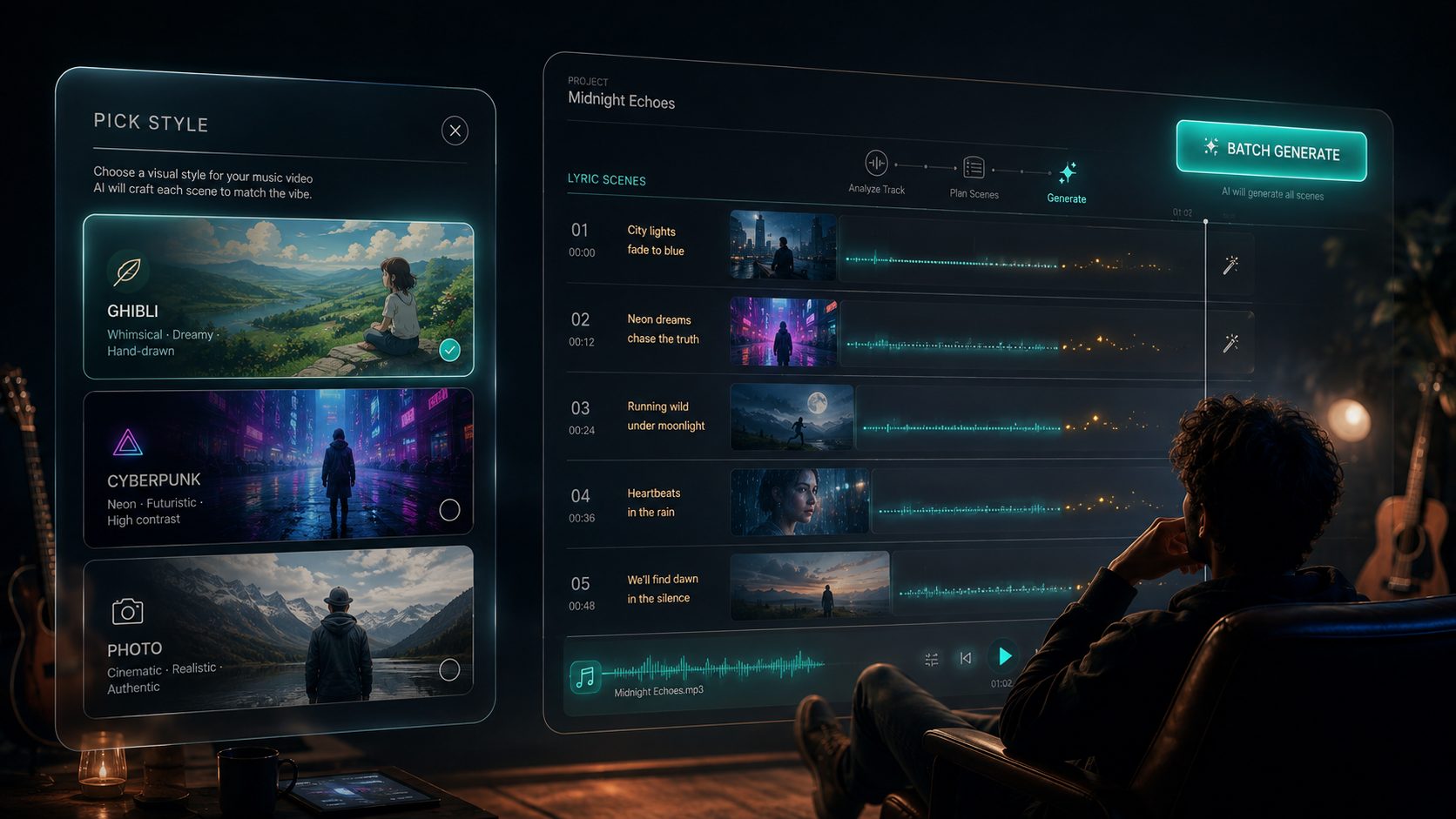
Image: SunoMV Team · batch is several Mini generations, not one longer sentence
Practical rule: Write the coat into every shot of the draft. Change only the verb when you rerun. If Shot 2 invents a new coat, the still was never bound.
10 copy-paste tips
Each tip is a full block. The anti-example is the same intent written as empty adjectives. In SunoMV: pick Seedance 2.0 Mini, set 480P while you are still searching, paste the block into the shot description, generate, then cut the survivor onto the lyric line.
1. Bind @Image1 before you describe the draft
One-line rule: unlabeled files are wasted files. Name the still inside the sentence. Do not say “use the attached photos.”
Duration: 6 seconds. Aspect ratio: 16:9.
@Image1 is the singer: early 30s, cropped silver hair, navy chore coat, black turtleneck, small gold ear cuff.
@Image2 is the night ferry deck, wet rail, harbor lights smeared in the spray.
Define the singer in @Image1 as Subject 1.

Shot 1: Medium close-up of Subject 1 at the rail in @Image2. She mouths the second line of the verse, left hand on the cold rail, coat collar up. Slow push-in, 35mm, eye-level.
Keep her face, cropped silver hair, navy coat, and gold ear cuff identical to @Image1.
No subtitles. No BGM.
Anti-example: Use the photos. Cinematic 4K music video, 0-6s.
How to use it in SunoMV: if you uploaded stills, this block stays above the rest of the prompt. Tags are 1-based, and Mini accepts up to nine. If you uploaded nothing, delete the @Image lines and start from text. Do not write Kling’s @Explorer and do not write angle-bracket image tags from another model.
The close-up you bind is a lock, not a mood board. The prompt may change the spray. It may not recast the cuff.
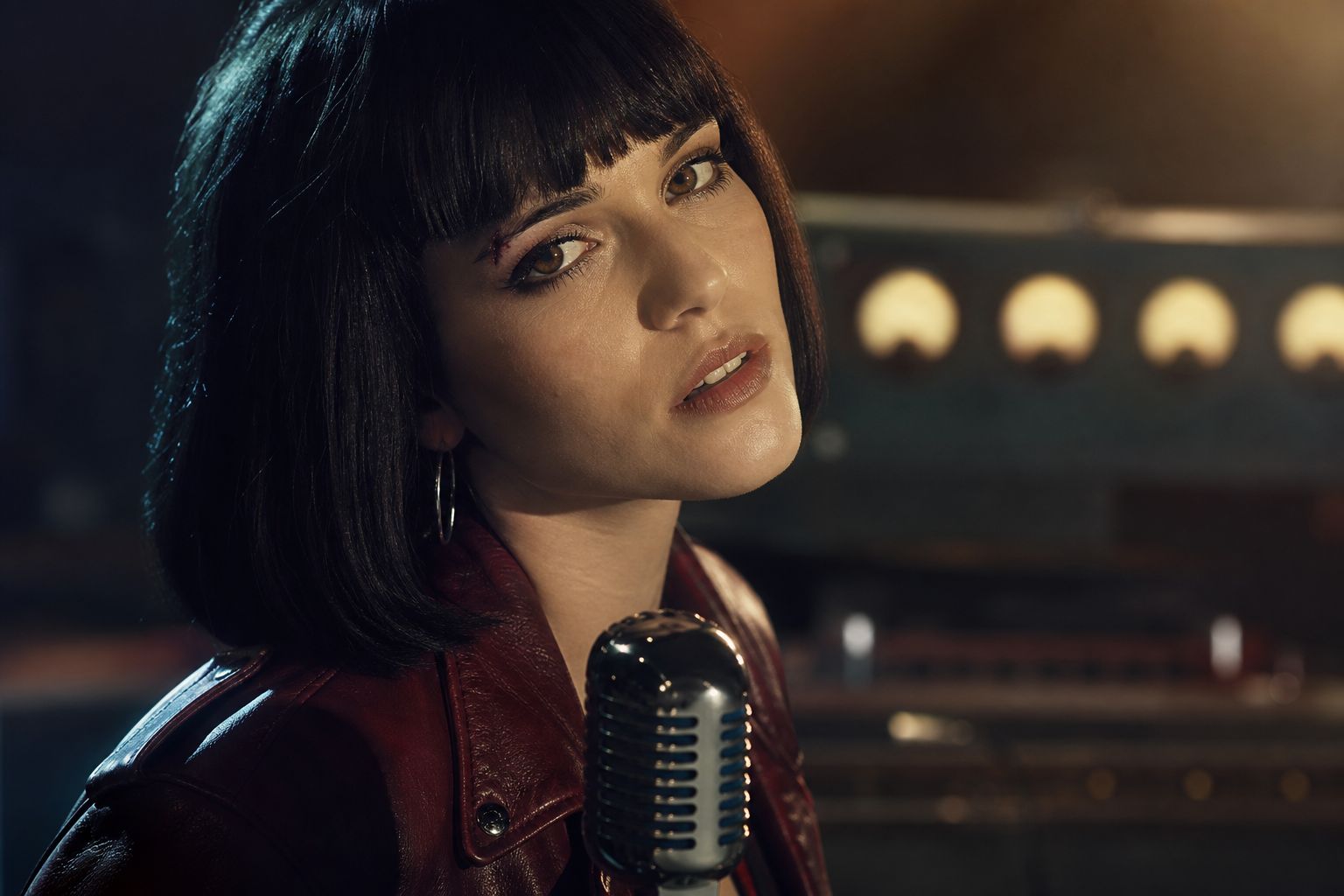
Image: SunoMV Team · @Image1 holds the face; Mini may change the spray, not the cuff
2. Number the shots. Do not write 0–3s
One-line rule: the 2.0 prompt guide says precise timing such as 0–3 seconds is unstable, and forcing a duration into the prose can warp the picture. Use Shot 1, Shot 2, Shot 3.
Duration: 10 seconds. Aspect ratio: 16:9.
@Image1 is Subject 1, navy chore coat, cropped silver hair.

Shot 1: Wide side view along the ferry rail. Subject 1 walks into frame, breath visible, coat snapping once in the wind. Camera locked off.
Shot 2: She stops and looks back toward the wake. Handheld, one short pan, then a hold on her face.
Shot 3: The harbor lights slide behind her shoulder. Camera slowly pulls back and holds on the empty rail.
No subtitles. No BGM. Keep the coat and hair identical to @Image1.
Anti-example: 0s-3s tracking. 3s-7s close-up. 7s-10s aerial 4K.
How to use it in SunoMV: one prompt is one generation, 4–15 seconds. Three shots inside 10 seconds is a verse draft, not a film. If you copied a 2.5 script, delete the clocks. That other grammar lives on the Seedance 2.5 page.
3. Say 480P in the picker, not “4K” in the sentence
One-line rule: Mini’s list is 480P and 720P. The words 1080p and 4K in the prompt do not add pixels. They only steal space from the coat.
Duration: 5 seconds. Aspect ratio: 16:9.
One continuous take, no extra cut inside the clip.
Subject 1, cropped silver hair, navy chore coat, gold ear cuff, stands at a wet ferry rail at night.
She turns her head a quarter turn toward camera. Wind lifts the coat hem once.
Camera: locked 50mm, eye-level, no second move.
No subtitles. No BGM. Do not recast the coat.
Anti-example: Ultra HD 4K 60fps anamorphic IMAX, make it expensive.
How to use it in SunoMV: while you are searching, set the resolution dropdown to 480P (14 credits per second). When a take keeps the cuff and the line, rerun that same block at 720P (30 credits per second). Only the chorus lock you would actually export moves to Seedance 2.0 4K. Do not “upgrade” by rewriting the prompt into adjectives.
4. Use the four-part shape: bind, summarize, shoot, lock
One-line rule: a Mini draft still has four beats. Bind the stills. One sentence of what the clip is. The shots. The lock line.
Duration: 8 seconds. Aspect ratio: 16:9.
@Image1 is Subject 1, navy chore coat, cropped silver hair, gold ear cuff.
A verse draft on a night ferry: she finds the camera, then looks back at the wake.

Shot 1: Medium shot, she steps to the rail, one hand on the metal. Slow push-in.
Shot 2: Close-up, she mouths four words, eyes on lens, coat collar up. Hold.
Keep the face, hair, coat, and ear cuff identical to @Image1.
No subtitles. No BGM.
Anti-example: Emotional cinematic journey of a woman at sea, 8K, trending audio.
How to use it in SunoMV: if you only have time to fix one thing, add the lock line. Mini will otherwise treat Shot 2 as a new person who happens to be on a boat.
5. Name the coat the way a costume department would, then repeat it
One-line rule: “cool outfit” is not a lock. A coat with a color and a cuff is a lock. Repeat it after every shot in the batch, or the eighth draft will be a different person.
Duration: 6 seconds. Aspect ratio: 16:9.
Subject 1: early 30s, cropped silver hair with a left-side part, navy chore coat with a horn button, black turtleneck, one gold ear cuff on the left ear, no glasses, no hat.
Shot 1: She leans on the ferry rail, three-quarter view, horn button visible. Eye-level, 40mm, no move.
The coat stays navy. The cuff stays on the left ear. The part stays on the left.
No subtitles. No BGM.
Anti-example: Stylish singer, fashionable, iconic look, viral outfit.
How to use it in SunoMV: copy this subject block into every Mini rerun for the same song so verse 2 does not recast her. If you need the still before the first video generation, pair it with musician image prompts, or generate that still on ChatImg with the same coat line. Nine stills can cover face, profile, coat, rail, and harbor. They are a lock list. The longer version of the lock is the character-consistency method.
The stills that survive a batch are the ones where the coat is repeated in words, not the ones with the prettiest adjective.
Image: SunoMV Team · the same coat written into every draft is the consistency method
6. Write the action as physics, and the camera as one move
One-line rule: Mini will invent a second camera if you stack four. Keep one move. Keep the heel or the hand. Runway’s camera-prompt notes make the same cut: one framing term, one movement term.
Duration: 7 seconds. Aspect ratio: 16:9.
Subject 1, navy chore coat, cropped silver hair, gold ear cuff.
Shot 1: She plants her left heel, then turns toward the wake. The coat hem lifts once and settles. Camera locked off, 35mm, chest height.
No second move. No crash zoom. No drone.
No subtitles. No BGM. Do not recast.
Anti-example: Epic drone orbit, whip pan, crash zoom, speed ramp, cinematic.
How to use it in SunoMV: if the draft has four camera words, delete three before you spend the next 70 seconds of wait. Camera locked off is a legal lock when the singer should carry the motion.
7. Kill the generated score. The Suno track is already the music
One-line rule: Mini can make sound in the scene. It must not make a second song. Write room tone, then No BGM.
Duration: 8 seconds. Aspect ratio: 16:9.
Subject 1 at the ferry rail, navy chore coat, cropped silver hair.
Shot 1: Close-up, she mouths the line, spray ticks the lens once. Slow push-in.
Sound: wind across a metal rail, a distant harbor horn, her breath. No music.
No subtitles. No BGM. Do not add a score.
Anti-example: Add a dramatic orchestral swell and a trending beat.
How to use it in SunoMV: you already uploaded the song. A generated bed will fight it in the edit. If the draft comes back with music anyway, the lock line was missing — add No BGM and rerun at 480P before you touch 720P.
A take that drifts off the lyric is usually a second score or a recast coat, not a “creativity” problem.
Image: SunoMV Team · if the draft fights the song, the prompt asked for a score
8. First and last frames still need a prompt
One-line rule: a still at the start or the end is the actual frame. Describe the path between them. Do not write “morph.”
Duration: 6 seconds. Aspect ratio: 16:9.
@Image1 is the first frame: Subject 1, navy coat, hands on the rail, harbor behind her.
@Image2 is the last frame: the same woman, same coat, now looking back over her left shoulder.
Shot 1: She turns from the rail to the shoulder look. One continuous move, no cut, no new person.
Keep the coat, hair, and ear cuff identical in both frames.
No subtitles. No BGM.
Anti-example: Morph image 1 into image 2, cinematic transition, 4K.
How to use it in SunoMV: attach the opening still as the first frame and the closing still as the last frame, then paste the block. Mini will not infer the turn if the prompt is only the word “morph.”
9. Negatives only for subtitles and audio
One-line rule: there is no negative box. A long list of “no blur, no ugly, no deformed” wastes the draft. Forbid subtitles and a generated score. Describe the thing you want in the shot lines.
Duration: 5 seconds. Aspect ratio: 9:16.
Subject 1, navy chore coat, cropped silver hair, gold ear cuff, centered with headroom above the hair.
Shot 1: She looks into lens and mouths one line. Camera locked, 50mm.
No subtitles. No captions. No BGM. No second score.
Anti-example: No blur, no bad hands, no watermark, no ugly, no low quality, no 480p, masterpiece.
How to use it in SunoMV: no 480p is self-sabotage on a draft pass. 480P is the point of the first ten takes. Forbid burned-in words, because those survive into the edit and you cannot un-sing them.
10. One prompt is one clip. Batch by changing the verb
One-line rule: do not write the whole song into one Mini prompt. Duplicate the block. Change only Shot 1’s verb. Rerun.
Duration: 5 seconds. Aspect ratio: 16:9.
Subject 1, navy chore coat, cropped silver hair, gold ear cuff, night ferry rail.
Shot 1: She taps the rail twice with her left index finger, then stills. Camera locked off.
No subtitles. No BGM. Keep the coat and cuff identical.
Anti-example: A full 3-minute music video with 24 scenes, chorus, bridge, and credits, 4K.
How to use it in SunoMV: ten of these at 480P for 5 seconds is 700 credits and about ten waits. One 15-second sentence that tries to be the whole song usually recasts her by Shot 3. String the chorus in the editor from the takes that kept the cuff.
Practical rule: Change the verb, not the costume, when you batch. The coat line is copy-paste. The action line is the only edit.
5 music-video templates
Same singer, same coat. Swap the template onto the lyric line you are drafting. Set 480P until the cuff survives, then 720P once.
Verse draft on the rail (16:9)
Duration: 8 seconds. Aspect ratio: 16:9.
@Image1 is Subject 1: cropped silver hair, navy chore coat, horn button, gold ear cuff on the left ear.
@Image2 is the night ferry deck, wet rail, harbor lights in the spray.
Shot 1: Subject 1 walks to the rail in @Image2, left hand finds the metal, coat snaps once. Slow push-in, 35mm.
Shot 2: Close-up, she mouths the verse, eyes down, then up. Hold. No second camera move.
Keep hair, coat, button, and cuff identical to @Image1.
Sound: wind on metal, distant horn. No music.
No subtitles. No BGM.
Chorus candidate you might promote (16:9, 720P later)
Duration: 6 seconds. Aspect ratio: 16:9.
Subject 1, cropped silver hair, navy chore coat, gold ear cuff, facing lens.
Shot 1: She hits the chorus word and does not blink. Spray crosses the lens once. Camera locked, 50mm, eye-level.
The coat stays navy. The cuff stays on the left ear.
No subtitles. No BGM. Do not recast.
Run this one at 480P first. If the cuff and the word both land, rerun the same block at 720P. If it is the shot you would post, move the same lock to 4K. Do not rewrite it into “more cinematic” on the way up.
Vertical chorus with headroom (9:16)
Duration: 6 seconds. Aspect ratio: 9:16.
Subject 1, navy chore coat, cropped silver hair, gold ear cuff, framed from the chest up with a full hand of empty air above the hair.
Shot 1: She mouths one chorus line, then a small nod. Camera locked.
No subtitles. No captions burned in. No BGM.
Keep the coat and cuff identical.
The empty air is where a caption can sit in the editor. Mini should not paint the words.
Wake look-back (first frame to last frame)
Duration: 7 seconds. Aspect ratio: 16:9.
@Image1 is the first frame: Subject 1 at the rail, navy coat, looking at the harbor.
@Image2 is the last frame: the same woman, same coat, looking back over her left shoulder at the wake.
Shot 1: She turns from harbor to wake in one move. No cut. No new person. No drone.
No subtitles. No BGM.
Failed-take redo (change only the verb)
Duration: 5 seconds. Aspect ratio: 16:9.
Subject 1, cropped silver hair, navy chore coat, horn button, gold ear cuff on the left ear.
Shot 1: She laughs once, short, then closes her mouth. Camera locked off, 40mm.
No subtitles. No BGM. Do not recast the coat or move the cuff to the other ear.
Use this when the previous draft kept the face and lost the action. Do not “improve” it by adding 4K, a second song, or a new outfit.
Practical rule: A template is done when you can paste it without adding the word cinematic. If you still want that word, the coat line is missing.
Empty prompt vs a Seedance 2.0 Mini prompt
| Empty prompt | Seedance 2.0 Mini prompt | |
|---|---|---|
| Resolution | “4K” in the sentence, picker ignored | 480P while searching, 720P when the cuff survives |
| Time | 0–3s clocks from a 2.5 script | Shot 1 / Shot 2 |
| Identity | “stylish singer” | silver hair, navy chore coat, left-ear cuff, repeated |
| Camera | drone + whip + crash zoom | one move, or locked off |
| Sound | “epic music” | wind, horn, No BGM |
| Batch | one 3-minute sentence | ten 5-second verbs, same coat |
| Next step | regenerate the adjective | promote one keeper to 4K, unchanged |
This page is not a versus review of other labs. If you also need a transcript of a finished MV, BibiGPT’s YouTube transcript generator is the paste-a-link path. It is not this page.
A public walkthrough of turning a Suno song into a finished video — timeline, stills, export — is this 12-minute cut. The model row for the draft pass is Seedance 2.0 Mini. The prompt on this page is what you paste into that row. The keeper, if you have one, leaves Mini.
Video: YouTube · Roboverse. The draft row in SunoMV is Seedance 2.0 Mini: 4–15 seconds, 480P or 720P, Shot numbers, up to nine stills. 4K is a later rerun of the same lock.
FAQ
Do I write “Seedance 2.0 Mini” inside the prompt?
No. Pick the row in the model list. The prompt names the person, the coat, the shots, and the locks. The model name is not a style word.
Why did the clip warp when I wrote 0–3s?
Mini is a 2.0 model. The 2.0 prompt guide says precise clocks are unstable. Replace them with Shot 1, Shot 2, Shot 3. Timestamp scripts belong on the 2.5 page.
Can Mini do 1080P or 4K?
No. The picker is 480P and 720P. Writing those words into the prompt does not create the pixels. A 5-second 480P draft is 70 credits. A 5-second 720P draft is 150 credits. A 5-second 4K clip on the other Seedance row is 3,000 credits. Draft here, promote the keeper.
How many stills can I attach?
Up to nine, tagged @Image1 through @Image9, 1-based. Name each one. A pile of unlabeled uploads does not lock the cuff.
First and last frames: do I still write a prompt?
Yes. The stills are the endpoints. The prompt is the turn between them. “Morph” is not a turn.
Why is there a second music bed under my Suno track?
The prompt asked for music, or it never said No BGM. Mini can make a score. Your song is already the score. Add the lock and rerun the draft. Do not fix a second bed by paying for 4K.
How is this different from Fast?
Same Shot grammar, same nine-still lock, same 4–15 second window. Fast at 720P is 50 credits per second and has no 1080P either. Mini at 720P is 30 credits per second, and 14 at 480P, and the row is the one marked for batch. Use Mini to find the take. Use Fast only if you already know the shot and want that meter. Use 4K only for the keeper.
Copy, pick Seedance 2.0 Mini, export the draft
- Copy one block above. Do not add “cinematic, 8K.”
- Open the SunoMV audio-to-video generator, drop your Suno track, pick Seedance 2.0 Mini, set 480P, paste the block.
- If the cuff and the line survive, rerun the same block at 720P. If it is the shot you would post, take that lock to 4K without rewriting it.
- Cut the clip onto the lyric in the editor. One prompt was one clip.
Practical rule: The draft is allowed to die. The coat description is not. Paste the coat into the next verb and run Mini again.
Popular guides
More in this series
- HeyGen Video Prompt Guide: 10 Tips + Copy-Paste Templates
- Seedance 2.0 4K Prompt Guide: 10 Tips + Copy-Paste Templates
- MiniMax H3 Max Turbo Prompt Guide: 10 Tips + Copy-Paste Templates
- Seedance 2.0 Fast Prompt Guide: 10 Tips + Copy-Paste Templates
- Grok Imagine 1.5 Prompt Guide: 8 Tips + Copy-Paste Templates