
FLUX 3 Max Prompt Guide: 10 Tips + Copy-Paste Templates

You paste the FLUX 3 block you already saved, including “extend the clip” and “restyle this source video,” and Max ignores both. The jacket still recasts because you never repeated the wardrobe. You did not pick the wrong taste. You picked the fast sibling and handed it a prompt written for the slow one.
People searching FLUX 3 Max prompt already chose the row. What they want is a string they can paste: one camera, one subject action, one environment, then duration and ratio. FLUX 3 Max is Black Forest Labs’ faster post-train of FLUX 3. It is not a second copy of the FLUX 3 prompt guide, and it is not the timing write-up in FLUX 3 Max vs FLUX 3.
This page is only the pasteable prompt. Every tip below is a full block.
Table of Contents
- What FLUX 3 Max actually accepts
- The slots to fill
- 10 copy-paste tips
- 5 music-video templates
- A FLUX 3 prompt vs a Max prompt
- FAQ
- Copy, pick FLUX 3 Max, export the shot
What FLUX 3 Max actually accepts
On SunoMV the picker shows FLUX 3 Max. The row copy is the same list price as FLUX 3, a render closer to 20 seconds, and tighter prompt following. In our credit list both rows are 350 credits per 5 seconds. Our day-one test with the same prompt is written up separately: a 10-second text-to-video came back in 21 seconds on Max and 76 seconds on FLUX 3. That page is the timing note. This page is the text you paste.
Black Forest Labs’ text-to-video prompting guide still applies to the family: direct a scene, do not list objects. Their camera cheatsheet wants one framing term, one movement, and one subject action.
The picker facts that change the paste:
| Lever | FLUX 3 Max on SunoMV | Do not paste this |
|---|---|---|
| Tasks | Text-to-video, image-to-video, a first-and-last pair, keyframes | “Edit this source clip” or “extend the video” — those stay on FLUX 3 |
| Length | Schema allows 5–20 seconds. A shot on a song here is 5–15 seconds | “Make a full chorus, 45 seconds” |
| Resolution | 720P or 1080P | 2K, 4K, or a 480P row |
| Audio file | None. Native audio is generated with the picture | Audio 1: or a vocal upload |
| Negative box | None | A second box of “no blur, no watermark” |
| Face stack | No nine-still identity slot | @Image1 … @Image9 from another model |
The launch still below is Black Forest Labs’ own FLUX 3 Max reel, mirrored in our gallery. It is a speed demo, not a prompt template.
Image: Black Forest Labs launch reel, via the SunoMV FLUX 3 Max gallery. The still shows the model. The prompt still has to name the shot.
Practical rule: If the block mentions extend, video-edit, or a stack of reference portraits, it is a FLUX 3 prompt. Delete those lines before you pick Max.
The slots to fill
Max follows the words more tightly than FLUX 3, which is the point of the post-train. Empty adjectives get followed too. Fill the same slots the lab already published, then stop.
| Slot | Fill this | Anti-example |
|---|---|---|
| One-liner | [camera] shot of [subject] [action] in [environment]. | “cinematic music video, 8K, masterpiece” |
| Labeled fields | Camera, subject, light, motion, style, audio | A paragraph of mood with no labels |
| Timestep | 0.0–5.0s — … then 5.0–10.0s — …, with HARD CUT when the angle changes | “then later she is on a roof” |
| Duration / ratio | Duration: 10 seconds. Aspect ratio: 16:9. | “make it viral” |
| Continuity | Repeat jacket, hair, and one mark in every shot | (nothing — the jacket recasts) |
| Music | Music: none when the Suno track is already the score | A second genre named in the audio line |
There is no native negative-prompt field. Put don’ts as closing locks: Do not recast. Do not generate a new score.
A family overview of the architecture, not of the Max speed tier, is Black Forest Labs’ FLUX 3 sneak peek. The video covers image, audio, and action in one model. SunoMV Max is one clip, 5–15 seconds, 720P or 1080P.
Video: YouTube · Black Forest Labs on the FLUX 3 family. Max is the faster row. The video is not a SunoMV tutorial.
Practical rule: Write the one-liner or the labeled fields. Put
Music: nonewhen the song already exists. Do not ask Max to extend or restyle a source video.
10 copy-paste tips
Each tip is a full block. In SunoMV: pick FLUX 3 Max, paste the block into the shot description, generate, then cut the clip onto the lyric line. The generator is the audio-to-video page.
1. Start with the lab’s one-liner
One-line rule: [camera] shot of [subject] [action] in [environment]. Skip the shape and Max invents the framing, then follows it.
Medium close-up shot of a woman in an oxblood leather jacket standing in rain on a neon side street at night. She mouths the chorus, left heel planted, jacket catching magenta neon. Slow push-in, 35mm, eye-level. Rain ticks on the leather. Do not recast. Do not change hair. Music: none.
Duration: 8 seconds. Aspect ratio: 16:9.
Anti-example: Epic cinematic banger, 8K, masterpiece, perfect lip sync.
2. When one lever must move, paste labeled fields
One-line rule: labels let you change camera or light without rewriting the person.
Camera shot: medium close-up, eye-level, 35mm
Subject + action: a woman in her late 20s, blunt black bob, oxblood leather jacket over a white tank, silver hoops, plants her left heel and mouths the chorus
Depth of field: shallow, face sharp, neon bokeh
Lighting + palette: magenta tube light, wet-asphalt bounce — oxblood, silver, rain black
Motion: slow push-in over 8 seconds, rain on the jacket, no cut
Style: live-action, fine grain
Audio: rain on asphalt, distant traffic, her breath. Music: none
Duration: 8 seconds. Aspect ratio: 16:9.
Anti-example: Use the photos and make her sing. Cinematic.
3. Duration is a line, not a wish
One-line rule: write a length inside 5–15 seconds. The schema allows up to 20. A 45-second chorus is several shots, not one prompt.
Duration: 10 seconds. Aspect ratio: 9:16.
Wide shot of the same woman crossing a crosswalk as the signal counts down. She does not run. Camera tracks at her shoulder. Music: none.
Anti-example: Full song video, about a minute, vertical.
4. First and last frame describe the change
One-line rule: Max can take a first-and-last pair. The prompt names what changes between them. It does not invent a second movie.
Open on the medium close-up, rain on the oxblood jacket.
End on a wider frame, same jacket, same bob, two steps further into the street.
She mouths one line. No cut to a new location. Music: none.
Duration: 8 seconds. Aspect ratio: 16:9.
Anti-example: Morph from a café to a stadium.
How to use a still as the opening frame: the image holds the first frame, the prompt drives the motion. That split is the lab’s image-to-video guide.
5. Keyframes are not a face-lock stack
One-line rule: a keyframe still marks a moment. It is not nine portraits of the same person, and Max has no such slot.
Keyframe at the start: her left heel planted, oxblood jacket, blunt bob.
Keyframe near the end: same jacket, same bob, chin slightly higher.
One slow push-in between them. Do not recast. Music: none.
Duration: 8 seconds. Aspect ratio: 16:9.
Anti-example: Here are nine selfies, keep her face identical like Seedance.
6. Do not spend the prompt on lyrics
One-line rule: the song is already the score. Name the mouth shape, not the verse.
She mouths the chorus on "oh", no readable words, no subtitles.
Audio: rain, a heel tap, breath. Music: none.
Anti-example: pasting the whole chorus into the prompt so the model sings a second melody.
7. Say 720 or 1080 only when the frame needs it
One-line rule: the row is 720P or 1080P. The credit anchor in the model list is 350 per 5 seconds. Do not write “4K”. Pick 1080 when you need the jacket texture, not because the prompt says “best quality.”
Resolution: 1080P.
Close-up of the oxblood jacket shoulder, rain beads, silver hoop at the edge of frame. Slow drift left. Music: none.
Duration: 5 seconds. Aspect ratio: 16:9.
Anti-example: 4K IMAX anamorphic, best quality.
The lab’s own FLUX 3 video note is the family post. Max does not add a 2K or 4K row. Those exports stay on FLUX 3.
8. There is no negative-prompt field
One-line rule: closing locks replace the missing box.
Do not recast the woman. Do not change the jacket color. Do not add a second person. Do not generate a new score. No subtitles. No logo.Anti-example: a separate paragraph titled Negative prompt:.
9. Repeat the wardrobe in every shot of a multi-shot block
One-line rule: Max has no identity slot. The only lock is the words you repeat.
SHOT ONE: medium close-up, oxblood leather jacket, blunt black bob, silver hoops, rain. She mouths the chorus. HARD CUT.
SHOT TWO: wider, same oxblood jacket, same blunt bob, same hoops, two steps down the street. Music: none.
Duration: 10 seconds. Aspect ratio: 16:9.
Anti-example: Shot 2: a different outfit for the bridge.
The still below is a public 16mm café test of Max, not our shoot. It is here because the prompt is one person, one light, one action — the shape that holds.
Image: public FLUX 3 Max test (16mm café), mirrored in the SunoMV gallery. One subject, one light. Not a SunoMV render.
10. A fast render is still one action
One-line rule: about 20 seconds of wait does not mean the prompt can hold three locations. Our side-by-side frames are the timing evidence, not a second prompt.
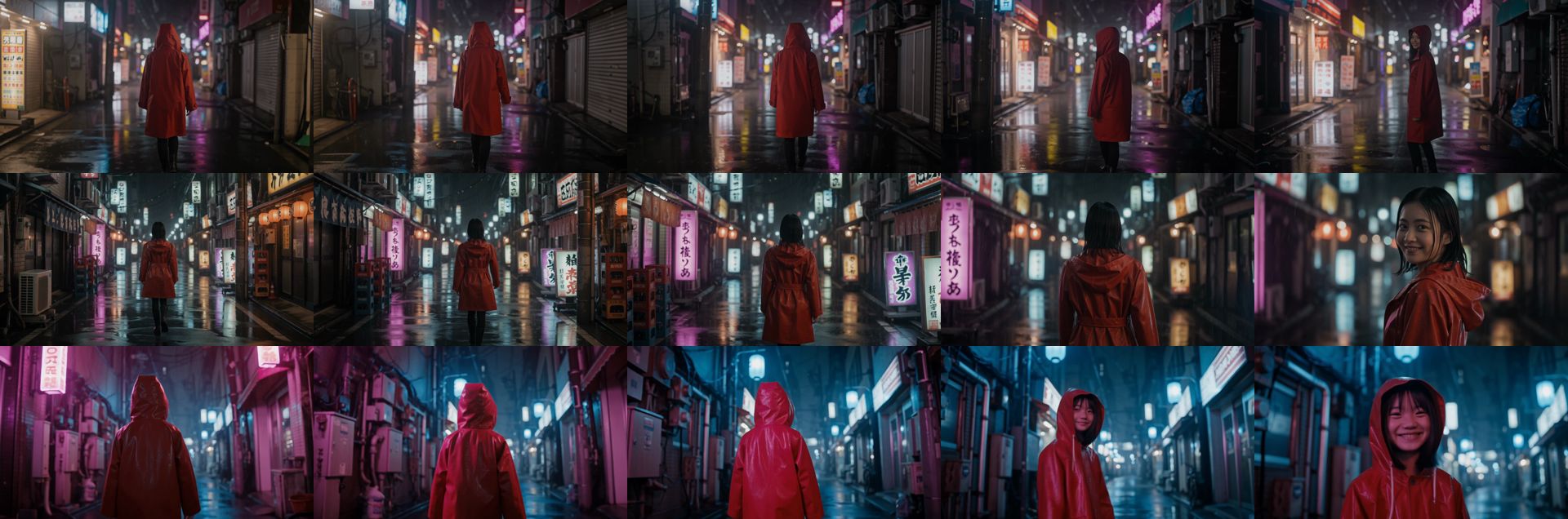
Image: SunoMV Team · day-one frames from FLUX 3 Max vs FLUX 3. Same prompt, different wait. The prompt was still one shot.
Practical rule: One shot, one action, one wardrobe line repeated. Cut the song from several shots. Do not ask one Max prompt to be the timeline.
5 music-video templates
Paste one. Change the jacket color and the street. Leave the shape.
Chorus push-in
Camera shot: medium close-up, eye-level, 35mm, slow push-in
Subject + action: oxblood leather jacket, blunt black bob, silver hoops, mouths the chorus, left heel planted
Lighting: magenta neon, wet asphalt
Audio: rain, heel tap, breath. Music: none
Do not recast. Do not add subtitles.
Duration: 8 seconds. Aspect ratio: 16:9.
Vertical hook
Duration: 6 seconds. Aspect ratio: 9:16.
Close-up, oxblood jacket collar and silver hoop, rain in the foreground. She turns her chin a few degrees toward lens. No cut. Music: none.
Do not recast.
First-and-last, same block
Open: medium shot, oxblood jacket, blunt bob, standing still in rain.
End: same person, same jacket, one step closer to lens.
Slow push-in, no new location. Music: none.
Duration: 8 seconds. Aspect ratio: 16:9.
Wide, face not required
Wide shot from across the street. A figure in an oxblood jacket walks away under neon. Camera does not push in. Rain. No close-up. Music: none.
Duration: 10 seconds. Aspect ratio: 16:9.
Hard cut, wardrobe repeated
SHOT ONE: close-up, oxblood jacket, blunt bob, mouths one syllable. HARD CUT.
SHOT TWO: same jacket, same bob, wider, heel coming down. Music: none.
Duration: 10 seconds. Aspect ratio: 16:9.
Do not recast between shots.
The picker is a row in the model list. The prompt is still the shot.
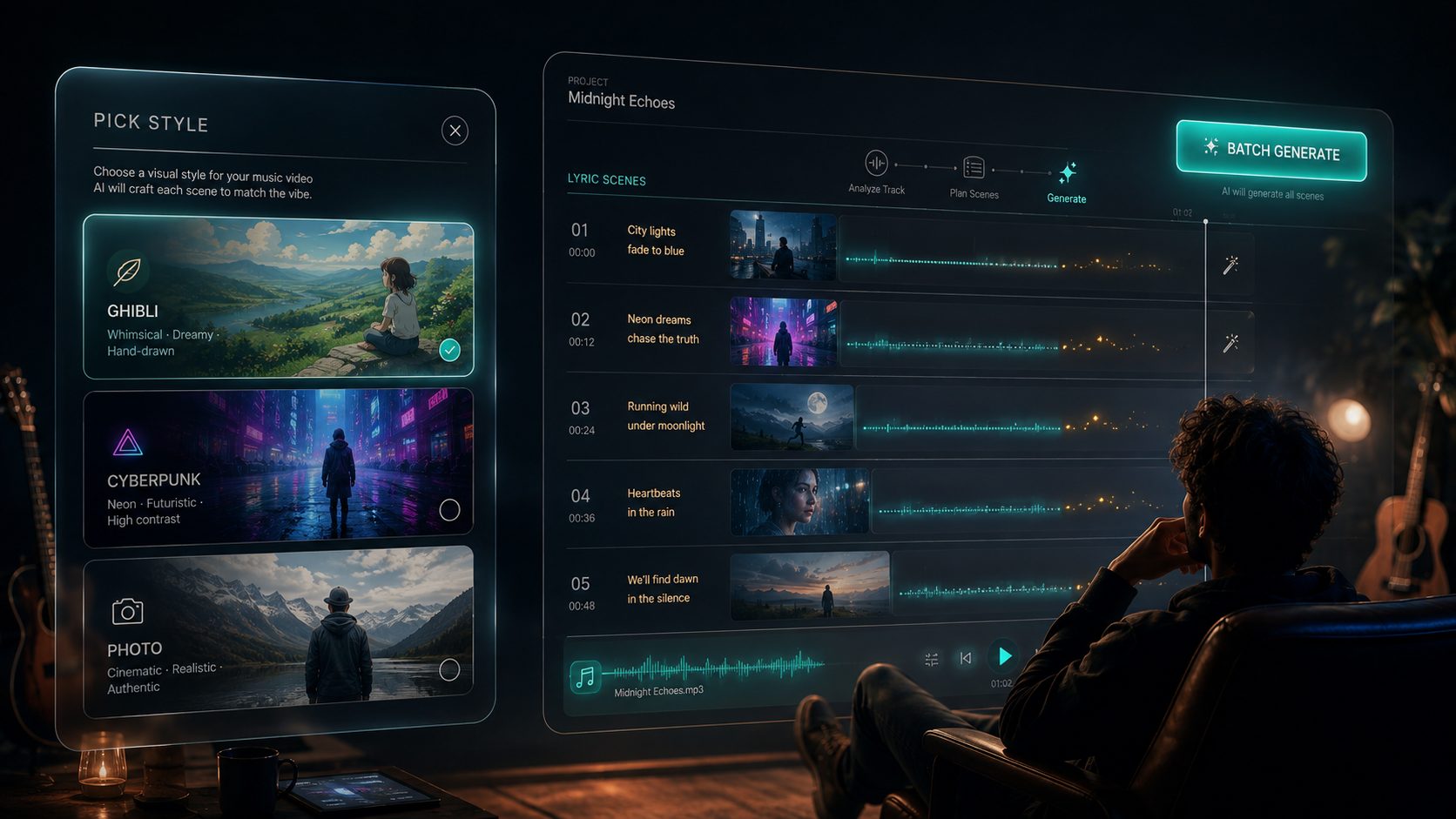
Image: SunoMV Team · the model row is where FLUX 3 Max sits. The prompt does not get a second box.
A FLUX 3 prompt vs a Max prompt
| You wrote | On FLUX 3 | On FLUX 3 Max |
|---|---|---|
| Extend this clip 5 seconds | Supported. Costs more. | Not this row. Switch back to FLUX 3 |
| Restyle the source video, keep the motion | Video edit | Not this row |
| 4K export | FLUX 3 upscale path, not the Max row | Not this row |
One-liner plus Music: none | Works, slower | Works, and the words are followed more tightly |
| Nine face stills | Not a native slot there either | Still not a slot |
If the job is “make this existing clip longer,” stay on the FLUX 3 prompt guide. If the job is “a new 8-second shot that obeys the camera line,” stay here.
Practical rule: Max is the paste-and-wait row. FLUX 3 is the row that can still edit or extend. Do not mix the verbs.
FAQ
Can I reuse my FLUX 3 prompt on Max?
Reuse the one-liner, the labeled fields, and Music: none. Delete extend, video-edit, 2K, and 4K. Those verbs are why the FLUX 3 guide is a different page.
Does Max lock a face from several photos?
No. Repeat the wardrobe and one mark in every shot. If you need a reference stack, that is a different model, not a longer Max prompt.
Why is the credit price the same if Max is faster?
The picker charges 350 credits per 5 seconds on both rows. Faster wait is not a cheaper row. The timing difference is the side-by-side test, not a discount.
Where do I paste this?
Pick FLUX 3 Max on the audio-to-video generator. One prompt is one shot. Cut the shots to the song after.
Copy, pick FLUX 3 Max, export the shot
Paste a block from the tips or the templates. Set duration inside 5–15 seconds. Leave music empty when the track is already yours. If the next shot needs a new angle, write another block and repeat the jacket. Do not ask this prompt to extend a clip you already exported.
A still of the singer, when you need one before the shot, can start from the musician image prompt maker. That still is the first frame. The prompt above is the motion. For a transcript of a reference video you are matching, BibiGPT’s transcript page is the text layer, not the video model. A still you need to redraw first can go through ChatImg and come back as the opening frame.
Practical rule: The prompt is done when a stranger can paste it and get the same length, the same jacket, and no second score.
Made in SunoMV · real exports
See what a song turns into
Every sample below is an untouched SunoMV export: 3 AI storyboard shots, one AI-filmed clip, then the lyrics. Each one uses a different caption style and frame size.
Popular guides
More in this series
- Grok Imagine 1.5 Lite Prompt Guide: 10 Tips + Copy-Paste Templates
- Kling 4.0 Prompt Guide: 10 Tips + Copy-Paste Templates
- Seedance 2.0 Mini Prompt Guide: 10 Tips + Copy-Paste Templates
- HeyGen Video Prompt Guide: 10 Tips + Copy-Paste Templates
- Seedance 2.0 4K Prompt Guide: 10 Tips + Copy-Paste Templates