/icon.png)

MiniMax H3 Prompt Guide: 8 Tips + Copy-Paste Templates

You type cinematic, 8K, masterpiece into a box and hit generate. Ten seconds later the clip looks like a stock wallpaper that learned to walk. The chorus still has no camera. A second music bed fights the song you already made. You did not fail at “being more creative.” You handed MiniMax H3 a mood board and asked it to direct a shot and score it.
People searching MiniMax H3 prompt or Hailuo H3 prompt already picked the model. What they want is a string they can paste: name every uploaded file, fill MiniMax’s three fields, timestamp the cuts as [Shot 2] At 00:05.000, then lock the face and the vocal.
This is not a methodology lesson. Every tip below is a full block. The anti-example is the same intent written as empty adjectives. Paste the block, pick MiniMax H3 in the SunoMV audio-to-video generator, and export a shot that can sit on a chorus.
Table of Contents
- Why “cinematic, 8K” is not a MiniMax H3 prompt
- The official slots MiniMax actually uses
- 8 copy-paste tips
- 5 music-video templates
- Empty prompt vs a MiniMax H3 prompt
- FAQ
- Copy, pick MiniMax H3, export the MV
Why “cinematic, 8K” is not a MiniMax H3 prompt
MiniMax H3 — the same model people also search as Hailuo 03 / Hailuo H3 — is an omni-modal clip model: text, images, video, and audio go in together. MiniMax’s own video generation guide is blunt about the physical facts: one generation is 4 to 15 seconds in whole seconds, native stereo sound comes with the picture, and omni-reference accepts up to 9 images + 3 videos + 3 audio files (12 files total). “Cinematic 8K” fills none of those slots.
On SunoMV the picker shows MiniMax H3. Clips here run 5–15 seconds — a 4-second window is lifted to 5. Resolution in the list is 480P, 720P (768P native), or 1080P (2K). The model does generate from text alone, unlike Kling O3 on this site. It also does take a song as reference audio. That last fact is the whole reason this page is not a second launch recap. The product-access writeup — MiniMax H3 for AI music videos — covers why feeding the track matters. This page is only the pasteable prompt.
On this site, the same-cluster experiment is already measured. In May–July 2026, two Suno prompt pages sat at almost the same Search Console position: the copy-paste title (10 Tips + Copy-Paste Templates) pulled 3.79% CTR; the “7-Step Pro Method” title pulled 0.17% — a 22× gap on the same intent. The variable was the title shape, not “whether we optimized.” This page is the MiniMax H3 version of the winner shape.
Image: SunoMV Team · music-video still written as camera + subject + rain, not as “cinematic 8K”
Practical rule: If the first lines do not name
Image 1/Audio 1or open MiniMax’s three fields, you are decorating a shot the model already chose for you.
The official slots MiniMax actually uses
MiniMax’s base prompt writing guide does not want a paragraph of adjectives. For text, first-frame, and first-and-last-frame jobs it wants three labeled fields, in this order:
| Slot | Fill this | Anti-example |
|---|---|---|
integrated_multimodal_description | Style + composition after [Shot 1], then action, camera, speakers, diegetic sound on a timeline. Later shots start [Shot 2] At 00:05.000 | “cinematic music video, 8K, masterpiece” |
overall_soundscape | Room tone, footsteps, rain, breath — sounds in the scene | “make it sound epic” |
non_diegetic_music | Score the audience hears that characters cannot. For a Suno MV: N/A — the track is already there | “add dramatic music” |
| Duration / ratio | Duration: 10 seconds. Aspect ratio: 16:9. (5–15s here) | “make it viral” |
| Reference roles | Image 1 is the woman. Audio 1 is the vocal. | “use these references” |
| Continuity lock | Face, hair, jacket identical to Image 1 across every shot | (nothing — the jacket recasts itself) |
A new shot has to change viewpoint, location, state, subject, or time. A small angle change is camera movement, not another [Shot]. MiniMax’s own samples put style in the first clause after [Shot 1]: Live-action, cinematic, a medium-wide shot frames…
When you uploaded stills, clips, or a vocal, MiniMax’s full-reference guide adds four more sections above the timeline: subject_definitions → summary → retention_analysis → detailed_description, then the same two sound fields. Official labels look like <Subject 1> / <Picture 1> / <Video 1> / <Audio 1>. In SunoMV’s clip editor the pasteable names are Image 1, Video 1, Audio 1 — same job: bind the file before you describe the shot.
This picker has no native negative-prompt field for MiniMax H3. Put “don’ts” as closing locks inside the description (Do not recast. Do not generate a new score.). Do not invent a second box.
Hailuo’s public product page lists the same three modes the picker runs: text-to-video, first/last frame, and omni-reference. A short 2026 walkthrough of those capabilities is MiniMax H3 Explained. That video also talks about local weights and 768p ceilings. Those extras are not what the SunoMV picker runs. Here you paste one shot, 5–15 seconds, onto a song.
Video: YouTube · MiniMax H3 / Hailuo 03 capability overview. SunoMV MiniMax H3 is one clip, 5–15 seconds, with optional Image / Video / Audio references.
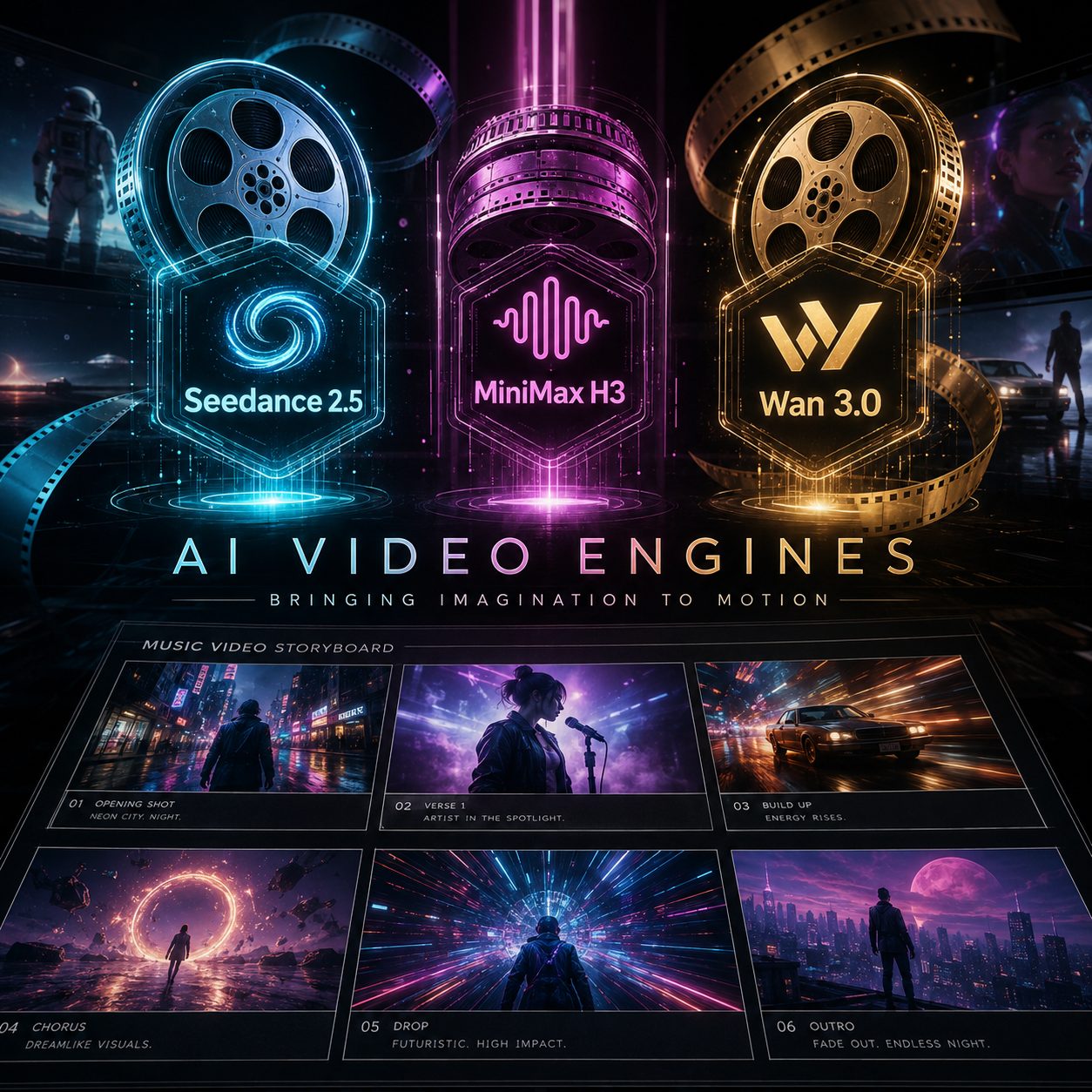
Image: SunoMV Team · MiniMax H3 is a row in the model list. The prompt still has to fill the three fields.
Practical rule: Write MiniMax’s three fields in order. Put
non_diegetic_music: N/Awhen the Suno track is already the score. Duration is a shot-level lever; nine reference stills are a series-level lever.
8 copy-paste tips
Each tip is a full block. The anti-example is the same intent as empty adjectives. In SunoMV: pick MiniMax H3, paste the whole block into the shot description, generate, then cut the clip onto the lyric line.
1. Bind Image 1 and Audio 1 before you describe the shot
One-line rule: unlabeled files are wasted files. MiniMax will not guess that picture 2 is the street or that the wav is the vocal.
subject_definitions:
Image 1 is the woman: late 20s, blunt black bob, oxblood leather jacket, white tank, silver hoops.
Image 2 is the Tokyo side street at night, wet asphalt, neon in puddles.
Audio 1 is her lead vocal for this chorus. Copy lip motion and phrase timing from Audio 1. Do not invent a second singer.

summary:
[Ref2VA] 10-second chorus shot of the woman from Image 1 walking the street in Image 2, lipsyncing Audio 1.

retention_analysis:
Keep face, bob, jacket, and hoops identical to Image 1. Keep the street layout of Image 2. Copy Audio 1; do not replace it.
Anti-example: Use the attached photos and make her sing. Cinematic music video.
How to use it in SunoMV: if you uploaded stills or a vocal excerpt, this block goes above the three fields. A chorus still needs a face: pair Audio 1 with at least one still (or a first frame) so the mouth has someone to copy onto. If you uploaded nothing, skip subject_definitions and start from text-to-video (tip 2).
Image: SunoMV Team · Image 1 holds the face; the prompt only names what is allowed to change
2. Paste the three official fields, not a mood paragraph
One-line rule: MiniMax’s base guide is three labels. Skip one and the missing slot becomes a default — usually a second score.
integrated_multimodal_description: [Shot 1] Live-action, cinematic, a medium close-up frames a woman in an oxblood leather jacket standing in rain on a neon side street. The camera pushes in with small amplitude at slow speed as she mouths the chorus. Rain ticks on the jacket. Do not recast. Do not change hair.
overall_soundscape: Rain on asphalt, distant traffic, her breath on the inhales. No crowd cheer.
non_diegetic_music: N/A
Anti-example: Epic cinematic banger, 8K, masterpiece, perfect lip sync.
How to use it in SunoMV: paste all three labels. N/A on non_diegetic_music is the music-video move — you already have a Suno track. If you want H3 to invent ambience plus a score (no song yet), fill that field with one named cue instead.
3. Timestamp later shots the MiniMax way: [Shot 2] At 00:05.000
One-line rule: MiniMax does not want [0s-5s]. Later shots begin at a cut time. Ranges must fit inside 15 seconds; here the floor is 5.
Duration: 10 seconds. Aspect ratio: 16:9.

integrated_multimodal_description: [Shot 1] Live-action, cinematic, medium close-up, 35mm. She takes three steps toward camera, left heel striking wet asphalt, oxblood jacket catching magenta neon. [Shot 2] At 00:05.000, the camera cuts to a tighter close-up and holds. Rain on her lashes. She inhales and mouths the last line. No time-lapse. No recast.
overall_soundscape: Heel on wet asphalt, rain, one sharp inhale at 00:08.
non_diegetic_music: N/A
Anti-example: Then she walks, then she dances, then later that night she is on a rooftop.
How to use it in SunoMV: if the prompt contains “then later,” you are writing a sequence the 15-second lock cannot hold. Split it, or keep every cut inside the timestamps. A 10-second oner is a chorus, not the whole MV.
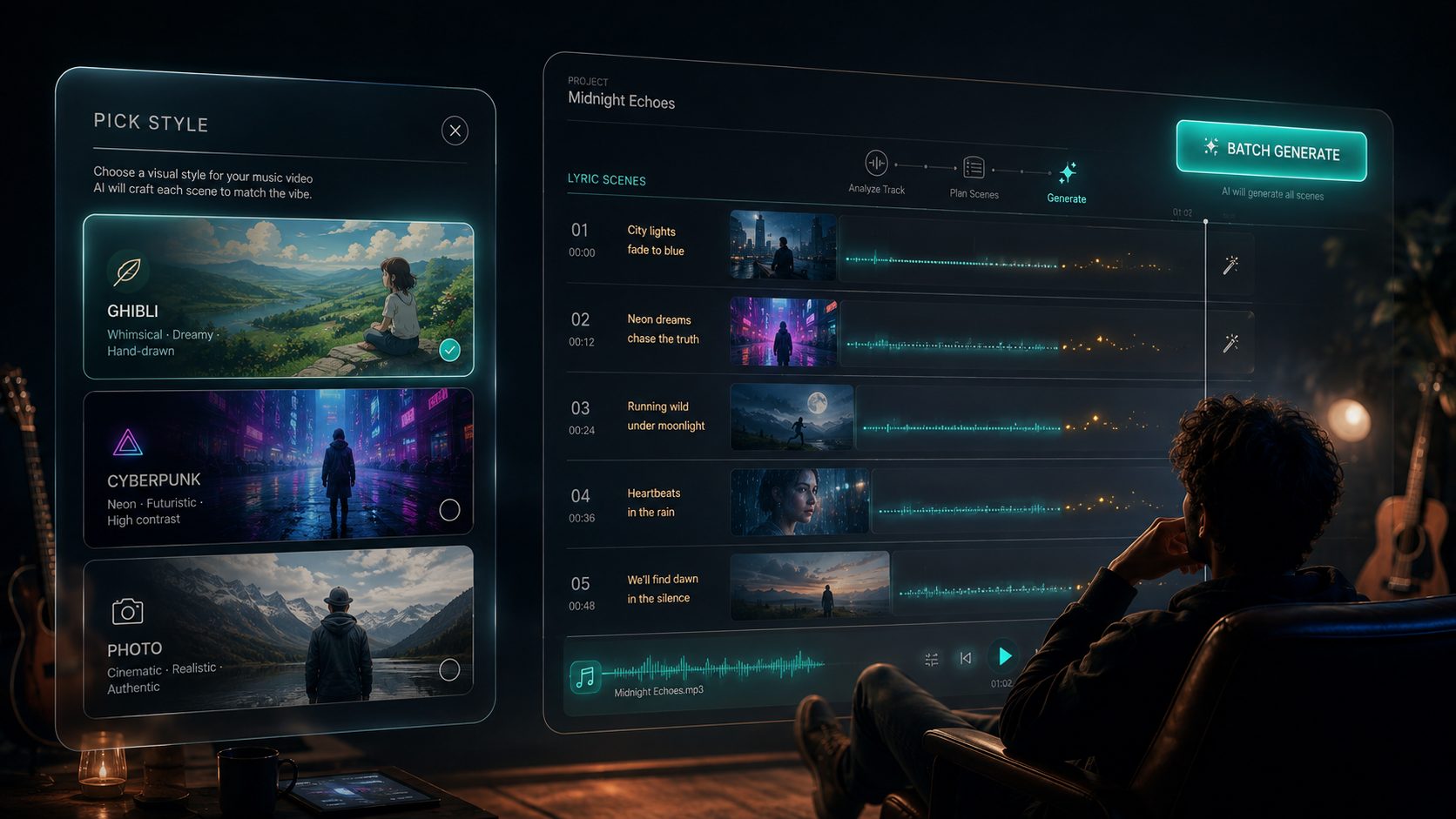
Image: SunoMV Team · one prompt equals one generation; string the shots on the timeline
4. Put duration and ratio in the first line, then honor the 5-second floor
One-line rule: MiniMax’s API allows 4–15 seconds. This picker lifts anything under 5 seconds to 5. Write the length you will actually get.
Duration: 8 seconds. Aspect ratio: 16:9.
One continuous take, no cut inside the clip.
Start on her hands at the jacket zipper, end on her eyes as she looks up into the rain.
Anti-example: A full music video that follows her all night across the city.
How to use it in SunoMV: one prompt = one generation, 5–15 seconds. For 9:16 Reels, change the ratio line only. Pick 1080P in the list when you want the 2K tier; pick 720P when you want the faster 768P native pass.
5. Name one subject the way a costume department would, then repeat it
One-line rule: “a girl” is a casting call. Wardrobe is a lock. The same three-to-five anchors should appear in subject_definitions and again after [Shot 1].
Subject: a woman in her late 20s, blunt black bob, silver hoop earrings,
oversized oxblood leather jacket over a white tank, chipped black nail polish.
Keep the same jacket and hair in every shot. Do not recast. Do not change hair.
Anti-example: A beautiful mysterious girl with good vibes.
How to use it in SunoMV: copy this subject block into every MiniMax H3 shot for the same song so the chorus and the verse do not recast her. Up to nine stills can cover front, profile, half-body, two lights, two outfits. Pair it with musician image prompts if you need a still before the first video generation — or generate that still on ChatImg with the same wardrobe line.
6. Write action as physics, and write sound as objects — not compliments
One-line rule: “dancing beautifully” has no weight. “Heel strikes wet asphalt” does. MiniMax generates picture and stereo together, so unnamed sound becomes a second orchestra.
integrated_multimodal_description: [Shot 1] Live-action. She plants her left heel, weight forward, oxblood jacket swinging half a beat late. Camera: hip-height tracking left, 35mm, slow. She mouths the line without smiling.
overall_soundscape: Heel strike, jacket leather, rain, no applause.
non_diegetic_music: N/A
Anti-example: She dances beautifully with amazing energy and perfect cinematic audio.
How to use it in SunoMV: named camera moves beat mood words. The same craft shows up in Runway’s camera-prompt notes. If you fed Audio 1, say Copy phrase timing from Audio 1 in the description so the mouth is not inventing a different melody.
7. First and last frame still need a prompt — and MiniMax will not invent cuts
One-line rule: the frames hold identity. The prompt still has to name the path between them. MiniMax’s first/last-frame mode fills motion, light, and sound without adding camera cuts.
Duration: 8 seconds. Aspect ratio: 16:9.
Image 1 is the first frame: she stands outside the shop, both hands in her jacket pockets.
Image 2 is the last frame: she is one step closer, right palm on the glass, her reflection sharp in the window.
Take her from the ready stance in Image 1 through one step to Image 2, flowing naturally, no cuts.
Camera: slow push-in, 35mm, eye-level. Rain ticks on the awning.
Keep face, bob, and oxblood jacket identical.
overall_soundscape: Rain, one shoe on wet pavement, no score.
non_diegetic_music: N/A
Anti-example: Image 1 and Image 2. Make a music video between them.
How to use it in SunoMV: upload the start still and the end still, then paste the path. Do not ask this mode for a three-shot montage — it will not invent the cuts. Split those into separate generations.
8. For a music video, feed the song; do not ask H3 to write a second one
One-line rule: this is the MiniMax H3 slot Kling O3 does not have on this site. Reference audio is how lip motion and beat land. A second generated score is how they fight.
Duration: 12 seconds. Aspect ratio: 16:9.
Image 1 is the woman. Audio 1 is the chorus vocal + beat from the finished song.

integrated_multimodal_description: [Shot 1] Live-action, cinematic, medium close-up. The woman from Image 1 lip-syncs Audio 1. Copy mouth shape and stress from Audio 1. Camera holds, then a slow push-in over 12 seconds. Do not generate a new vocal. Do not generate a new beat.
overall_soundscape: Copy Audio 1. Street rain under it, low.
non_diegetic_music: N/A
Anti-example: Perfect lip sync and an epic original soundtrack.
How to use it in SunoMV: drop the song (Suno link or your file) onto the timeline, pick MiniMax H3, attach a 2–15 second vocal excerpt as Audio 1, and keep one still as Image 1 so the face does not recast. If you skip Audio 1, H3 will still invent diegetic sound — keep non_diegetic_music: N/A so it does not also invent a competing bed. That is the opposite of Kling O3’s prompt guide, where this picker has no audio reference at all.

Image: SunoMV Team · the usual failure is a second score, not a missing adjective
Practical rule: If you already have a Suno track,
Audio 1is the vocal lock andnon_diegetic_music: N/Ais the score lock. “Perfect lip sync” is not a slot.
5 music-video templates
Copy a block. Fill the brackets. Keep MiniMax’s field order. Each template is one generation, 5–15 seconds.
Popular MV chorus (16:9, rain and neon)
Duration: 10 seconds. Aspect ratio: 16:9.
Image 1 is the woman. Audio 1 is the chorus vocal.

integrated_multimodal_description: [Shot 1] Live-action, cinematic, medium-wide on a rain-soaked Tokyo side street at night. The woman from Image 1 walks toward camera, oxblood jacket, blunt black bob. Magenta neon in the puddles. She lip-syncs Audio 1. Camera: slow dolly in, 35mm. [Shot 2] At 00:06.000, cut to a medium close-up. Rain on her lashes. Hold through the last line. Keep face and jacket identical to Image 1.
overall_soundscape: Copy Audio 1. Rain, distant traffic, no crowd.
non_diegetic_music: N/A
Lyric close-up (mouth + eyes, no recast)
Duration: 6 seconds. Aspect ratio: 16:9.
Image 1 is the woman. Audio 1 is one sung line.

integrated_multimodal_description: [Shot 1] Live-action. Extreme close-up, 85mm, eyes and mouth only. The woman from Image 1 sings the line in Audio 1. Copy mouth shape exactly. Tiny handheld drift, no cut. Catchlight from a pink tube light. Keep the bob and silver hoops identical to Image 1.
overall_soundscape: Copy Audio 1. Soft room tone only.
non_diegetic_music: N/A
Cinematic oner (one take, no invented cuts)
Duration: 12 seconds. Aspect ratio: 21:9.
Image 1 is the woman.

integrated_multimodal_description: [Shot 1] Live-action, cinematic, one continuous take. Wide-to-medium, slow dolly right along a wet riverside promenade at blue hour. The woman from Image 1 walks parallel to camera, oxblood jacket, hands in pockets. She looks once at the water, then forward. No cut. No time-lapse. Keep identity identical to Image 1.
overall_soundscape: River, distant train, her footsteps. No score.
non_diegetic_music: N/A
Vertical short (9:16, caption headroom)
Duration: 8 seconds. Aspect ratio: 9:16.
Image 1 is the woman. Audio 1 is the hook.

integrated_multimodal_description: [Shot 1] Live-action. 9:16, medium close-up, subject in the center third, headroom for captions. The woman from Image 1 looks up, blinks once, then mouths the hook in Audio 1. Neon stairwell, one pink tube light. Camera locked off. Keep her identical to Image 1.
overall_soundscape: Copy Audio 1. Hum of the tube light.
non_diegetic_music: N/A
Character lock with nine stills + vocal (omni-reference)
Duration: 12 seconds. Aspect ratio: 16:9.
Image 1 is front face. Image 2 is left profile. Image 3 is three-quarter.
Image 4 is half-body, jacket on. Image 5 is half-body, jacket open.
Image 6 is warm key. Image 7 is magenta practical. Image 8 is the street.
Image 9 is the shop-window reflection. Audio 1 is the chorus.

subject_definitions:
Subject 1 is the woman whose face comes from Image 1–3 and whose wardrobe comes from Image 4–5.
Image 8 is the environment. Audio 1 is the vocal to copy.

summary:
[Ref2VA] 12-second chorus: Subject 1 lip-syncs Audio 1 on the street in Image 8.

retention_analysis:
Preserve face and hair from Image 1–3. Preserve oxblood jacket from Image 4. Copy Audio 1. Do not recast.

integrated_multimodal_description: [Shot 1] Live-action, cinematic. Subject 1 walks Image 8, lip-syncs Audio 1. Slow dolly in. [Shot 2] At 00:07.000, she turns to the window from Image 9. Hold. No recast.
overall_soundscape: Copy Audio 1. Rain, one car pass.
non_diegetic_music: N/A
You do not need all nine stills every time. Three consistent angles already beat one pretty headshot. The character-consistency method is the longer version of this lock.
Practical rule: A template is finished when every uploaded file has a job and
non_diegetic_musicis eitherN/Aor one named cue — never “epic music.”
Empty prompt vs a MiniMax H3 prompt
Same song, same 10 seconds, two inputs. Only one of them is a MiniMax H3 prompt.
| Empty | Copy-paste | |
|---|---|---|
| First lines | “cinematic, 8K” | duration + Image 1 / Audio 1, then the three fields |
| Subject | “a girl” | wardrobe + hair + one distinguishing mark |
| Action | “dancing” | heel, weight, contact with the ground |
| Time | (none) | [Shot 2] At 00:05.000 summing to ≤15s |
| Audio | “perfect lip sync + epic music” | Audio 1 copied; non_diegetic_music: N/A |
| Continuity | (hope) | “keep the jacket identical to Image 1” |
| Who it’s for | a still that pretends to be a video | a chorus cut you can actually edit |
If you already have a Suno track, do not ask MiniMax H3 to write another one. Point it at the picture, feed the vocal, keep the song. For a Kling-shaped picture-only lock (no audio reference in this picker), see the Kling O3 prompt guide. For a Wan-shaped 30-second lock, see the Wan 3.0 prompt guide. For Seedance-style second-level timestamps, see the Seedance 2.5 prompt guide. Different slots, same “copy the block” job. The AI music video creation guide is the workflow for stringing those shots.
A sister-site note if you also need a transcript of the finished MV: BibiGPT’s YouTube transcript generator is the paste-a-link path for that, not this page.
Practical rule: If you cannot point to
Image 1or a first-and-last pair, plus a last frame of the mouth onAudio 1, you do not have a MiniMax H3 music-video prompt. You have a vibe.
FAQ
Do I write “MiniMax H3” or “Hailuo 03” inside the prompt?
No. The model name does not belong in the prompt text. People search MiniMax H3 prompt and Hailuo H3 prompt; SunoMV’s picker lists MiniMax H3. Pick in the list, not in the sentence. H3 Max and H3 Max Turbo are separate rows — faster siblings, not this prompt guide.
Why did my 4-second clip get lifted to 5 seconds?
Write the duration as a field. MiniMax’s public API allows 4–15 seconds; this picker uses 5–15 seconds for MiniMax H3. A prompt that describes a minute of story will not get a minute. See the audio-to-video generator.
First and last frame: do I still write a prompt?
Yes. The frames hold identity. The prompt still has to name the camera and the step between them, and it must not ask for extra cuts. See tip 7. Same idea as the character-consistency method, with MiniMax’s “no invented cuts” lock on top.
Why is there a second music bed under my Suno track?
You left non_diegetic_music empty or wrote “epic score.” Fill N/A, and if you care about mouths, attach Audio 1. That is the opposite of Kling O3, which cannot take a vocal on this site.
How many reference files can I upload?
Up to nine stills, three videos, and three audio clips, 12 files total. For a music-video chorus, bind a face (Image 1) and the vocal (Audio 1) together. An unbound still is a decoration.
Should I write negative prompts?
Not in a separate box — MiniMax H3 here has no native negative field. Put exclusions in the description: Do not recast. Do not generate a new score.
Can one prompt be the whole music video?
No. One prompt is one generation: 5–15 seconds. String the shots. This page is only the pasteable MiniMax H3 prompt. The AI music video creation guide covers the string.
Is MiniMax H3 the same as the Hailuo website’s extra editing modes?
The model family is the same. This picker runs text-to-video, image-to-video, first/last frames, and reference-to-video, 5–15 seconds, 480P / 768P / 2K. Write for the row you can click. Specs for what H3 is, independent of this site, live in MiniMax’s video generation guide and the H3 model card.
Copy, pick MiniMax H3, export the MV
A MiniMax H3 prompt is finished when you can paste it, not when you can explain it.
- Copy one template above. Fill the brackets. Keep MiniMax’s three fields. Bind
Image 1andAudio 1if you uploaded them. - Open the SunoMV audio-to-video generator. Drop in the song (Suno link or your own file).
- In the model list, pick MiniMax H3. Set 5–15 seconds. Use 1080P when you want the 2K tier.
- Paste the whole prompt into that shot. Do not split the
Image 1sentence from the three fields. - Export the clip onto the lyric line. Repeat. The MV is the string of shots, not one heroic paragraph.
Every model you can click is a prompt guide that has not been written yet. The people who get usable MiniMax H3 footage are not the ones with a better adjective list. They are the ones who already have a pasteable prompt before they touch generate.
SunoMV Team
Popular guides
More in this series
- Kling O3 Prompt Guide: 10 Tips + Copy-Paste Templates
- Wan 3.0 Prompt Guide: 8 Tips + Copy-Paste Templates
- Veo 3 Prompts: 10 Tips + Copy-Paste Templates (2026)
- The Complete Seedance 2.5 Prompt Guide: Official Formula, Second-Level Timestamps, and 30-Second One-Take Shots (Tested August 2026)
- Suno's New Lyrics Workflow: Lyric Personas + Natural-Language Editing + Structure Tags (2026)