
Gemini Omni 1.1 Prompt Guide: 10 Tips + Copy-Paste Templates

You have thirty lyric lines, one Suno track, and a shot box. You type cinematic music video, 8K, epic, beautiful lighting, hit generate, and wait. What comes back is not the shot you pictured: a face that belongs to nobody, a jacket that changed colour on the third bar, and a camera move that finishes before the line does. So you write another prompt, and the face changes again.
The search that brought you here already ended the model question. Gemini Omni 1.1 prompt is not a question about which model to buy; it is a question about what string the row will accept without inventing the parts you left out. Omni reads a prompt as a scene, not as a style tag, and it will happily fill every gap with a new person.
Most Omni prompt advice is Veo advice with the name swapped. Veo wants a camera sentence, so people write a camera sentence. Omni wants a contract: who is in frame, what they do once, where the light comes from, and — when two lyric lines have to connect — which two pictures the shot must sit between. This page is written as the pasteable version of that, with every tip carrying a block you can copy straight into the shot description.
Where the row stands (23 November 2026): Google released Gemini Omni 1.2 Flash on 5 November, and the SunoMV Gemini Omni row now runs 1.2, which is wider than 1.1 — 3–15 seconds, 4K output, and a reference image for your lead. Google routes 1.1 API requests to 1.2 from 3 December 2026. Every block below is written against the 1.1 limits (1–15 seconds, 720P or 1080P, text / still / first-and-last-frame), and those limits are a subset of 1.2’s, so the blocks run unchanged on either row. The 1.2-specific moves are in the Omni 1.2 music-video prompts; the spec sheet is on Gemini Omni 1.1 Flash.
Table of Contents
- What the Gemini Omni 1.1 row accepts
- The slot order that survives a paste
- 10 copy-paste tips
- 5 music-video templates
- Draft at 360p, keep at 1080P
- When Omni 1.1 is the wrong row
- FAQ
- Copy, pick Gemini Omni, export the shot
What the Gemini Omni 1.1 row accepts
Google published Gemini Omni 1.1 Flash on 27 August 2026. The announcement covers the developer surface: first-and-last-frame interpolation, 360p drafts, 1080p and 4K upscaling, and scene extension in 10-second increments. The SunoMV picker exposes a shorter list, and that shorter list is what your prompt has to fit.
| Fact | Gemini Omni 1.1 in SunoMV |
|---|---|
| Inputs | Text, one still, or a first frame plus a last frame |
| Length | 1–15 seconds |
| Resolution | 720P or 1080P |
| Aspect | Landscape or portrait |
| Quota | 250 credits per 5s at 720P; 1.5× at 1080P (375) |
| Not in this UI | 4K upscaling, scene extension |
Three consequences follow, and they are the reason a generic prompt underperforms here.
The length ceiling is 15 seconds, not “one scene”. A prompt that narrates four beats will compress them into mush. One beat per generation is the shape a music video is actually built from.
There is no negative-prompt box. You cannot ban captions, watermarks or extra people. Anything you do not want has to be described away — “bare walls, no signage”, “no second person enters”, “mouth closed”.
The aspect ratio is a choice, not a hint. Ask for a widescreen composition in a vertical render and you get a crop, not a recomposition. State the ratio on line one so the composition is built for it.
Google’s own launch numbers are worth one line because they explain the workflow later on: 360p drafts render “up to 60% faster” and at about one-third the cost of 720p, per the Gemini Omni 1.1 Flash announcement. That is a drafting tier, and it is where a chorus idea should be proven.
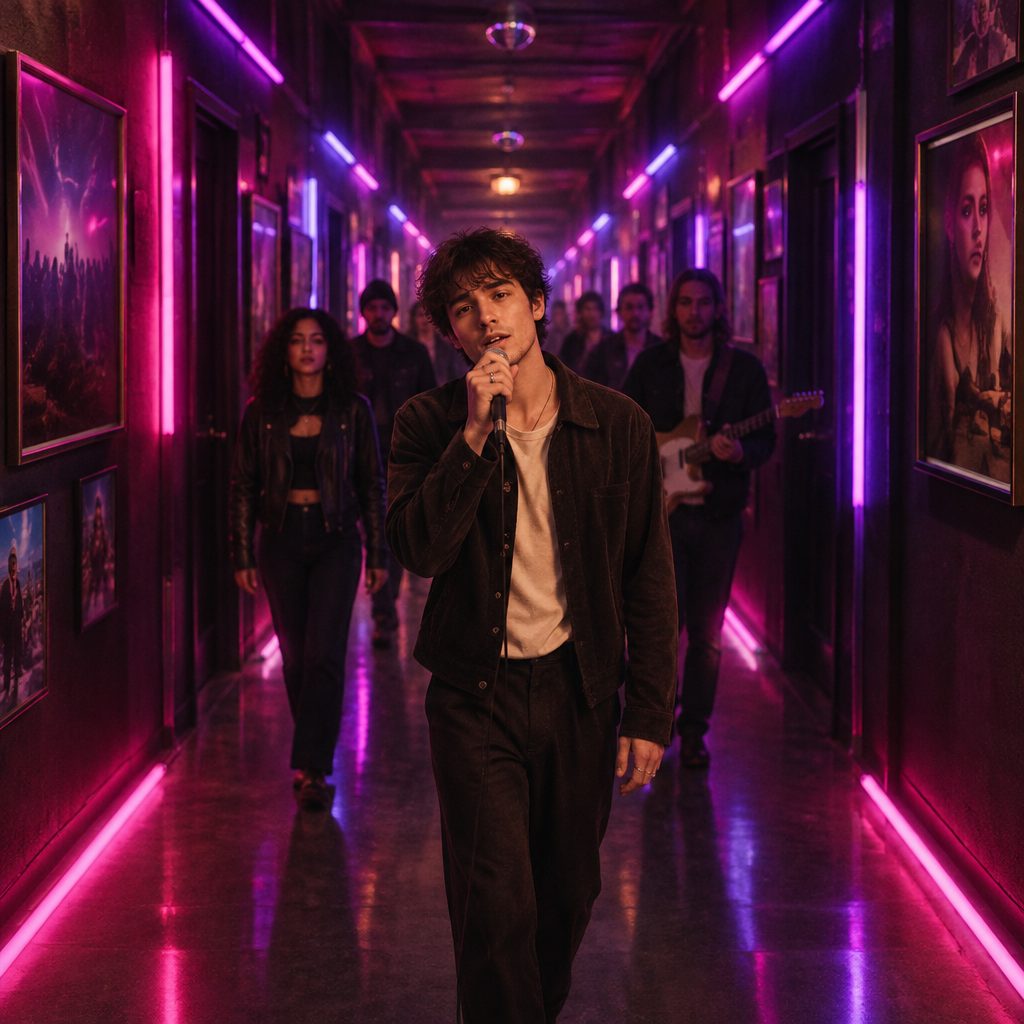
A shot that reads as one place: one lead, one action, one camera move. Omni holds a take like this when the prompt stops adding scenes.
Practical rule: Read the picker before you read the announcement. The announcement is what the model can grow into; the picker is what you can export tonight.
The slot order that survives a paste
Omni reads the prompt in order and treats early lines as constraints. Duration and ratio first, then who, then what, then where, then the camera. Swap the order and the model spends its attention on adjectives.
| Slot | Fill this | Anti-example |
|---|---|---|
| Duration / ratio | Duration: 10 seconds. Aspect ratio: 9:16. | “short vertical, make it viral” |
| Lead | The singer from the reference image: same face, same jacket. | “a beautiful singer” |
| Action | One verb with weight: turns, steps, lifts, holds | “dancing emotionally” |
| Scene | Room, light, weather, time of day | “epic location” |
| Camera | Shot size + one named move | “cinematic camera work” |
| Continuity | What must not change across the take | (nothing — the jacket changes on bar 3) |
| Sound | Mouth closed, no dialogue. | pasting the chorus lyrics |
Written out, a chorus shot fills every slot in six lines:
Duration: 10 seconds. Aspect ratio: 9:16.
The singer from the reference image: same face, same red raincoat, same short black hair.
She turns from the window and walks toward camera without stopping.
Wet city street at night, sodium lamps and neon reflections, light rain.
Camera: slow dolly-in at chest height, 35mm, shallow depth of field.
Mouth closed. No captions, no second person in frame.
Six lines, seven slots, nothing decorative. The two lines that do the most work are the ones people skip: the reference line, which tells Omni not to rebuild the face from words, and the continuity line, which tells it what the take is allowed to keep.
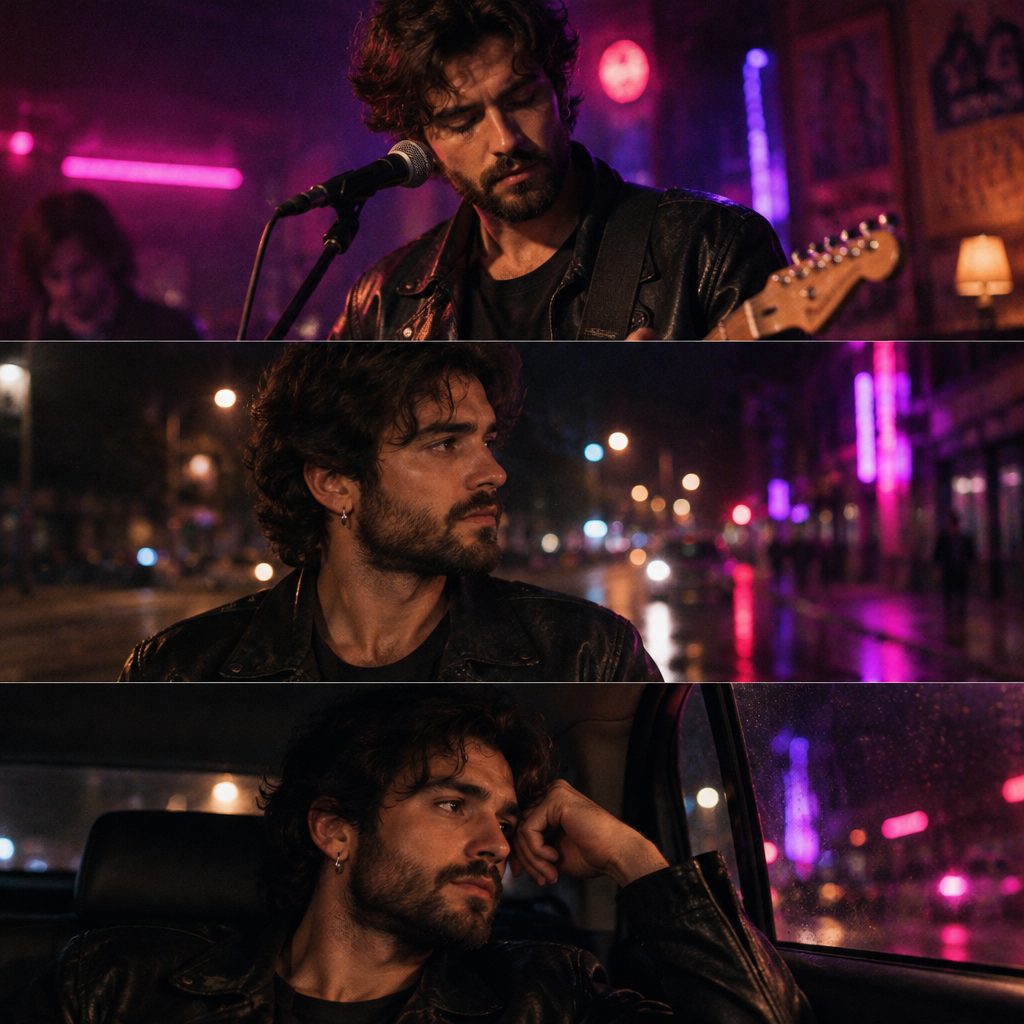
Three scenes, one reference image, the same jacket every time. Continuity is a sentence in the prompt, not a hope.
Practical rule: If a shot comes back wrong, count the slots before you rewrite anything. Nine times out of ten the prompt had two leads, two actions, or no stated light source.
10 copy-paste tips
Each tip below is a rule, a block you can paste, the same intent written badly, and where it lands in SunoMV. Open the audio-to-video generator, pick Gemini Omni in the video-model list, and paste into the shot description.
1. Put duration and ratio on line one
The first line is a constraint, not a caption. Vertical for Shorts, Reels and TikTok; landscape for YouTube; and the ratio you name is the ratio the composition is built for.
Duration: 10 seconds. Aspect ratio: 9:16.
A woman in a red raincoat, mid-30s, walks toward camera.
Wet city street at night, sodium lamps, light rain.
Camera: slow dolly-in at chest height, 35mm.
Bad version: cinematic vertical music video, 10 sec, make it epic. The duration is a guess and the composition is landscape with the sides chopped.
In SunoMV: set the duration slider and the ratio toggle to match that first line, so the card and the prompt never disagree.
2. Write for one beat, not one scene
Fifteen seconds holds one action. “She walks in, sits down, orders coffee, checks her phone and leaves” is five beats fighting for one take; the model will average them into a drift.
Duration: 6 seconds. Aspect ratio: 16:9.
The singer lifts the mic to her mouth and holds it there.
Small club stage, one warm spotlight from the left, dark room behind.
Camera: medium shot, locked off.
Bad version: the five-beat list above. The edit carries the story; the generation carries one beat.
In SunoMV: map your lyric lines to segments first, then give each segment a single beat.
3. One verb, present tense
She turns. He steps. Rain falls. Stacked or past-tense verbs (“she had turned and was now walking while looking back”) produce the half-finished motion that reads as AI.
Duration: 8 seconds. Aspect ratio: 16:9.
A guitarist turns his head toward the drummer.
Rehearsal room, single overhead bulb, dust in the air.
Camera: close-up, slight handheld drift.
Bad version: he was turning and then walked while looking back over his shoulder. Two tenses, two actions, one blurred result.
In SunoMV: if the take drifts, cut the verb list down to the one word that matters and re-run.
4. Name a light source, not a mood
“Golden hour through a window with dust in the beam” renders. “Dreamy, cinematic, beautiful” does not. Light is the cheapest quality upgrade available in the prompt and the one most often left out.
Duration: 10 seconds. Aspect ratio: 9:16.
A dancer stands still, arms down.
Empty theatre, one hard key light from stage left, rest of the room in shadow.
Camera: wide, static.
Bad version: dreamy, cinematic, magical atmosphere, beautiful light. Nothing in that line tells the renderer where light comes from.
In SunoMV: keep the same light sentence across a verse and its chorus, and the two shots read as one room.
5. Use the still for the face, the prompt for the move
On image-to-video the still decides who is in frame. Re-describing the person in text makes the model rebuild the face from words, and the likeness goes with it.
Duration: 7 seconds. Aspect ratio: 16:9.
The person in the reference image: same face, same hair, same grey jacket.
She turns from the counter and walks toward camera.
Night kitchen, one warm bulb overhead, steam from a kettle.
Camera: slow push-in, 50mm.
Do not change the face, hair or jacket.
Bad version: a 27-year-old woman with hazel eyes, a small scar, wavy brown hair and a grey wool jacket. That is a portrait brief, and Omni will paint a new person from it.
In SunoMV: upload one still per character and let the prompt describe motion, camera and light only.
6. Lock one garment noun per item
Face drift is loud; wardrobe drift is quiet. “Red coat” in shot one and “crimson jacket” in shot four are two different outfits to the model, and the chorus ends up in a costume change nobody planned.
Duration: 9 seconds. Aspect ratio: 16:9.
The singer from the reference image, black denim jacket, silver hoop earrings.
He sits on a fire escape and looks down at the street.
Late afternoon, hard sun on brick, long shadows.
Camera: medium shot from below, static.
Keep the black denim jacket and the silver hoops identical.
Bad version: renaming the same jacket in every prompt. Write the garment words once, then paste them verbatim into every shot of the song.
In SunoMV: keep a one-line “continuity” note next to your lyric sheet — garment words, hair, one accessory.
7. Ask for 720P honestly
The row renders 720P or 1080P. Prompts stuffed with “8K, ultra-sharp, hyperreal, every pore visible” push toward micro-detail the encode smears into noise. Soft edges and shallow focus survive a compressed frame far better.
Duration: 12 seconds. Aspect ratio: 16:9.
A couple stands at the end of a pier, seen from behind.
Overcast noon, flat white light, wind moving their coats.
Camera: wide, slow lateral track, soft edges, 35mm, shallow depth of field.
Bad version: 8K, ultra sharp, hyperreal, extreme detail. You are describing pixels the render will not carry.
In SunoMV: render the take at 720P to check the move, then re-run the keepers at 1080P with the same prompt.
8. Keep mouths closed
The row does not take your Suno vocal as audio, and it generates its own sound. Ask for an open mouth and Omni invents a line you then have to cut around.
Duration: 10 seconds. Aspect ratio: 9:16.
The singer from the reference image, mouth closed, no dialogue, no singing.
She breathes in and looks up into the lens.
Studio, magenta rim light behind her, haze in the air.
Camera: head and shoulders, very slow orbit right.
Bad version: pasting the chorus lyric and writing lip sync perfectly to these words. The words are not an audio input.
In SunoMV: cut the picture to the song, and add lip-sync afterwards for the lines that need mouths moving.
9. Treat the frame pair as a contract
First-and-last-frame is the one control on this row that fixes continuity instead of hoping for it. Supply the opening picture and the closing picture, and let the model invent only the motion between them.
Duration: 5 seconds. Aspect ratio: 16:9.
First frame: the singer on the platform, red coat, facing the tracks.
Last frame: the same singer, same red coat, stepping through the train doors.
She turns and steps in as the doors open.
Underground station, cold fluorescent light with magenta spill from the carriage.
Camera: side angle, short tracking move with her.
Bad version: a first frame at noon in a park and a last frame at night in a different coat. The model will average the two into a dissolve and lose the person.
In SunoMV: export the last frame of shot A and feed it as the first frame of shot B — that is the whole cut.
10. Change one thing with a refinement, do not re-roll
A full re-roll moves the lighting, the angle and the face at once, so the note you wanted to fix is buried under three new problems. Omni’s chat-style edits rewrite the part you name and leave the rest stable.
[Refinement — keep everything else from the previous take, change only this]
Warmer light: four o'clock sun instead of the overhead bulb.
Bad version: editing the whole prompt and regenerating, then discovering the jacket changed again.
In SunoMV: on a transition generated with Omni, the AI Refine (Beta) control under the preview sends that sentence without a full re-roll. On 1.2 the same sentence goes into the refine box, and the shot box keeps taking text, one still, or a frame pair.
Practical rule: Change one variable per generation. If you change two, you cannot tell which one fixed the shot, and you will not be able to repeat it.
5 music-video templates
These are full prompts, not fragments. Paste one, replace the bracketed parts with your song’s people and places, keep the order. Business of Apps tracks Suno’s usage figures, and nobody hand-writes thirty bespoke prompts per song — templates are how volume happens without quality collapsing.
Template 1 — Verse, slow push, landscape
Duration: 8 seconds. Aspect ratio: 16:9.
[A man in a grey coat], late 20s, stands still, breath visible.
Empty parking garage at dawn, cold fluorescent light from above.
Camera: slow push-in, 50mm, shallow depth of field.
Mouth closed, no dialogue.
Template 2 — Chorus, walk toward camera, vertical
Duration: 12 seconds. Aspect ratio: 9:16.
The singer from the reference image: same face, same [red raincoat], same hair.
She walks toward camera without stopping, mouth closed.
Wet city street at night, sodium lamps and neon reflections.
Camera: slow dolly-in at chest height, 35mm.
No second person in frame, no captions.
Template 3 — The cut between two lyric lines
Duration: 5 seconds. Aspect ratio: 16:9.
First frame: [the singer on the subway platform, red coat, facing the tracks].
Last frame: [the same singer, same red coat, stepping through the train doors].
She turns and steps in as the doors open.
Underground station, cold fluorescent light with magenta spill from the carriage.
Camera: side angle, short tracking move with her, steady.
First and last frame is the difference between a cut that holds and a cut that swaps the lead. Below is a real failure pair — same song, two shots, two different people:
Two shots, two people. A pinned frame pair is the cheapest way to stop this.
Template 4 — Instrumental break, no people
Duration: 10 seconds. Aspect ratio: 16:9.
No person facing camera. A single road through dry hills, heat shimmer.
Late afternoon sun raking across the asphalt, long shadows from the fence posts.
Camera: static wide, 24mm, deep focus.
Template 5 — Outro, pull back, vertical
Duration: 15 seconds. Aspect ratio: 9:16.
[Two figures] sitting on a rooftop ledge, seen from behind.
City skyline at blue hour, windows lighting up one by one.
Camera: slow crane pull-back, 28mm, soft edges.
No text, no signage.
If you have never built a shot list before, the storyboard habit in this walkthrough transfers directly to Omni, because both work one beat at a time:
A 12-minute walkthrough of shot list to vertical export. Swap the model for Omni and the one-beat-per-shot order still holds.
A template is a shape, not a scene. Swap the nouns and keep the slot order — that order is the part doing the work.
Draft at 360p, keep at 1080P
We ran the 1.1 row on its release day, 27 August 2026, on the 360p draft tier with a first-and-last-frame pair: submit 5.4 seconds, generation 57 seconds, 60.4 seconds end to end. One measured run, not a vendor guarantee — but under a minute for a five-second take means a chorus idea can be checked before any HD credits are spent.
The price list explains why that tier exists. Per second of output, Google’s API pricing lists 360p at $0.023, 720p at about $0.07 and 1080p, upscaled, at $0.104 — so the draft is roughly a fifth of the HD price and the difference is spent on checking, not on quality.
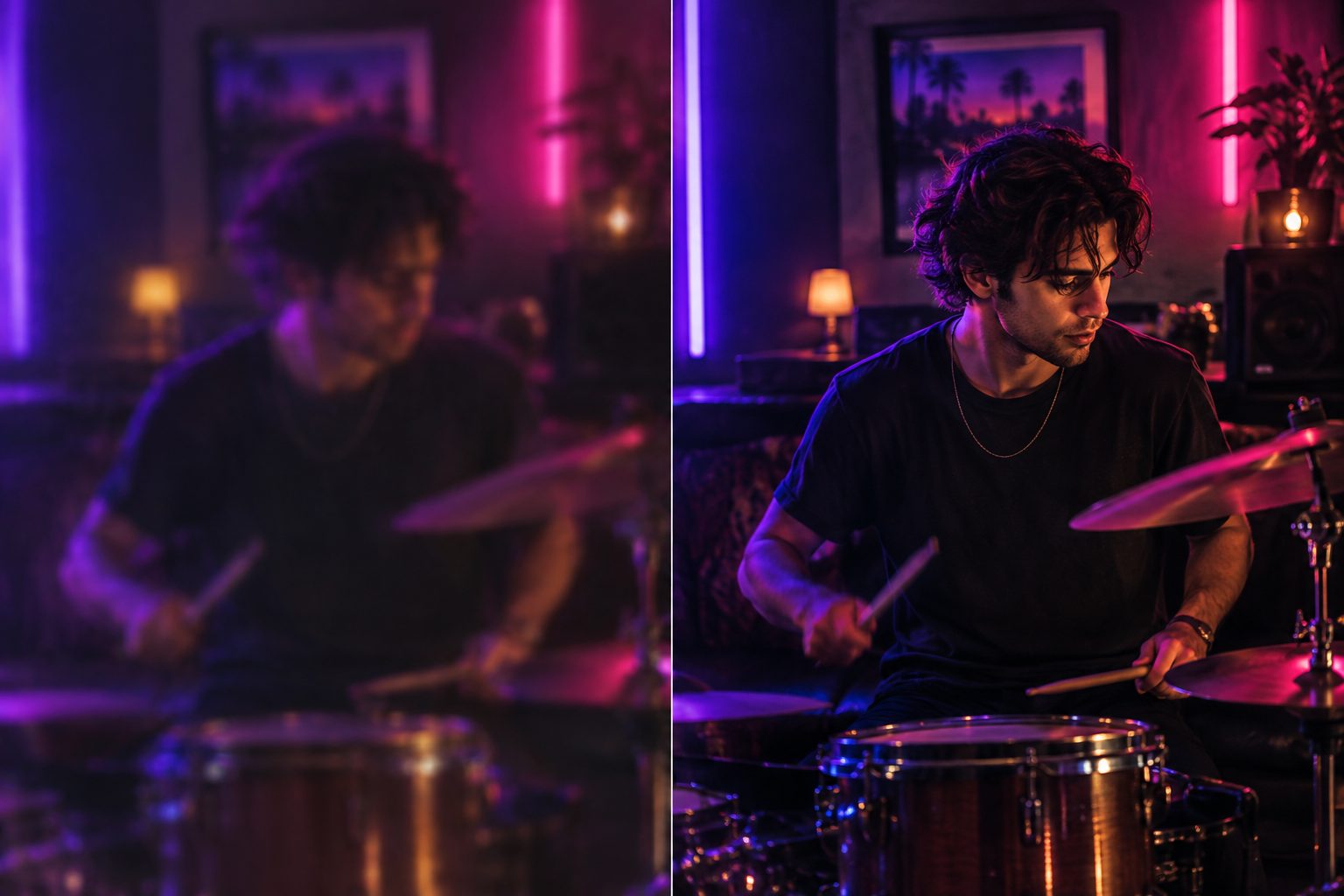
The draft tells you whether the action works. The high tier is only for shots that already work.
Quota works the same way on this row: 250 credits per 5 seconds at 720P and 375 at 1080P. A 15-second chorus shot costs three times a 5-second one and is three times as likely to be thrown away. Board the whole song at 720P, then restage the two shots the audience will remember at 1080P.
Practical rule: A failed draft costs a fraction of a failed keeper. Do not spend HD credits on a face that has not locked yet.
When Omni 1.1 is the wrong row
Omni is the row for narrative shots that must connect. It is not the row for every job:
- You need a long single take. Fifteen seconds is the ceiling. A 40-second one-er is not available at any price on this row; build it from cuts.
- You need native 4K. The announcement has upscaling; the picker here stops at 1080P.
- You need many reference stills. Omni reads plain sentences and a small reference set. Ten
@Image1tags belong to Kling 4.0, which also covers the 30-second ceiling and a start-and-end frame on every input mode. - You need Mandarin lip-sync. The training data skews English, and sung Chinese lines are less stable than on Kling. For mouths on words, plan a lip-sync pass in the Suno-to-video flow.
- You are boarding a whole song cheaply. Spend the first pass on MiniMax H3 Max and bring only the keepers here.
Google’s Omni docs list more than the picker does — extra references, editing, multi-turn extension — but a prompt should be written for the row in front of you, not for the API reference.
Vertical is not a stylistic preference, either. Spotify’s Canvas format exists because a short vertical loop is how listeners meet a track, and Music Business Worldwide’s read on how the Canvas algorithm distributes those loops is a useful reminder that a 9:16 shot built at generation time beats a 16:9 shot cropped afterwards.
Practical rule: Pick the row by the job — length, references, resolution — then write the prompt for that row’s limits. Deciding the model after you write the prompt means rewriting the prompt.
FAQ
My 15-second shot drifts halfway through. What do I paste?
Cut the beat list. Paste this instead: One action only: she turns from the window and walks toward camera. Keep the face, hair and jacket from the reference image for the whole take. Mouth closed.
Does Omni sing my Suno vocal? No. It generates its own audio track, and the clip does not carry your song. Keep mouths closed and lay the track in the editor.
Can I paste a Kling prompt into this row?
Not as-is. Kling’s @Image1 tags and its 3–30-second structure do not exist here, and Omni reads plain sentences. Rewrite references as “the person in the reference image”.
Why did the outfit change between shots? Because the garment words changed. “Red coat” and “crimson jacket” are two wardrobes. Pick one noun per item and paste it verbatim into every shot.
The face is close but not right. Re-roll?
Refine first: [Refinement — keep everything else from the previous take, change only this] Same face as the reference image, jaw slightly narrower. A re-roll moves the light and the angle too.
Copy, pick Gemini Omni, export the shot
- Copy one block above and swap the bracketed nouns for your song’s people and places.
- Open the audio-to-video generator, choose Gemini Omni, and set the duration, ratio and tier from your first line.
- Render the draft, check the face and the move, re-run the keeper higher, then cut it onto the lyric timeline.
One shot per lyric line, cut on the beat. The prompt decides the shot; the timeline decides the video.
The prompt is finished when a stranger could paste it and get the same person, the same move and the same length. If they cannot, the missing slot is in the table at the top — not in the adjectives.
Made in SunoMV · real exports
See what a song turns into
Every sample below is an untouched SunoMV export: 3 AI storyboard shots, one AI-filmed clip, then the lyrics. Each one uses a different caption style and frame size.
Popular guides