
Kling 4.0 Flash Prompt Guide: 10 Tips + Copy-Paste Templates

Kling 4.0 Flash is the row you pick when you want Kling’s motion at roughly 40% of the price. It is also the row that quietly takes three things away: the 30-second ceiling, 1080p, and the end frame on image-to-video. Most prompt guides published for Kling 4.0 paste straight onto Flash and then look wrong, because the shot was written for limits Flash does not have.
People searching Kling 4.0 Flash prompt already chose the cheaper model. What they need is a pasteable string that respects the 20-second cap and the 720p frame — and a way to plan a music video in shots that short.
This guide is that. The Kling 4.0 prompt guide still covers the standard row (3–30 seconds, 1080p, start and end frames). The Kling O3 prompt guide covers the older O3 family with its negative-prompt field. Do not copy either block onto Flash without trimming.
Table of Contents
- What Kling 4.0 Flash actually accepts
- The slot order that survives a paste
- 10 copy-paste tips
- 5 music-video templates
- When Flash is the wrong row
- FAQ
- Copy, pick Kling 4.0 Flash, export the shot
What Kling 4.0 Flash actually accepts
Kling 4.0 Flash reached fal on 2026-11-04. In the SunoMV picker it is one row labeled Kling 4.0 Flash, sitting next to the standard Kling 4.0. Same text-to-video, image-to-video and reference-to-video tasks; three differences that change how you write the prompt.
| Fact | Kling 4.0 Flash | Kling 4.0 (standard) |
|---|---|---|
| Shot length | 3–20 seconds | 3–30 seconds |
| Resolution | 720p only | 720p or 1080p |
| Start + end frame | Start frame only | Start and end frame |
| Reference stills | Up to 10 (@Image1…@Image10) | Up to 10 |
| Negative prompt box | None | None |
| Aspect ratios | 16:9, 9:16, 1:1, 21:9 | 16:9, 9:16, 1:1, 21:9 |
| Audio | Native stereo track | Native stereo track |
| List price | $0.094/s at 720p | $0.157/s at any resolution |
Two numbers matter when you plan a clip. The 20-second ceiling means a 45-second chorus cannot be one shot; it has to be three. The 720p-only frame means any prompt asking for “4K, hyper-detailed, sharp micro-texture” is asking for pixels the render will not carry — that wording buys compression mush, not detail.
There is no negative-prompt field on either v4 row. “No text, no watermark, no extra fingers” has to go into the positive prompt as a description of what should be there, not as a list of what should not.
The slot order that survives a paste
Kling’s text-to-video reads the prompt as one ordered block. A string that puts camera first and subject last gets a shot that drifts. Use this order every time:
[aspect ratio + duration] → [subject, exactly one] → [action, one verb] → [scene + light] → [camera move + lens] → [style / grade]Written out, a chorus shot looks like this:
9:16, 10s. A woman in a red raincoat, mid-30s. She turns from the window and walks toward camera. Tire shop at night, sodium lamps, wet concrete. Slow dolly-in, 35mm, shallow depth of field. Warm amber grade, film grain.Four things make that string work: one subject, one action, a light source, and a camera instruction with a lens. Everything else is decoration. Two subjects in one shot is the single most common reason a music-video clip comes back with a face melt.
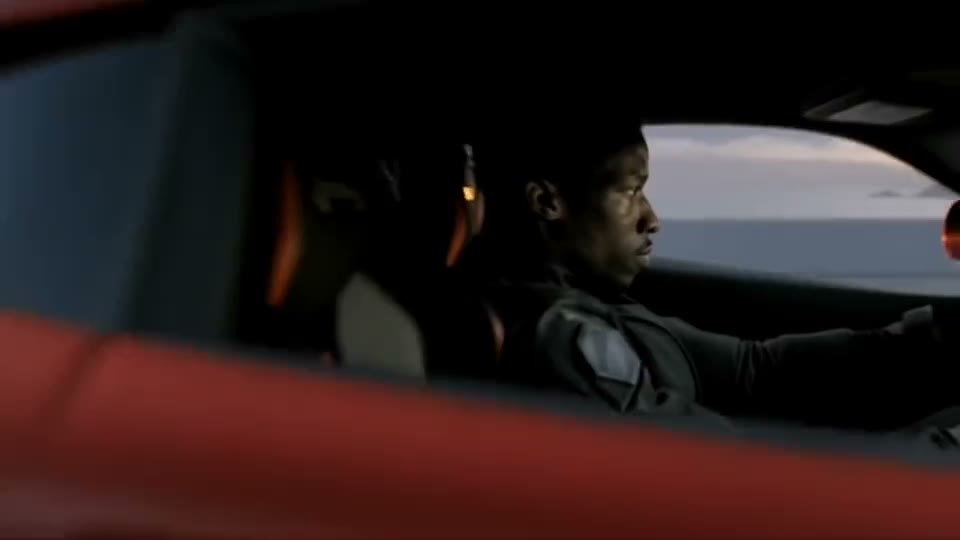
Here is the kind of frame that string produces on the Kling 4 family — one subject, one light source, one camera move:
A shot that reads as one place: subject, light, camera. The grade holds because the prompt names one light source.
Practical rule: if a shot comes back wrong, count the subjects first. Nine times out of ten the prompt described two people, or described the face instead of the motion.
10 copy-paste tips
1. Put duration and ratio first
9:16, 10s. at the front keeps the model from rendering a widescreen composition you then have to crop. Vertical for TikTok, Reels and Shorts; 16:9 for YouTube; 21:9 for a letterboxed scene; 1:1 for a cover still.
2. Write for 20 seconds, not 30
Flash caps at 20 seconds. A prompt describing “she walks in, sits down, orders coffee, checks her phone, and leaves” will compress all five beats into a mush. Pick one beat per clip and let the edit carry the rest.
A 10-second clip with one beat is the shape a music video is built from — the cut does the rest:

One beat, ten seconds. The next shot continues the story, not this one.
3. One verb, present tense
She turns. He runs. Rain falls. Past tense and stacked verbs (“she had turned and was now walking while looking back”) produce the drifting, half-finished motion that reads as AI.
4. Name a light source, not a mood
“Golden hour through a window with dust in the beam” renders. “Dreamy, cinematic, beautiful” does not. Light is the cheapest quality upgrade in the prompt and the one most often left out.
5. Use the reference image for the face, the prompt for the move
On image-to-video, the still decides who is in frame; the prompt should only describe motion, camera and light. Re-describing the person’s clothes in text makes the model rebuild the face from words and lose the likeness.
6. Lock the grade to one phrase
Pick warm amber grade, film grain or cool teal grade, clean digital and use the same phrase across every shot in the video. Different phrases per shot is how a music video ends up looking like three different videos.
7. Ask for 720p honestly
Flash renders 720p. Prompts stuffed with “8K, ultra-sharp, hyperreal” push the model toward over-detailed texture that the encode smears. “Soft edges, shallow depth of field, 35mm” survives 720p far better.

Soft edges and shallow focus read cleanly at 720p; micro-texture turns to noise.
Practical rule: write the prompt for the resolution you will actually render. 720p rewards composition and light; it punishes detail for its own sake.
8. Keep text out of the frame
There is no negative-prompt box, so you cannot ban captions. Instead, keep the shot composition free of flat surfaces facing camera — signage, screens, book covers — and add bare walls, no signage as a positive description.
9. Plan the cut, not the shot
A three-minute song at 10 seconds per clip is 18 shots. Write the shot list against the beat map first, then write prompts. Prompts written before the cut always come back one beat too long.
10. Reuse the seed phrase, not the whole prompt
When a shot works, keep its scene + light + grade sentence and swap only the action. That gives you a sequence that reads as one continuous world instead of 18 unrelated clips.
5 music-video templates
Each template is a full prompt you can paste into the SunoMV picker after choosing Kling 4.0 Flash. Change the bracketed parts.
Template 1 — Verse, slow push
9:16, 8s. [A man in a grey coat], late 20s. He stands still, breath visible. Empty parking garage at dawn, cold fluorescent light from above. Slow push-in, 50mm, shallow depth of field. Cool teal grade, light grain.Template 2 — Chorus, walk toward camera
9:16, 10s. [A woman in a red raincoat]. She walks toward camera without stopping. Wet city street at night, sodium lamps and neon reflections. Slow dolly-in at chest height, 35mm. Warm amber grade, film grain.Template 3 — Instrumental break, landscape
21:9, 12s. No people. A single road through dry hills, heat shimmer. Late afternoon sun raking across the asphalt. Static wide shot, 24mm, deep focus. Faded warm grade, slight vignette.Template 4 — Bridge, close-up detail
9:16, 6s. [A hand] turning a brass doorknob. Dark hallway, one warm bulb overhead. Macro lens, very shallow depth of field, slow rotation. Desaturated grade with warm highlight.Template 5 — Outro, pull back
16:9, 15s. [Two figures] sitting on a rooftop ledge, seen from behind. City skyline at blue hour, windows lighting up one by one. Slow crane pull-back, 28mm. Blue-violet grade, clean digital.For the reference-image route — keeping the same performer across every shot — start from the SunoMV music video maker and upload one still per character. The prompt then describes only motion, camera and light; the face stays put.
When Flash is the wrong row
Flash is the right row for volume: 18 shots of a three-minute video, or a batch of vertical clips for social. It is the wrong row when:
The standard row is where you go when the shot has to land on an exact final pose.
- You need a precise end frame. Flash has no end frame on image-to-video. A match cut that must land on a specific pose has to go to Kling 4.0 standard.
- You need 1080p. A hero shot for a YouTube thumbnail, or a clip that will be cropped and re-framed, needs the standard row.
- The shot is over 20 seconds. A single continuous take longer than 20 seconds is not available on Flash at any price.
Everything else — verse shots, chorus cuts, atmospheric instrumentals — Flash handles at $0.094/s, which is what makes an 18-shot video affordable in the first place.
Practical rule: decide the row per shot, not per project. Most music videos are 90% Flash and 10% standard, and that 10% is what the audience remembers.
FAQ
Is Kling 4.0 Flash the same model as Kling 4.0? Same family, different limits. Flash caps at 20 seconds and 720p, and drops the end frame. The prompt format is identical.
Can I use the Kling 4.0 prompt guide for Flash? Only after trimming. Any template written for 30 seconds or for a start-and-end-frame pair will fail on Flash. The 10 tips above are the Flash-safe version.
Does Flash generate audio? Yes — the model outputs a native stereo track. For a music video you will replace it with the song anyway; keep the generated audio muted in the edit.
Why does my prompt come back with warped faces? Usually two subjects, or a re-described face on image-to-video. Reduce to one subject and let the reference still carry the likeness.
How many reference images can I use?
Up to 10 stills, referenced in the prompt as @Image1 through @Image10.
Copy, pick Kling 4.0 Flash, export the shot
Copy one template, swap the bracketed parts, choose Kling 4.0 Flash in the SunoMV picker, set duration to 10 seconds and ratio to 9:16 for social. Export the shot, drop it on the beat, then repeat with tip 10 — same scene, same light, same grade, new action.
If you are still deciding between rows, read the Kling 4.0 prompt guide for the 30-second, 1080p, start-and-end-frame version. If you have not built the beat map yet, start with the AI music video creation guide and come back here for the shot prompts.
Made in SunoMV · real exports
See what a song turns into
Every sample below is an untouched SunoMV export: 3 AI storyboard shots, one AI-filmed clip, then the lyrics. Each one uses a different caption style and frame size.
Popular guides
More in this series
- Veo 3.1 Lite Prompt Guide: 10 Tips + Copy-Paste Templates
- Veo 3.1 Fast Prompt Guide: 10 Tips + Copy-Paste Templates
- Gemini Omni 1.2 Flash Music Video Prompts: 8 Copy-Paste Templates
- FLUX 3 Max Prompt Guide: 10 Tips + Copy-Paste Templates
- Grok Imagine 1.5 Lite Prompt Guide: 10 Tips + Copy-Paste Templates